Known Participant
October 14, 2020
Answered

Print settings

  • October 14, 2020
  • 2 replies
  • 568 views

I have to send my document to a professional printer. The printer specified the following: 'please export to PDF X/1A'.

My question is where exactly do I specify this setting as there are different options.

1. Do I set Adobe PDF Preset to Press Quality and then select PDF/X-1a under the Standard dropdown list?

2. Do I set Adobe PDF Preset to PDF/X-1a and Standard to the same?

3. Under Standard: there is PDF/X-1a 2001 and PDF/X-1a 2003. As the printer only specified PDF/X-1a which one is the right setting?


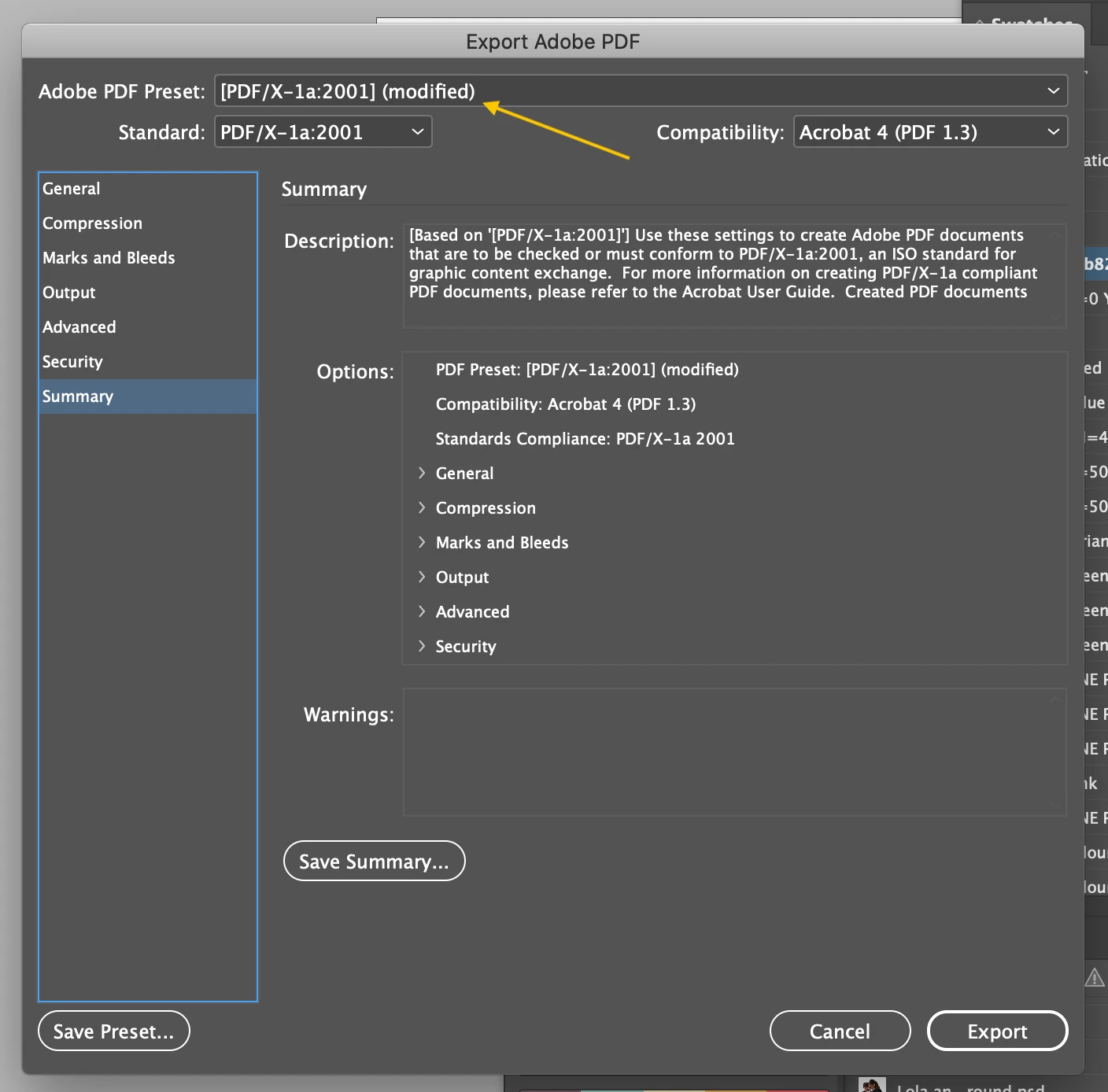
Please see screenshot.


Many thanks!!


This topic has been closed for replies.
Correct answer rob day

If you keep the Standard and Compatibility settings as, PDF/X-1a:2001 and Acrobat 4, the PDF will meet the PDF/X-1a requirement.


You can make changes that will modify the preset (modified)—i.e. changing the Compression settings—and still have a valid PDF/X-1a. Just make sure the Standard setting stays as PDF/X-1a:2001


An Output panel change, like changing the Color Conversion to No Color Conversion, would force the Standard to None and the PDF would no longer be a valid PDF/X-1a

2 replies

rob day
Community Expert
rob dayCommunity ExpertCorrect answer
Community Expert
October 14, 2020

If you keep the Standard and Compatibility settings as, PDF/X-1a:2001 and Acrobat 4, the PDF will meet the PDF/X-1a requirement.


You can make changes that will modify the preset (modified)—i.e. changing the Compression settings—and still have a valid PDF/X-1a. Just make sure the Standard setting stays as PDF/X-1a:2001


An Output panel change, like changing the Color Conversion to No Color Conversion, would force the Standard to None and the PDF would no longer be a valid PDF/X-1a

jeroenduller
Participant
February 3, 2021

According to the standard, PDF / X-1a 2001 version 1.3 uses PDF which flattens transparency. And PDF / x-1a 2003 is applied to version 1.4 PDF, which allows transparency.
However, in InDesign, when you select PDF / X-1a 2003 the PDF version is set to 1.3 and not 1.4.

https://en.wikipedia.org/wiki/PDF/X


I see no difference between the 2001 and 2003 standard. Even with PDF / X-3 version 1.3 is applied and thus transparency is flattened. Only PDF / X-4 maintains transparency. That's odd to me....

Derek Cross
Community Expert
Community Expert
October 14, 2020

Select PDF/X-1, (from the Adobe PDF Presets) choose single pages (not spreads), tick crop marks and tick Use Document Bleed settings.