furlabun
Participant
January 3, 2017
Answered

Printing Facing Pages as Single-Up Double Sided?

  • January 3, 2017
  • 1 reply
  • 4703 views

Hi,

I'm new to indesign so I'm sorry if this won't make sense. I am printing a book to be hand-bound in perfect binding. Page size is 7.5x10.5, and I am using standard letter size paper, so there's no folding.

I would like to be able to set up the pages so they are facing in the file- i have several double-wide pages- but print just like double-sided pages. As long as they are centered and I have the bleed markers I can cut them to size.

Can I do this from facing pages or is there something I'm missing? I tried following one tutorial without fp but it didn't go into making new pages and the master seems to not be replicating itself over the single pages.

Thank you!
This topic has been closed for replies.
Correct answer rob day

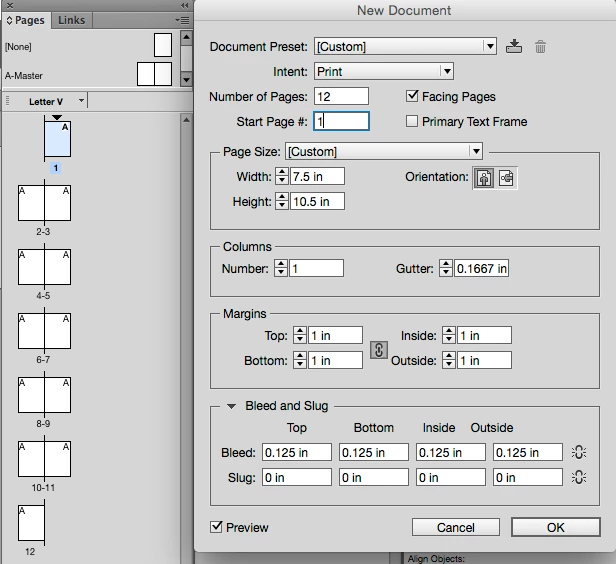
Just set the document up with Facing Pages checked:

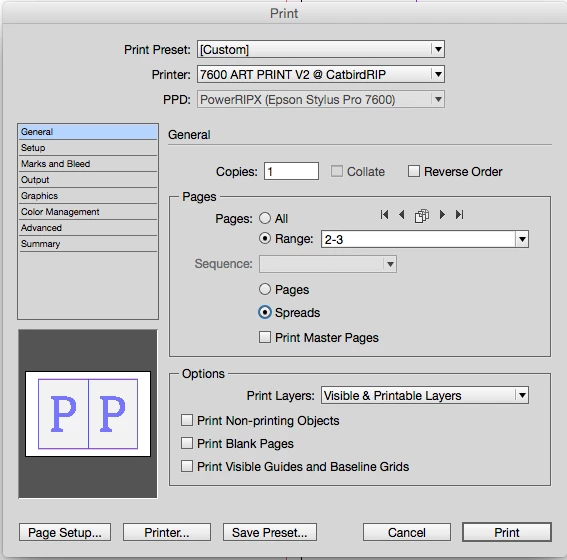
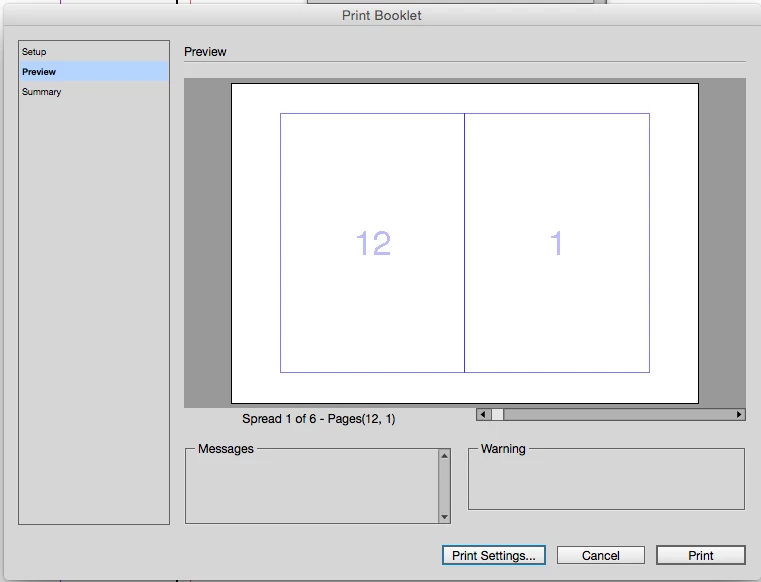
When you print choose Spreads, which will print reader spreads. If you need simple imposition of printer spreads there is Print Booklet in both InDesign and AcrobatPro.

Print Booklet

1 reply

rob day
Community Expert
rob dayCommunity ExpertCorrect answer
Community Expert
January 4, 2017

Just set the document up with Facing Pages checked:

When you print choose Spreads, which will print reader spreads. If you need simple imposition of printer spreads there is Print Booklet in both InDesign and AcrobatPro.

Print Booklet

furlabun
furlabunAuthor
Participant
January 4, 2017

I don't think I need the spreads like that, but I will tweak around and see what works.

rob day
Community Expert
Community Expert
January 4, 2017

Right, i missed that you are printing on letter sized paper and you can't impose.