
Participant
June 26, 2021
Question

Printing Issue Blue Line

  • June 26, 2021
  • 5 replies
  • 462 views

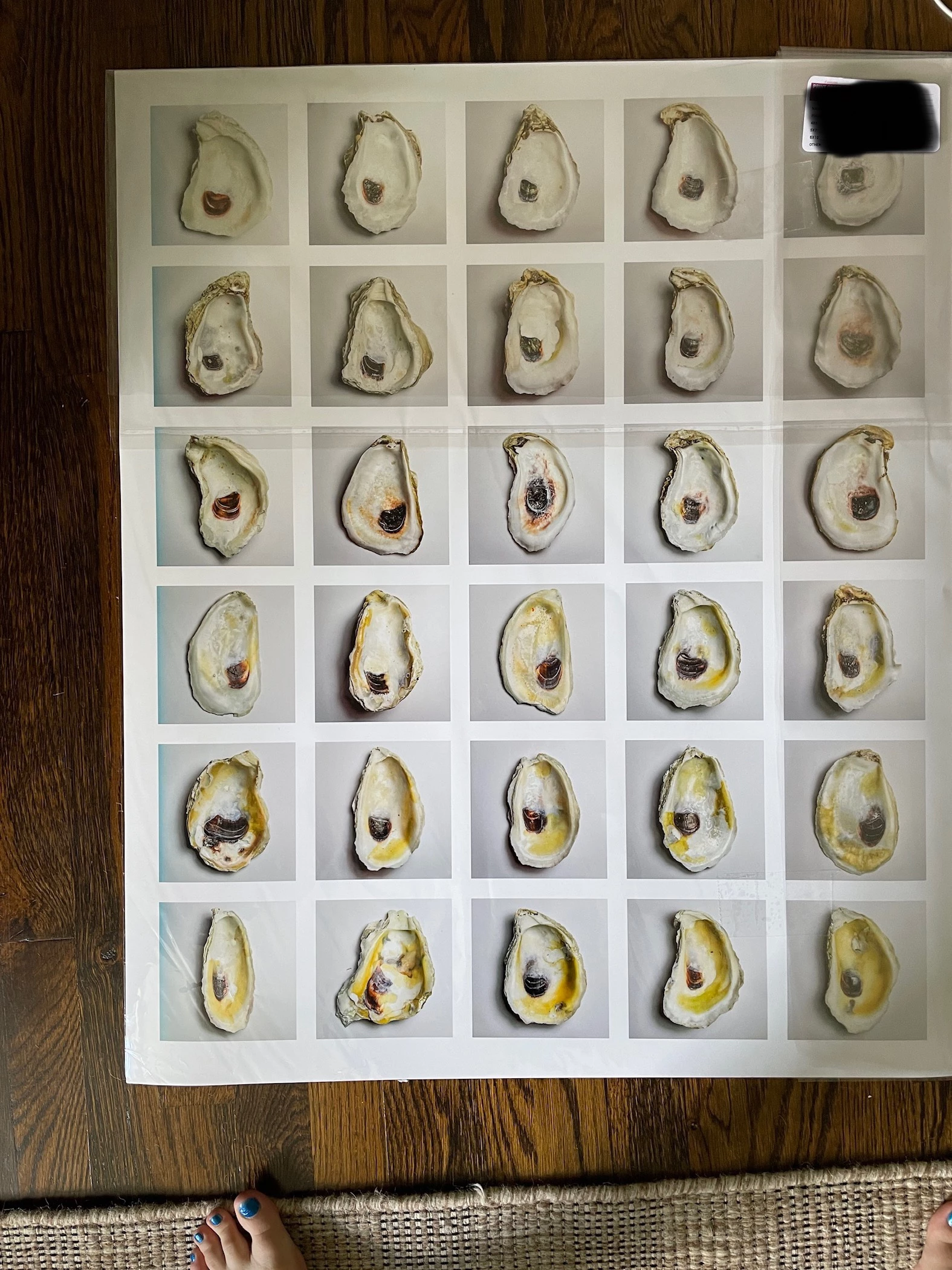
A while back I did a project in InDesign. All went very smoothly, everything looked nice, I exported the jpg file from InDesign and moved on. Then, I decided I wanted to print this project. I took it to a professional photo printing shop and it came out like the image below. There is a blue line on the left side of the peice. This blue line did not show up on the jpg image I exported from InDesign, nor did it show up in InDesign while I was working on it. Can someone please help? I wanted to give this as a gift. 

Thank you. 
This topic has been closed for replies.

5 replies

Community Expert
June 27, 2021

I concur with everyone else, if it's not in the image or the original files then it's a printing issue.

Brad @ Roaring Mouse
Community Expert
Community Expert
June 27, 2021

Agreed. Printing issue.

Looks like their printer was sitting unused for awhile, and there was some contamination in the jets which worked itself out as the print progressed.

Peter Spier
Community Expert
Community Expert
June 26, 2021

I agree with both Rob and Bob. First thiung is to ask the printer to look at the jpeg on screen again and reprint the file.

rob day
Community Expert
Community Expert
June 26, 2021

I can see there is a blue glow on the left column of images. If it’s not in the exported image, then it’s likely a printer problem. 

BobLevine
Community Expert
Community Expert
June 26, 2021

Not without seeing the file, but why are you exporting to JPG instead of PDF?