
Participant
December 22, 2020
Answered

Printing Letter size to A3 size PDF

  • December 22, 2020
  • 2 replies
  • 2141 views

I'm required to submit a booklet in Letter size. As such, I've set the InDesign document size to US Letter. However, I'm in a part of the world where I only have access to A4 and A3 sizes, so I went to the print to pdf option, and selected the target print size to be A3, and printed the Letter size pages to be centered in these A3 pages with crop marks and bleed marks. Today, I tested and saw that while it seemingly printed fine on A3 when I measured the printed page dimensions from crop mark to crop mark I saw that the dimensions weren't equal to those of the US letter, but instead the bleed mark to bleed mark measurements are closer to those of the actual Letter measurements. 


What am I doing wrong?
This topic has been closed for replies.
Correct answer Luke Jennings3

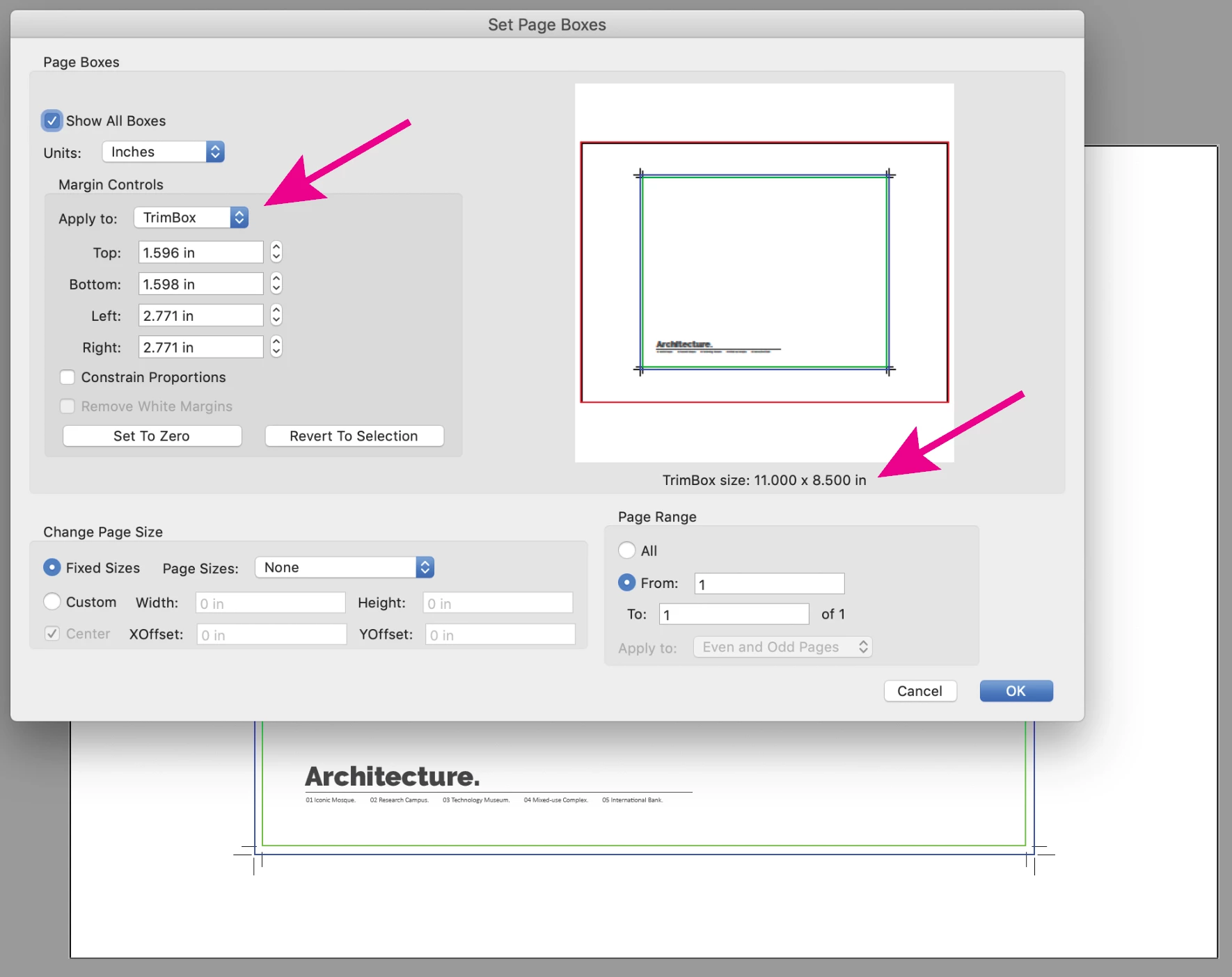
Your page size is correct on your sample PDF (11 x 8.5") as shown in Acrobat using the crop tool. As Derek suggests, confirm you are printing at 100%, (not fit to page).

2 replies

Luke Jennings3
Community Expert
Luke Jennings3Community ExpertCorrect answer
Community Expert
December 22, 2020

Your page size is correct on your sample PDF (11 x 8.5") as shown in Acrobat using the crop tool. As Derek suggests, confirm you are printing at 100%, (not fit to page).

hazem10Author
Participant
December 23, 2020

thank you.

Derek Cross
Community Expert
Community Expert
December 22, 2020

Just select Crop marks, don't bother with bleed marks.

Make sure you're not changing the size in the printer dialogue box (select, keep to actual size).

hazem10Author
Participant
December 23, 2020

thank you...