
dzgnr89
Inspiring
March 30, 2023
Question

Printing white colour?

  • March 30, 2023
  • 2 replies
  • 280 views

I am making a sticker graphic in InDesign which will be printed on transparent sheet. 

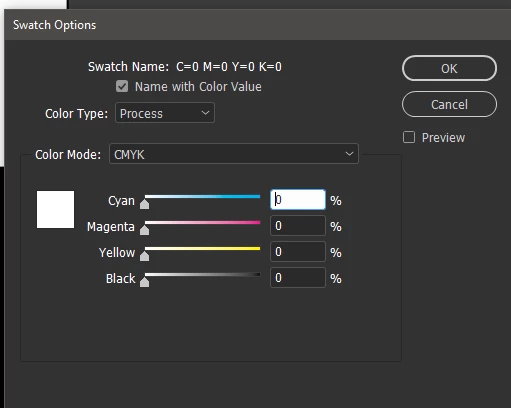
It has white alphabets and one white rectangle, besides shapes of other colours. I used c=0,y=0,m=0,k=0 for white, but the alphabets got printed transparent. What should I do to print white ink?


These are the swatch settings. 


This topic is closed to new replies. Start a new post to keep the conversation going.

2 replies

jmlevy
Community Expert
Community Expert
March 30, 2023

In complement to @SJRiegel answer, you won't be able to print a white spot color if you try to do it on a personal printer (if this is what you had in mind)

Legend
March 30, 2023

Set up a new Swatch (Color Type: Spot) Call it something like Spot White. (The visual color mix will not matter; I usually use magenta or light blue). Everything that you want printed in white ink needs to be set to this spot color. This will create the separate printing plate that will be used for the white ink. 

What you have done with your (c=0,y=0,m=0,k=0) swatch is to tell the printer that no ink will be printed in those places.