Participant
June 14, 2023
Answered

Problem paragraph borders in figures and tables

  • June 14, 2023
  • 1 reply
  • 379 views

Hi everyone,


I have a specific problem with paragraph borders in figures and tables and hope that someone here might have a tip.


In my layout I have info text boxes with left paragraph border. In addition to text, these info text boxes can also contain figures and tables, which should also have paragraph borders on the left. Unfortunately, the paragraph border interrupts figures and tables. This always happens when there is a page break in the info text box.
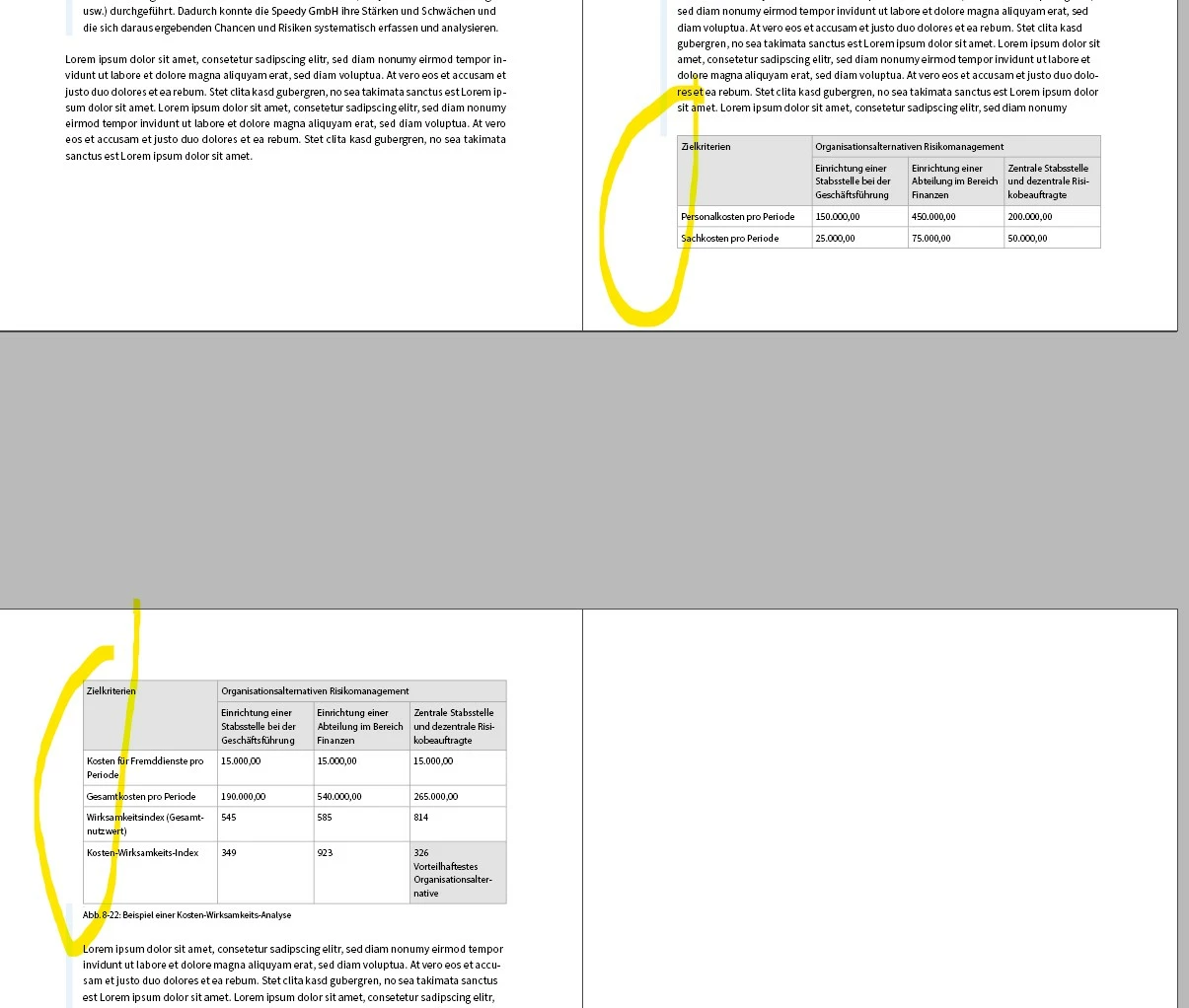
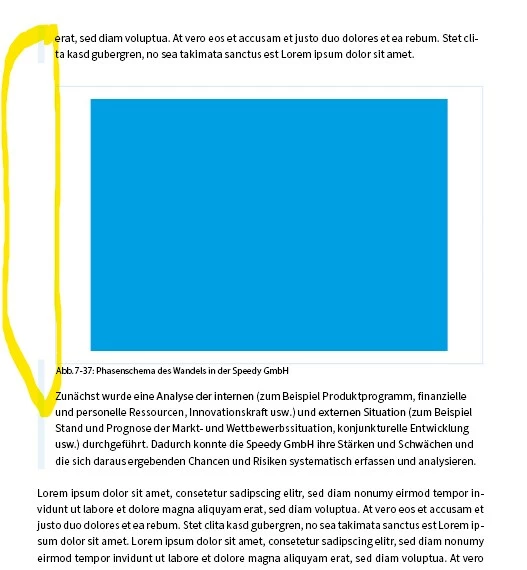
Does anyone have a solution here? I have attached an example file.


Best regards
David
This topic has been closed for replies.
Correct answer Laubender

Hi @David30491318kl2l ,

this is an old missing feature or even a bug that never was fixed with Paragraph Borders.

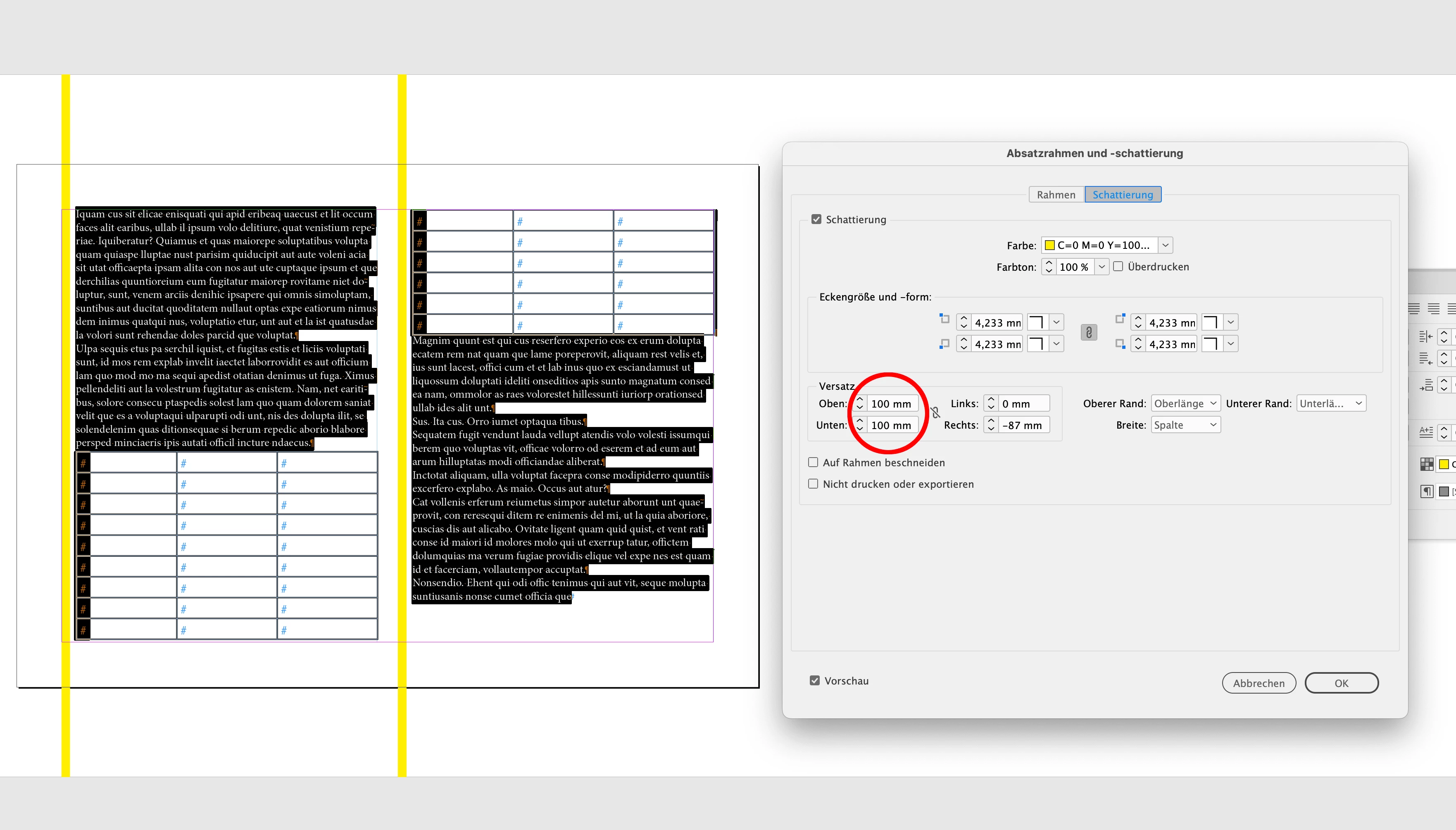
One could work around it using Paragraph Shading the following way:


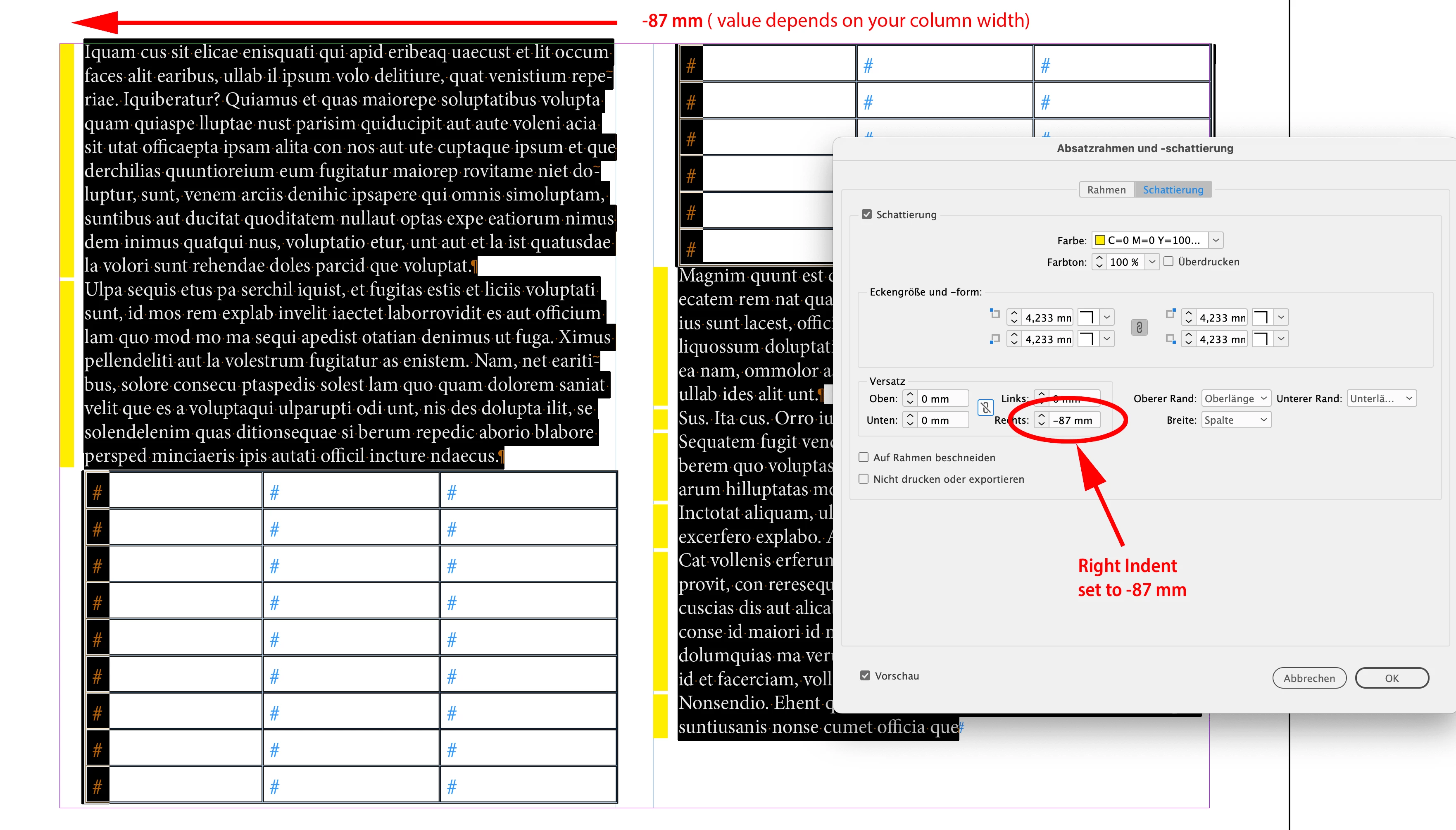
Constrain the right indent value for paragraph shading so that the effective width of the shading is matching the intended width of your border at the left edge of the frame or text column.


From my German InDesign 2023:


Use an absurd amount with indent values for top and bottom:


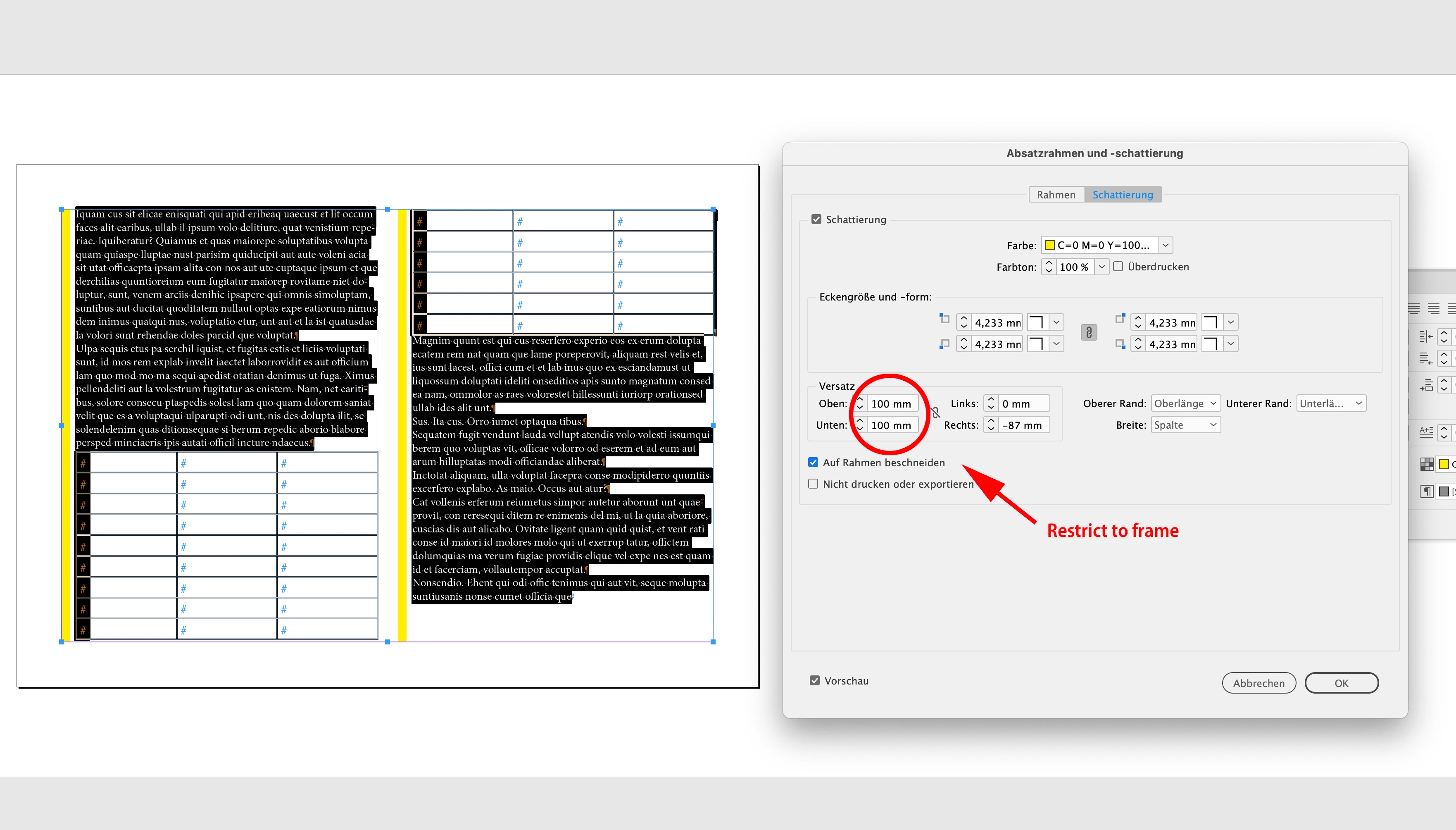
Restrict the shading to the text frame:


The numbers must vary depending on the width of your text frames and the width of your columns if you are using multi-column text frames.


Regards,
Uwe Laubender
( Adobe Community Expert )


1 reply

LaubenderCommunity ExpertCorrect answer
Community Expert
June 14, 2023

Hi @David30491318kl2l ,

this is an old missing feature or even a bug that never was fixed with Paragraph Borders.

One could work around it using Paragraph Shading the following way:


Constrain the right indent value for paragraph shading so that the effective width of the shading is matching the intended width of your border at the left edge of the frame or text column.


From my German InDesign 2023:


Use an absurd amount with indent values for top and bottom:


Restrict the shading to the text frame:


The numbers must vary depending on the width of your text frames and the width of your columns if you are using multi-column text frames.


Regards,
Uwe Laubender
( Adobe Community Expert )


Participant
June 14, 2023

Thank you very much for your quick response. That looks like a good workaround to me.