
arlenes98087881
Participant
November 3, 2022
Question

Problem placing a text box over another text box.

  • November 3, 2022
  • 3 replies
  • 1228 views

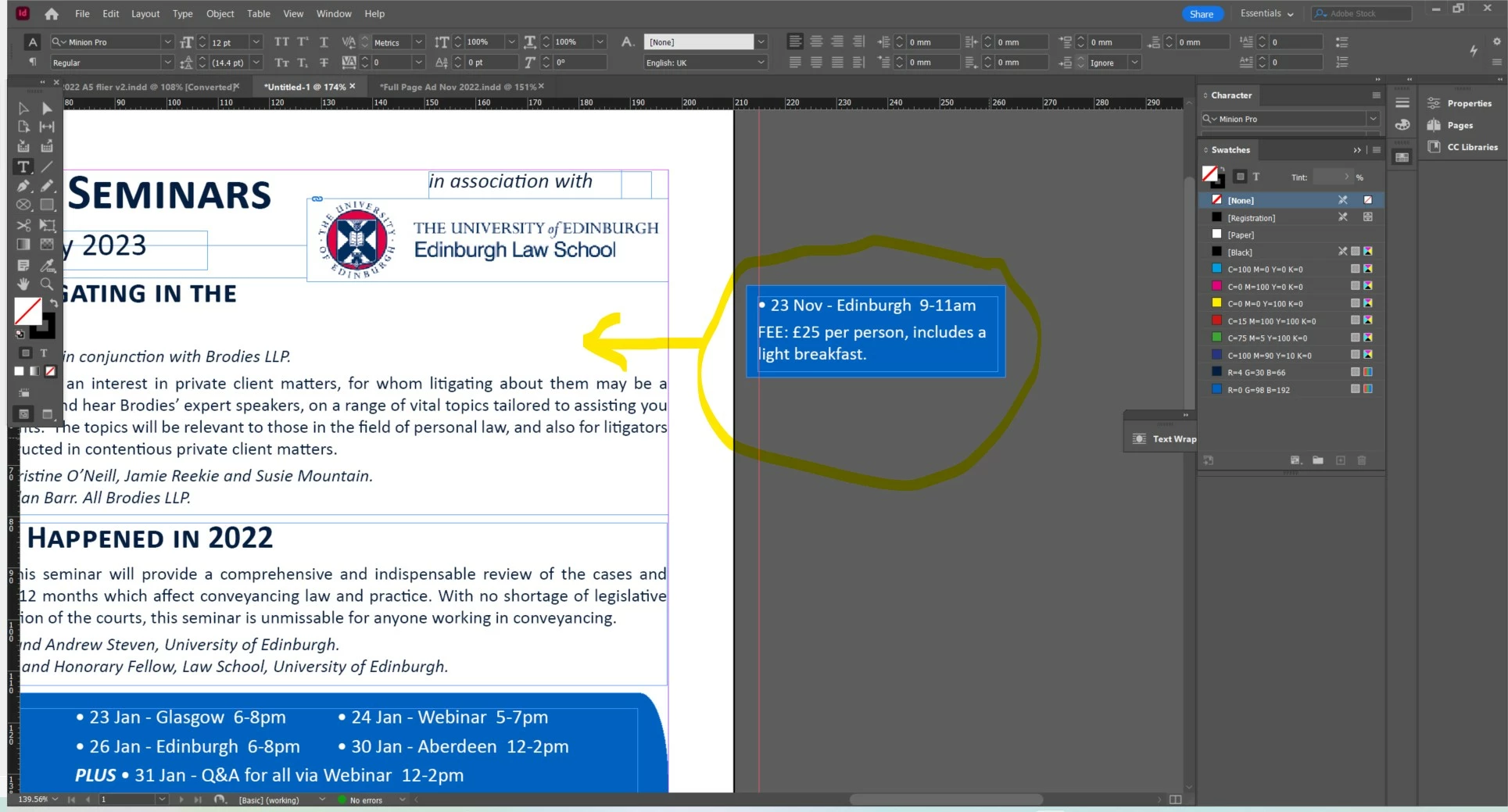
Hello, I have a text box which I would like to add another text box into. See below. When I move the text box into the existing frame the blue box is there but the text is not.  See second image.  Can anyone tell me what I am doing wrong or what I need to do so the text remains in place?


This topic has been closed for replies.

3 replies

Jumpenjax
Community Expert
Community Expert
November 3, 2022

Do you have text wrap on the text boxes?

Lee- Graphic Designer, Print Specialist, Photographer
arlenes98087881
Participant
November 3, 2022

Thank you so much, problem solved!


Jumpenjax
Community Expert
Community Expert
November 3, 2022

You are welcome.

Lee- Graphic Designer, Print Specialist, Photographer
Willi Adelberger
Community Expert
Community Expert
November 3, 2022

Text warp is moving text away. Apply an Object Style where ignore text warp is active or cmd/ctrl+B.

But you have way to many text frames in your layout.

arlenes98087881
Participant
November 3, 2022

Thank you so much!

Geоrge
Legend
November 3, 2022

https://helpx.adobe.com/indesign/using/anchored-objects.html - play with anchor objects settings


Remember, never say you can't do something in InDesign, it's always just a question of finding the right workaround to get the job done. © David Blatner