

Problem: scale text as part of a group
Hi everyone,
this problem has been driving me nuts for ages now and I've decided I've finally had enough, so desperately hoping to find some help here.
I don't think it has anything to do with my ID version or system as I said I've had this problem for years over different devices, but just in case I'm using CC2019 on MacOS High Sierra.
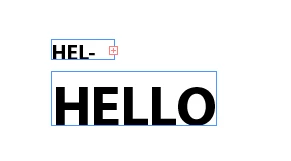
Initial problem: I want to scale a group that contains one or more text boxes. If I enlarge the group by pressing shift + cmd and dragging the corners OR entering a percentage, it seems to work just fine. However if I want to scale the group down with the same method my text doesn't fit the bounding box anymore.
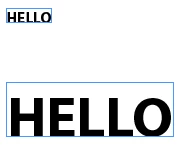
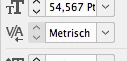
I then tried to change my preferences to "When Scaling -> Adjust scaling percentage" before scaling, but it gives me the dreaded "font-size in parenthesis problem". I googled again and saw that a lot of people suggested to select the option "redefine scaling to 100%" to fix the parenthesis and it seemed to work for everyone except me - when doing this, again my text doesn't fit the bounding box anymore. The text size seems correct but when selecting this option something seems to be off with the tracking? (see screenshots) Again I googled, but couldn't find anything about it.
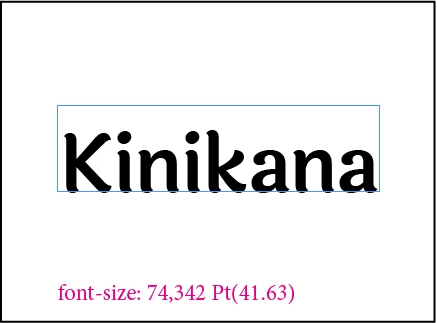
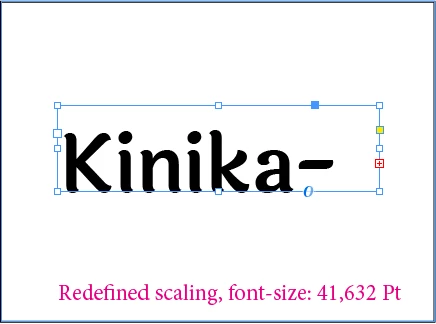
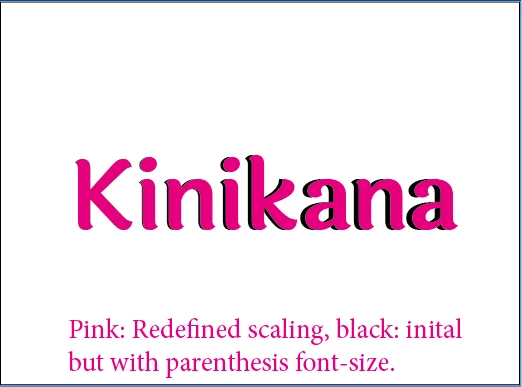
I don't know if I'm missing something super obvious there but I'm sure it can't be such a pain to simply scale things?
 AdChoices