Known Participant
January 24, 2020
Answered

Problem when rotating linked .ai file in InDesign. Looks fine at all rotations except -90 degrees.

  • January 24, 2020
  • 2 replies
  • 1373 views

I can't figure out what is happening when I rotate a linked .ai file. It's a vector logo I created. It looks fine at 0, 90 and 180 degrees,  At -90 or 270, however, it creates strange shapes. (It's the circled one on the attached screenshot). It looks like some anchor points are being deleted. I have no idea why this is happening. I tried saving as .eps files, but same thing happens.
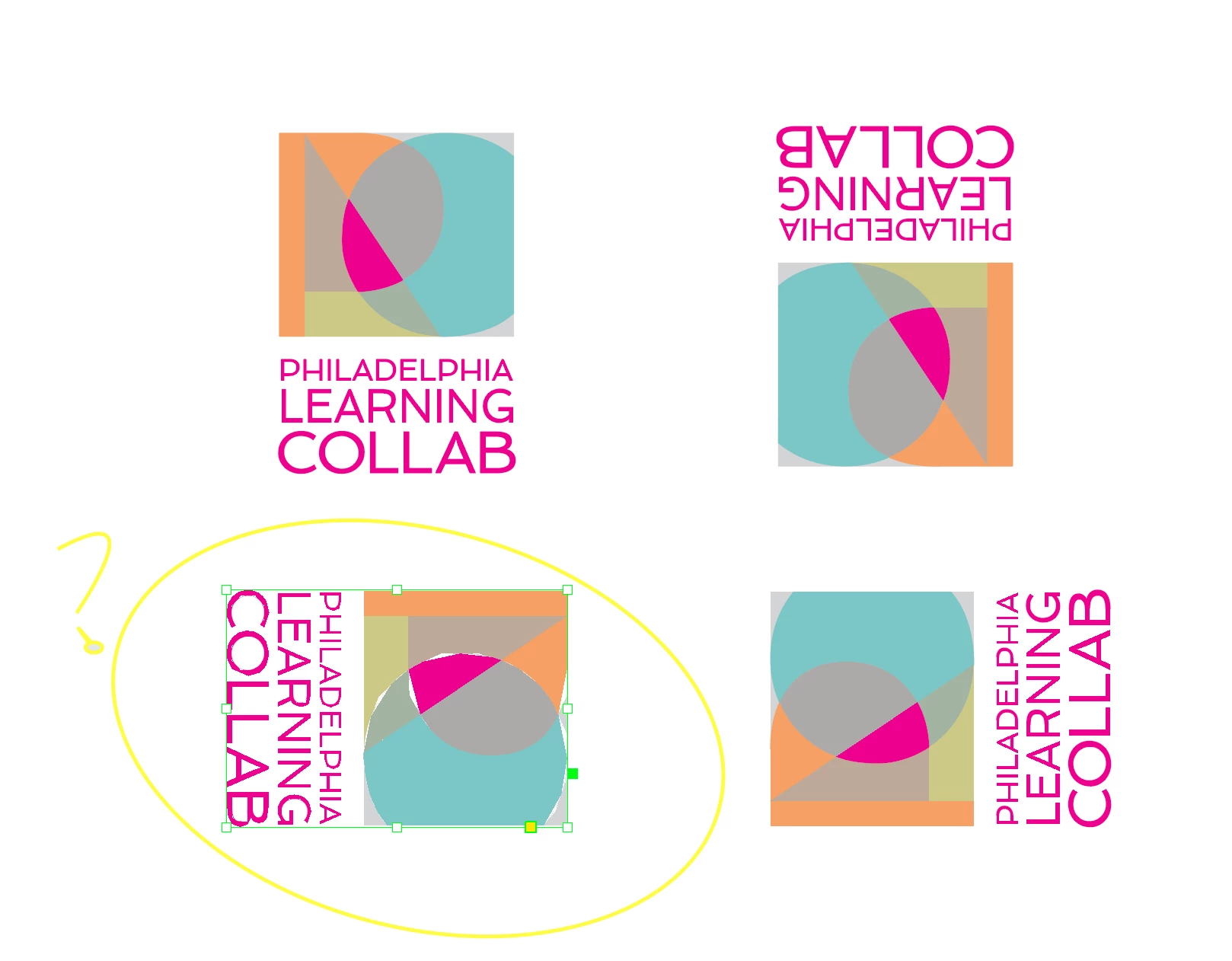
 

{Renamed by MOD}

Correct answer Luke Jennings

As suggested above, this is probably a GPU issue. Under InDesign preferences, go to GPU Performance> GPU Performance (un check). Do this with no document open to apply this preference to all files.

Or, go to view> Overprint preview (on).

If these suggestions don't help, re-save your Illustrator file using the Illustrator default settings, keep it .ai or .pdf, do not use .eps.

Set your InDesign Clipboard Handling preference to Prefer PDF when Pasting. I know you said you linked the file, (which is preferred) but similar display issues can occur from pasting .ai or .eps files when this preference is off.

2 replies

Luke Jennings
Luke JenningsCorrect answer
Inspiring
January 27, 2020

As suggested above, this is probably a GPU issue. Under InDesign preferences, go to GPU Performance> GPU Performance (un check). Do this with no document open to apply this preference to all files.

Or, go to view> Overprint preview (on).

If these suggestions don't help, re-save your Illustrator file using the Illustrator default settings, keep it .ai or .pdf, do not use .eps.

Set your InDesign Clipboard Handling preference to Prefer PDF when Pasting. I know you said you linked the file, (which is preferred) but similar display issues can occur from pasting .ai or .eps files when this preference is off.

Srishti_Bali
Legend
January 25, 2020

Hi there,


We're so sorry to hear about this issue. This could be related to GPU rendering issues as well. I would request if you can share a few more details like:

  • OS and version of InDesign
  • GPU installed on your system
  • Is the issue related to a specific document? If yes, could you please share the document with us? You can upload it to the creative cloud and share the download link. 


Regards,

Srishti