
MT89_
Participating Frequently
September 1, 2017
Question

problem with cut lines after printing...

  • September 1, 2017
  • 3 replies
  • 3279 views

Hello

I'm new to inDesign and i need help

I work with my a client who is a publisher and I'm not in touch with the pressman at all.

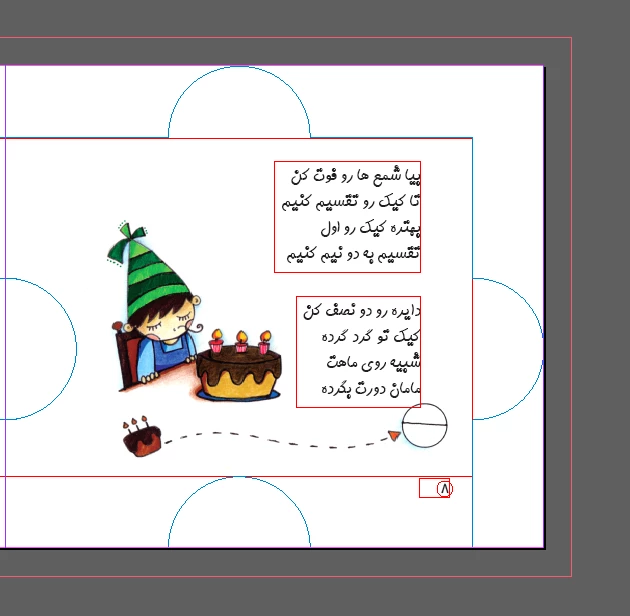
I created a book with puzzle-shaped cut-line/die-lines and I was told to set the bleed to 10 mm which i did after creating the document and it seems the bleed is outside the doc which i didn't notice before (picture below)
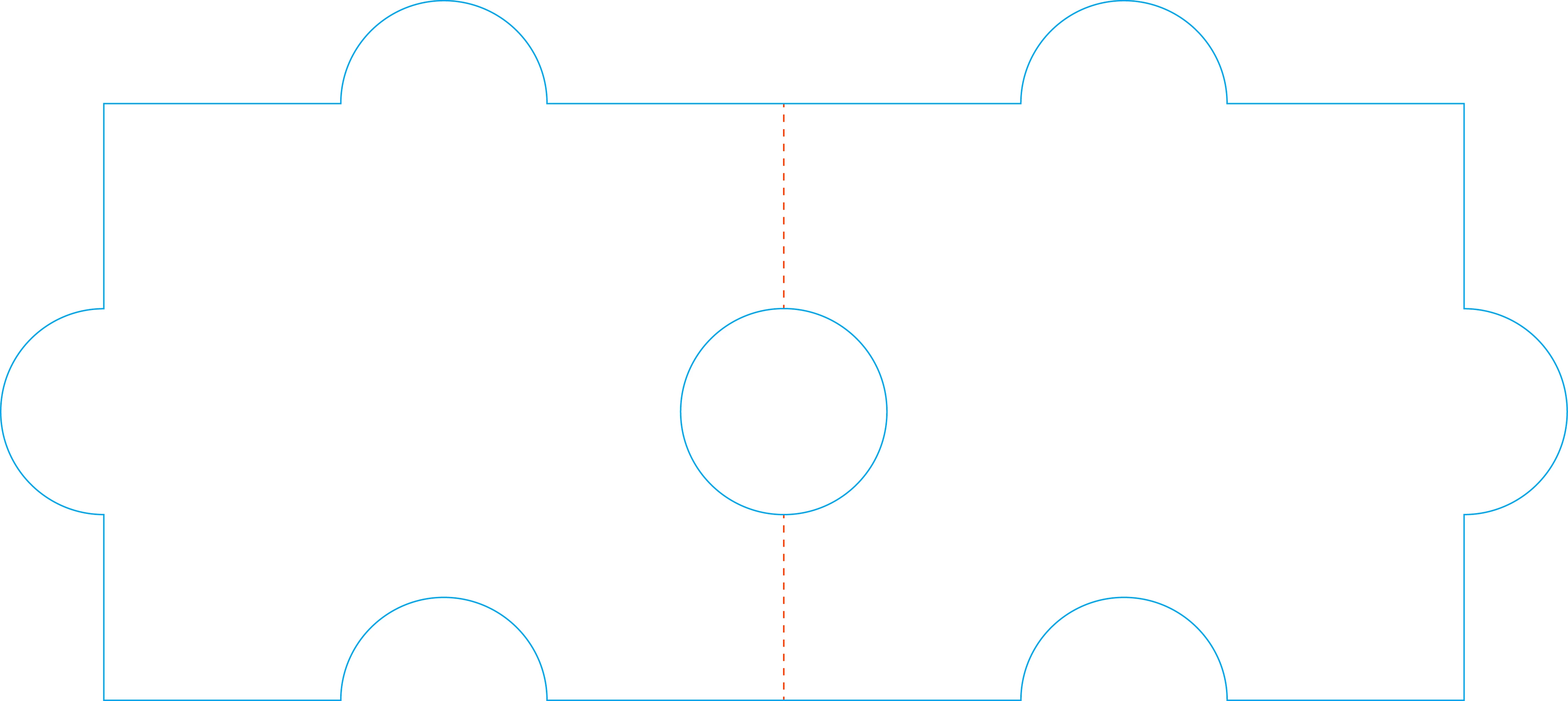
here's my cut line (for two spread page): (created with illustrator)
I placed the cut-lines where I exactly wanted the documented to be cut. then I export the pdf with "all printers mark" "use document bleed setting" and "Slug area" checked. (picture below is the exported PDF (im not sure if the area outside the red square is bleed area or slug area!))
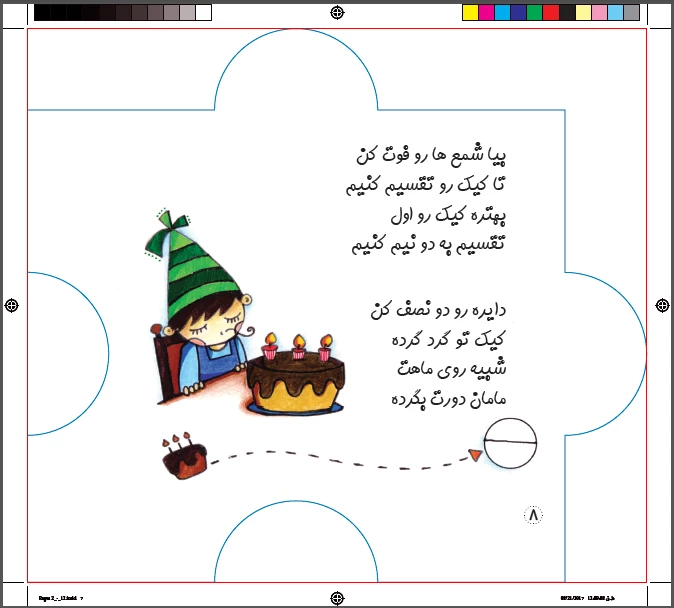
one of my question is: does the area outside the red square print?

because the prints are all done and now they need to cut it and the pressman called and said if we apply the cutting a part of texts are also gonna cut!!! what did i do wrong?

and what can i do now to prevent the cutting of the elements inside the document ?

Any help would be much appreciated

    This topic has been closed for replies.

    3 replies

    MT89_
    MT89_Author
    Participating Frequently
    September 1, 2017

    Thanks for being perceptive, I appreciated it.

    The cut-line file which I created with Ai was so exact in size when I placed it in InDesign (by just double clicked the file in the corner of the page) it fit perfectly, so I don't think this was the problem, but I sent them the .eps file instead of .ai ! I'm not sure maybe changing the format messed it all up..!

    winterm
    Legend
    September 1, 2017

    For future reference: eps is an obsolete format nowadays, however it must be ok in this particular case. But why messing different formats? All-in-one pdf frightens them? Then send two, both with printer marks to be sure everything will be aligned properly on the printer side:

    AIO, should be good to go:

    Or,

    Artwork only:

    plus, Cutting line only:

    However, your main concern now, what's wrong with the text? I think, we're all out of a fresh ideas here, you should contact the printer.

    winterm
    Legend
    September 1, 2017

    Or... just a wild guess: your pressman is very busy and must be mistakenly talking to you about some different project... since your's is perfectly ok, like vinny already said.

    BTW, no need to bother with Slug area here. The fact you checked it won't do any harm, though.

    vinny38
    Legend
    September 1, 2017

    I personally don't see anything wrong in your document, nor what text could be cut!

    As you expect, the blue line is where printer will cut, and there is absolutely no element overlapping this diecut...

    Maybe the problem stands on another page? Could you share your PDF so we could have a look?

    MT89_
    MT89_Author
    Participating Frequently
    September 1, 2017

    thank you for the repy

    other pages are the same and texts are far away from the cut lines.

    the first page is  full of texts:

    Exported PDF:

    In Indesign:

    at first I sent the PDF with cut-lines inside for print but pressman told me to remove the cut-lines (although the cut-lines are overprinted and spot colors) and then send them the PDF without the outlines and I sent the Ai Cut-line file separately.

    My concern is that the area outside the red square is slug area printers only print the area inside the red square. the cutter needs 10 mm bleed so if this happened then my work is ruined!

    vinny38
    Legend
    September 1, 2017

    Really hard to tell...

    Maybe the printer uses a checking system like Pitstop that did spot elements that are inside the 10mm security area, like this one:

    Or (bad guess): you have text wrapping around objects that were on the diecut layer...

    Any chance you can meet him and check the printings?

    Did you get Proofs as well?