nidshiko
Participant
October 31, 2018
Answered

Problem with Print Booklet in Indesign

  • October 31, 2018
  • 4 replies
  • 8997 views

Hi!

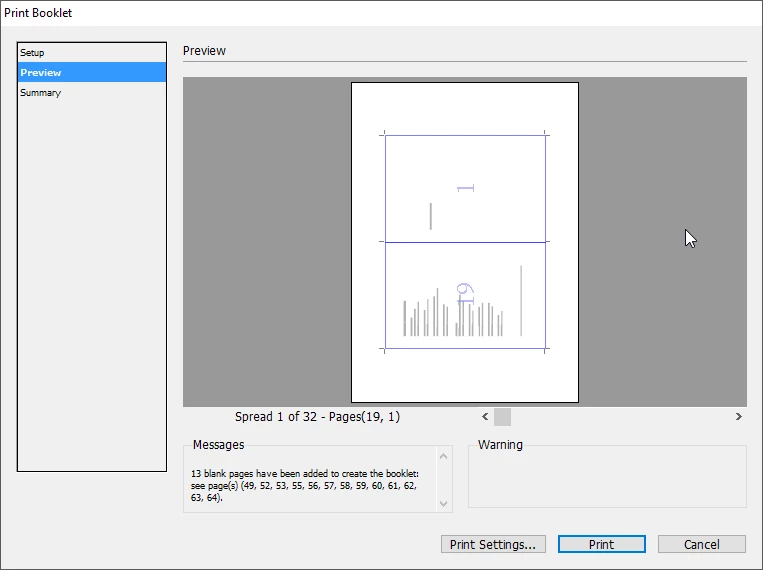
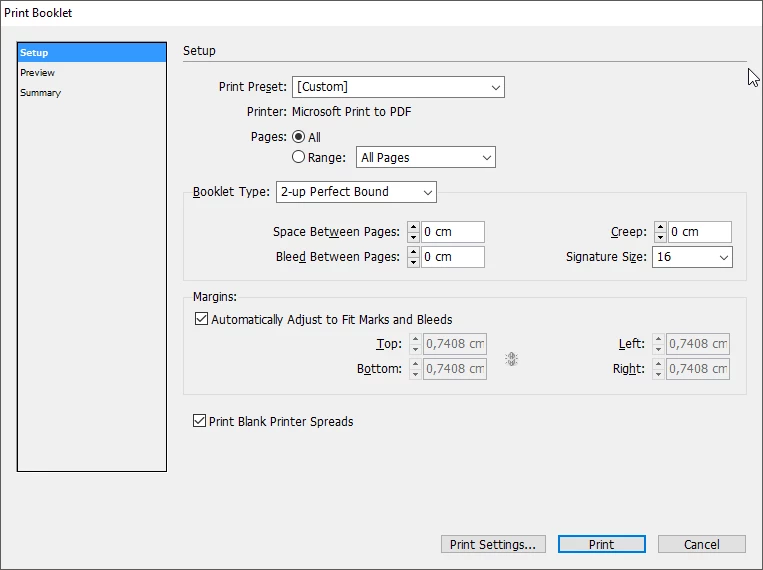
I need to create a 64 pages book (33 spreads?), and I have a problem with the option "print booklet" because it keep adding blank pages and I don't know how to fix it.

Thanks! And sorry for the bad english

This topic has been closed for replies.
Correct answer rob day

I need to create a 64 pages book (33 spreads?), and I have a problem with the option "print booklet" because it keep adding blank pages and I don't know how to fix it.

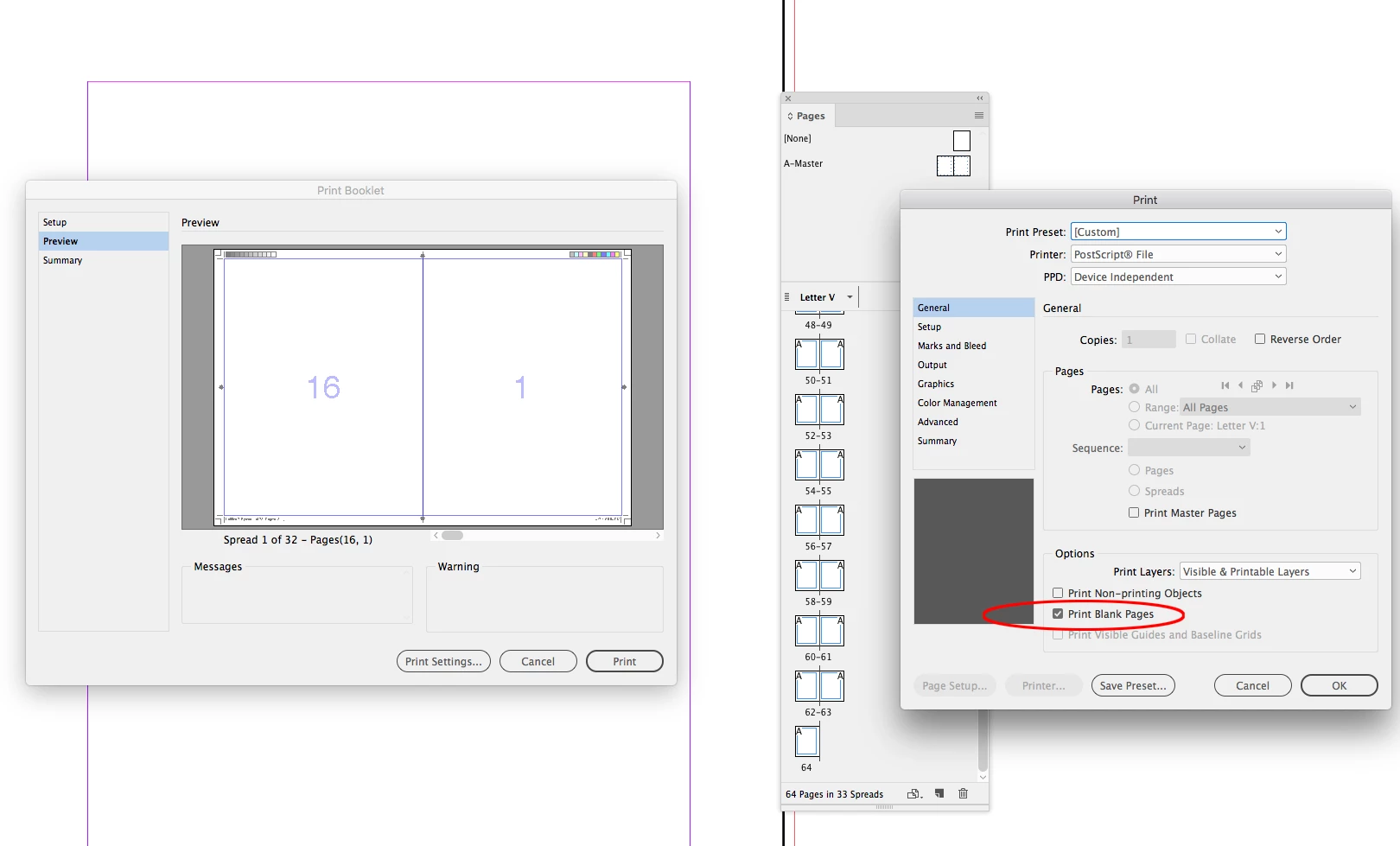
If there are any blank pages in your 64 page doc make sure you check Print Blank Pages under Print Settings>General. When you impose for a booklet page 1 and 64 will be combined into a spread so there will be 32 spreads.

You can try Acrobat's Booklet feature as Bob suggests, but there is no Perfect Binding/Signature options. There's also no Creep setting

4 replies

Participant
September 13, 2021

Printing booklet in Indesign. 

J E L
Community Expert
Community Expert
September 13, 2021

@ohenzo Nice. Good job!

Participant
September 14, 2021

Thank you and stay safe.

rob day
Community Expert
rob dayCommunity ExpertCorrect answer
Community Expert
October 31, 2018

I need to create a 64 pages book (33 spreads?), and I have a problem with the option "print booklet" because it keep adding blank pages and I don't know how to fix it.

If there are any blank pages in your 64 page doc make sure you check Print Blank Pages under Print Settings>General. When you impose for a booklet page 1 and 64 will be combined into a spread so there will be 32 spreads.

You can try Acrobat's Booklet feature as Bob suggests, but there is no Perfect Binding/Signature options. There's also no Creep setting

Participant
February 22, 2021

Plz make a video on this

Derek Cross
Community Expert
Community Expert
October 31, 2018

Which version of InDesign and OS?

Are you printing this to your own desktop printer or sending it out to a commercial printer?

nidshiko
nidshikoAuthor
Participant
October 31, 2018

I already solved it, the option "print blank pages" wasn't checked

BobLevine
Community Expert
Community Expert
October 31, 2018

Export a PDF and use the booklet feature in Acrobat. You’ll get far better results.