Participating Frequently
September 3, 2017
Answered

Problem with Roll Over on Interactive Buttons

  • September 3, 2017
  • 2 replies
  • 3387 views

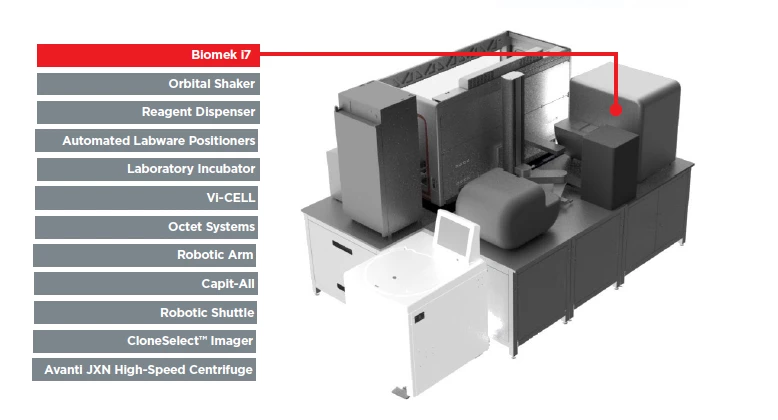
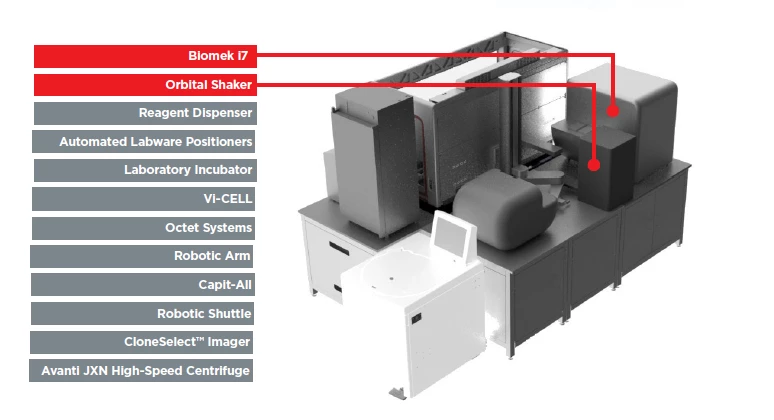
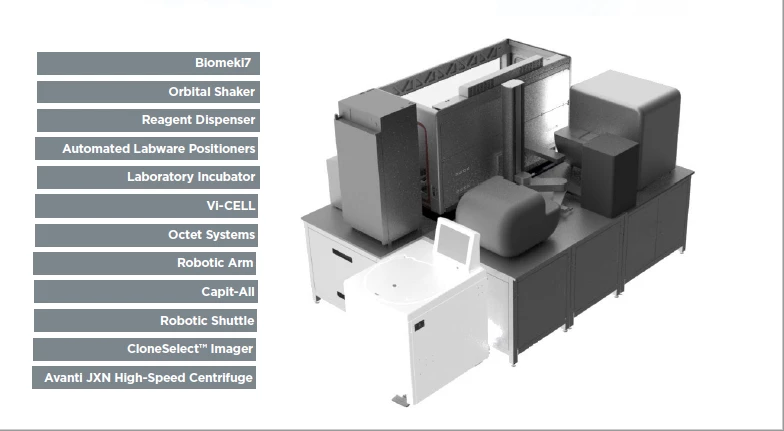
I am creating a PDF to show parts on a bio testing workstation. The image is on the right and on the left I have a vertical column of the 12 parts I want to highlight. I thought I would create a multi-state button that on roll over would revel a line pointing to the area on the workstation where the part is located. So I create the rectangle, copy and the arrow and group those items. and make them a button. I add the rollover state and make my rectangle red to highlight it. I then go back to the Normal state and delete the arrow from the normal state which hides the arrow.

It all works great except as I roll over the second button in the column the top button highlights right along with the second button.

See images below. They only thing I can think off is that the Group size causing the highlight.
    This topic has been closed for replies.
    Correct answer BobLevine

    Thanks, that is the problem. The arrows pointing to the areas make the group perimeter of the button go over the other button. I need to figure another solution. I don't know of a function to SHOW and HIDE layers to get the arrows to show.


    Make the arrows part of the image instead.

    2 replies

    Community Expert
    June 18, 2018

    Hi,

    do you have a Publish Online document URL for testing?

    Regards,
    Uwe

    EDIT: Don't know if this is a glitch in the Forum software, but currently I cannot see the post I answered to.
    That said: I can see the post only while editing my answer:

    EDIT 2: Ah! No forum bug.

    Bob branched this out to a new thread:

    Question about Roll Over on Interactive Buttons [BRANCHED]

    Participating Frequently
    September 3, 2017

    I think I answered my own question. The arrows are making the group perimeter of the first button stretch over the second button. basically I am over both buttons. Anyone have a solution?

    BobLevine
    Community Expert
    Community Expert
    September 3, 2017

    Make sure none of the buttons overlap.

    Participating Frequently
    September 3, 2017

    Thanks, that is the problem. The arrows pointing to the areas make the group perimeter of the button go over the other button. I need to figure another solution. I don't know of a function to SHOW and HIDE layers to get the arrows to show.