


Inspiring
December 25, 2025
Answered

Problemas com estilos de caracteres na nova versão do InDesign 21.1

  • December 25, 2025
  • 2 replies
  • 311 views

Após a nova atualização do InDesign, venho enfrentando problemas com as fontes e estilos de caracteres. 

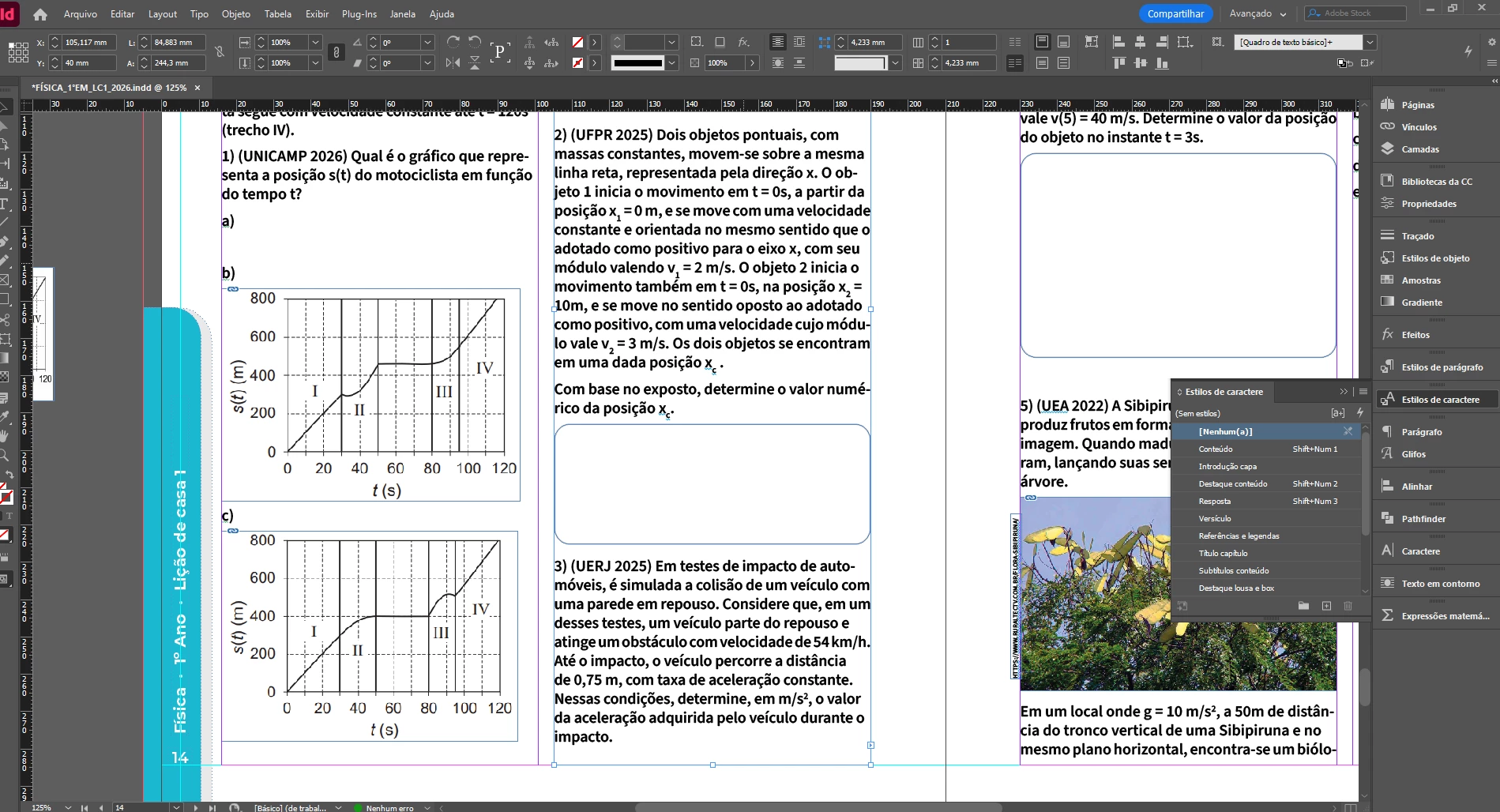
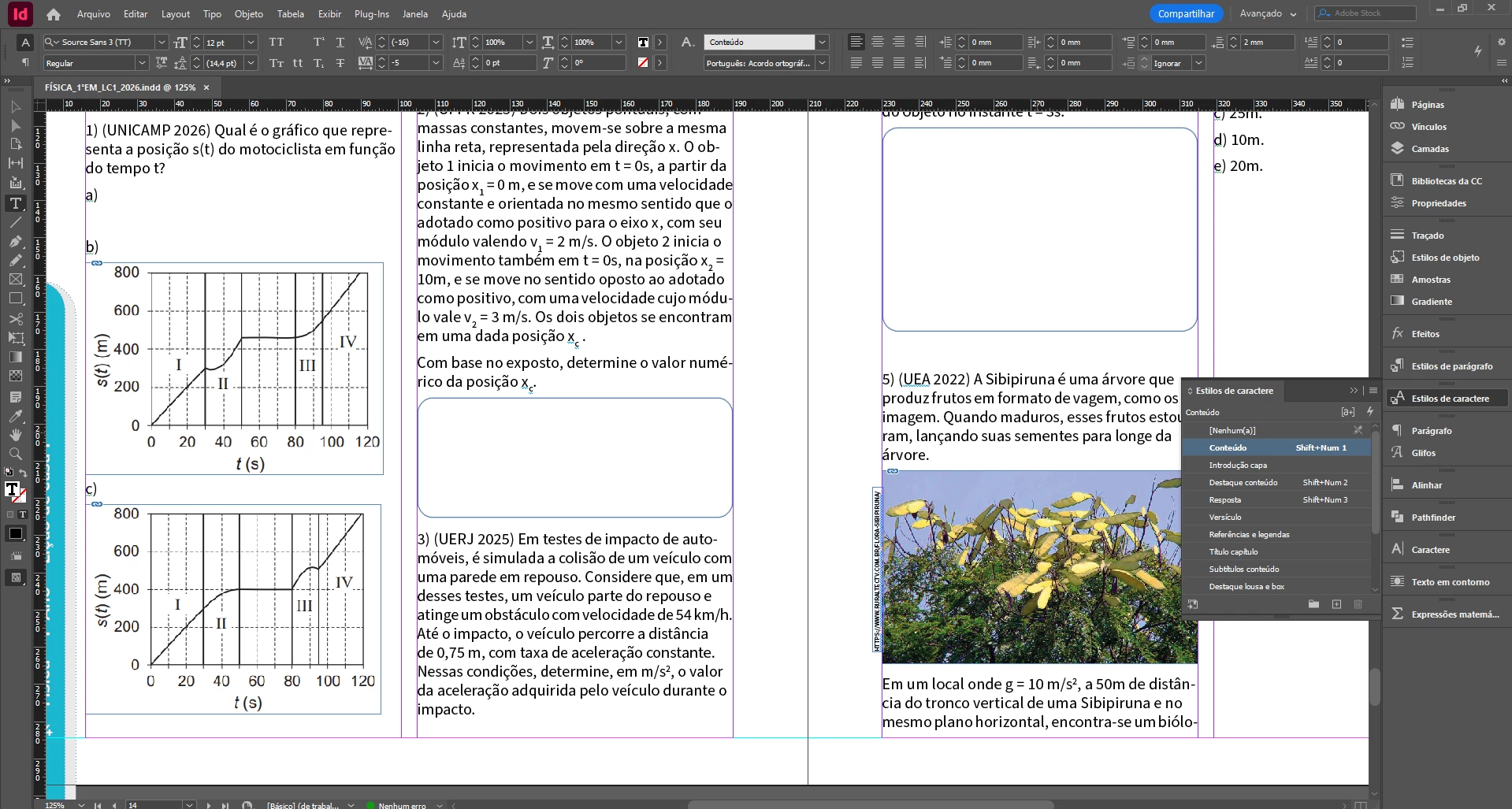
Ao fazer qualquer pequena alteração no arquivo, as caixas de texto perdem a configuração do estilo definido na criação do arquivo, como podem verificar na imagem 1 anexa. Quando copiei um novo texto para o arquivo, todas as caixas perderam o estilo e ficaram em negrito. 


Salvei o arquivo, fechei e abri novamente e o problema corrigiu. A boa notícia é que isso não é preservado no arquivo, mas prejudica o fluxo de trabalho, já que se perde toda visualização original do arquivo.
Jupaganelli_0-1766667813916.pngJupaganelli_1-1766667831237.png

O que poderia ser? Será apenas falha da nova versão?

Correct answer Abhishek Rao

Hi @Jupaganelli,


Thanks for confirming the details and the tests you've already tried. Just to clarify a few points. The undo behavior you mentioned is a known issue on Windows and is currently being worked on. You can follow updates here:
https://adobe.ly/3LfoBBv

For the text disappearing while editing, there's an active investigation in this thread, and an affected sample file is needed to move it forward:
https://adobe.ly/4pjY0S3

For your character style rendering issue, could you please confirm whether the GPU Performance option is available in Preferences? In some cases it can be disabled due to hardware or resolution limits, as explained here:
https://adobe.ly/4qpDPTn
If it's available(not greyed out), please try enabling it and check if there's any change.

If you're able to share a packaged sample file that shows the issue, that would really help with investigation. You can share it via DM or a cloud(Google Drive, Dropbox, etc) link if needed.


Looking forward to your update.

Abhishek


2 replies

Abhishek Rao
Community Manager
Community Manager
December 26, 2025

Hi @Jupaganelli,


Thanks for sharing the details and screenshots. I can understand how disruptive this is. To help narrow this down further, could you please confirm the exact Windows OS version you're running along with InDesign 21.1?

As a next step, please try saving the document as IDML, then open that IDML file and save it again under a new name. After that, check if the same behavior still occurs in the newly saved file while editing. Additionally, if GPU Performance is available in your InDesign Preferences, please try toggling it off and on, then test the document again to see if there's any change in how the styles render on screen.


Looking forward to hearing your observations.

Abhishek

Inspiring
December 27, 2025

Hi @Abhishek Rao,

Minha versão do Windows é esta:

Edição Windows 11 Home Single Language
Versão 25H2
Instalado em ‎24/‎12/‎2025
Compilação do SO 26200.7462
Experiência Pacote de Experiência de Recursos do Windows 1000.26100.275.0

Fiz o que sugeriu, mas não adiantou, infelizmente. A performance da GPU também já estava desabilitada.

Tenho visto outros usuários falando sobre outros problemas, como o texto sumir durante a digitação e o números de vezes da função desfazer ter sido reduzida, isso também está acontecendo comigo.

Espero que em breve tudo se normalize.

Abhishek Rao
Community Manager
Abhishek RaoCommunity ManagerCorrect answer
Community Manager
December 29, 2025

Hi @Jupaganelli,


Thanks for confirming the details and the tests you've already tried. Just to clarify a few points. The undo behavior you mentioned is a known issue on Windows and is currently being worked on. You can follow updates here:
https://adobe.ly/3LfoBBv

For the text disappearing while editing, there's an active investigation in this thread, and an affected sample file is needed to move it forward:
https://adobe.ly/4pjY0S3

For your character style rendering issue, could you please confirm whether the GPU Performance option is available in Preferences? In some cases it can be disabled due to hardware or resolution limits, as explained here:
https://adobe.ly/4qpDPTn
If it's available(not greyed out), please try enabling it and check if there's any change.

If you're able to share a packaged sample file that shows the issue, that would really help with investigation. You can share it via DM or a cloud(Google Drive, Dropbox, etc) link if needed.


Looking forward to your update.

Abhishek


leo.r
Community Expert
Community Expert
December 25, 2025

Can you reproduce the problem after reopening the file? Or was it a one-time thing?

Inspiring
December 25, 2025

O problema ocorre em partes aleatórias e em vários arquivos diferentes. Todos diagramados na versão anterior do InDesign. Ocorreu há pouco apenas ao abrir o arquivo, uma caixa de texto, mesmo sem ter sido mexida, ficou sem estilo, como mostrei na imagem 1 da mensagem anterior.

Inspiring
December 25, 2025

Leo, note a imagem, neste caso, a fonte em magenta aparenta negrito. Ela está com o estilo selecionado, mas ele não é negrito, mas regular, como indicado na barra de tarefas. Apesar disso, a visualização aparece em negrito.


Jupaganelli_0-1766693425871.png