
Participant
September 26, 2025
Question

Problemas en la sincronización

  • September 26, 2025
  • 1 reply
  • 133 views

Estoy teniendo problemas en la sincronizacion de algunos archivos en indesign que tengo guardados en la nube de creative cloud

Intento abrir el archivo luego de haber realizados mejoras en mi PC y no logra sincronizarlo

No sucede en todos los archivos solo en el último que trabajé antes de que mi PC fuera al servicio técnico.

En paralelo uso otra notebook en la cual he podido trabjar perfectamente otros archivos. En esa notebook tampoco lo pudo sincronizar


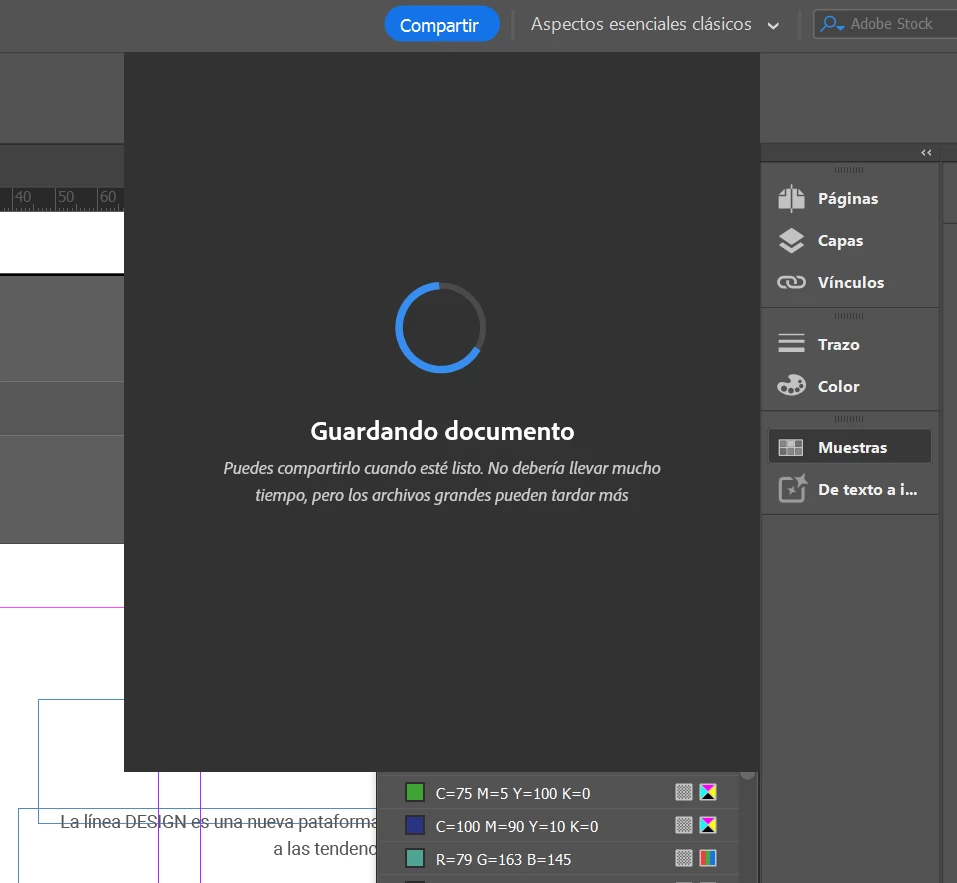
Otra prueba que realicé es abrir un achivo que si funciona, aplicar cambios y volverlo a guardar en la nube. Si bien aprententemente el archivo se guardó, cuando intento compartirlo me indica que "está guardando", lo cual me da la pauta que no estan sincronizados los cambios con la nube. 


Alguien mas tuvo el problema? alguna solucion?
 

1 reply

HARSHIKA_VERMA
Community Manager
Community Manager
September 26, 2025

Hi there,


Thank you for reaching out, and sorry to hear you're experiencing sync issues. Would you mind telling us the version of InDesign installed on your machine and also the details of your operating system? Do you have a Mac or Windows machine?

We will try our best to help.

Thanks,

Harshika


Participant
October 7, 2025

Thanks Harshira for your answer


Abhishek Rao
Community Manager
Community Manager
October 10, 2025

Hi @Valeria348899354kz0,


Thanks for sharing the details and screenshots. Since this seems to be happening only with specific files, try signing out and back into the Creative Cloud desktop app once, then let the sync complete fully before reopening the file. You can also check if the file appears correctly synced in your Creative Cloud web storage by visiting Files | Adobe. If the issue persists, try duplicating the affected file locally, then resaving it to the cloud as a new version to see if it syncs normally.


Let me know how it goes.

Abhishek