Participant
April 9, 2025
Answered

Problème de texte curviligne, spécifiquement "marche d'escalier", dernière lettre décalée

  • April 9, 2025
  • 3 replies
  • 796 views

Bonjour,

J'aurais besoin d'aide, car je tente depuis plusieurs jours de résoudre un problème assez gênant, car je pensais que c'était la police de caractères qui posait problème, mais ce n'est pas du tout le cas.

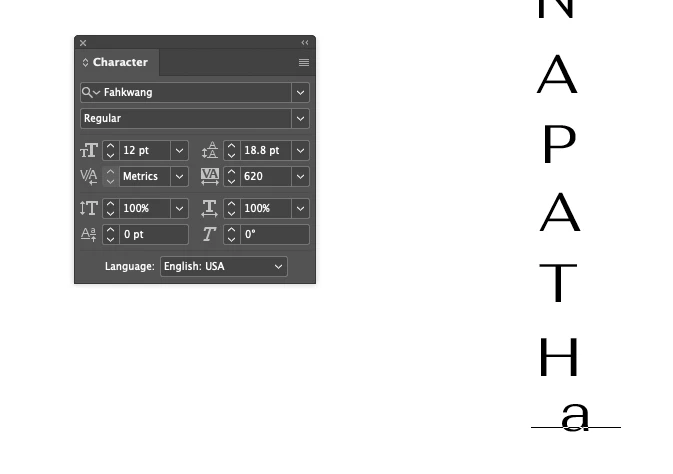
Donc le problème est le suivant, je crée un titre vertical grâce aux options disponibles avec le texte curviligne, mais au moment où je règle l'espace entre les caractères pour enlever le chevauchement des lettres lorsque je sélectionne "marche d'escalier", au moment où je trouve le bon espacement, et bien la dernière lettre est toujours décalée, j'ai tenté d'autres polices, et d'autres lettres, rien n'y fait, la dernière lettre reste toujours décalée.


Est-ce que quelqu'un aurait une solution ? (J'ai la dernière version de InDesign, et je n'ai jamais eu ce problème auparavant, je mets également une capture d'écran du problème)
En remerciant tout ceux qui pourront m'aider. 
Belle journée à tous.
Correct answer Eugene Tyson

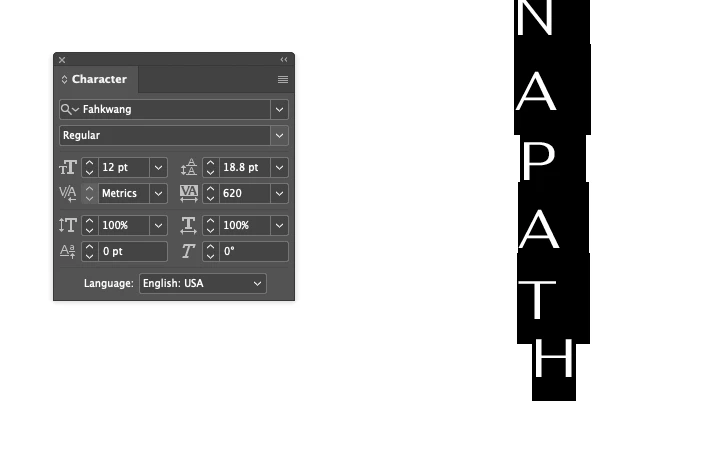
The last letter does move off the path the more you increase the spacing - here I've increased to 620 


Adding another letter after it pops it back in line 


Looks like a bug to me 

Report bugs or make a feature request
https://www.adobe.com/products/wishform.html


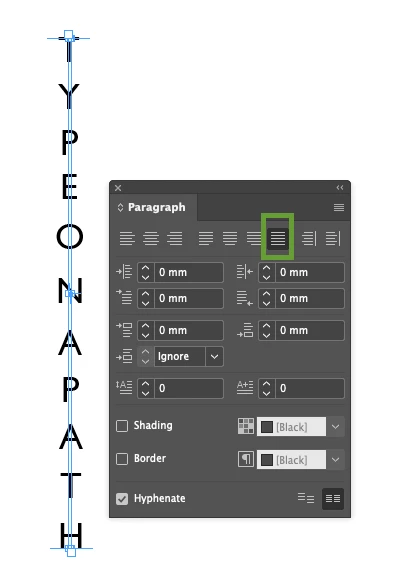
Instead of increasing the spacing - set it to 0
then Justify All Lines of the text 

And reduce  your path height to adjust the spacing 


Now it aligns correctly 


*sample file attached 

3 replies

jmlevy
Community Expert
Community Expert
April 9, 2025

Bonjour @Tsiiriing 

J'obtiens le même problème avec la version 2024 et dans mon souvenir, ce problème a toujours existé, dans toutes les versions. Ceci dit la solution proposée par @Eugene Tyson fonctionne très bien.

TsiiriingAuthor
Participant
April 9, 2025

Bonjour !

Je n'avais jamais constaté ce problème dans les versions précédentes, je l'ai "essayé" une ou deux fois, mais c'est vrai que je n'ai pas assez fait attention, c'était seulement en "exercice" sur des tutoriels, car je suis en formation actuellement, cela va faire 2 ans, mais je découvre toujours autant ces logiciels !
Merci de votre aide en tout cas, je vais faire ce que Eugene Tyson me recommande de faire en le signalant, j'ai testé ce qui a été suggéré, c'est parfait "en attendant" !

Passez une belle journée !

Eugene TysonCommunity ExpertCorrect answer
Community Expert
April 9, 2025

The last letter does move off the path the more you increase the spacing - here I've increased to 620 


Adding another letter after it pops it back in line 


Looks like a bug to me 

Report bugs or make a feature request
https://www.adobe.com/products/wishform.html


Instead of increasing the spacing - set it to 0
then Justify All Lines of the text 

And reduce  your path height to adjust the spacing 


Now it aligns correctly 


*sample file attached 

TsiiriingAuthor
Participant
April 9, 2025

Oh ! Merci beaucoup !
Je vais faire ce que je vous m'écrivez, et signaler ce problème avec les catpures d'écrans, et encore merci pour votre solution, elle fonctionne "en attendant" que le problème soit "peut-être" résolu !

Belle journée à vous ! 

Robert at ID-Tasker
Legend
April 9, 2025

Have you tried adding one or more spaces at the end? 


TsiiriingAuthor
Participant
April 9, 2025

Yes, I tried many things 😭 but for now I make it with Illustrator.

Thank's for your help

Robert at ID-Tasker
Legend
April 9, 2025

Does it happen in a new files as well - or only in this particular file? 


If only in this one - maybe it got corrupted - you can try to fix it: 


1) IDMLing - export as IDML, open, save with a new name - do not overwrite your original file. 


2) create a new, blank document, then move all your pages from your old document to this new document - destination = before first page.