MarkusStadler
Participant
July 31, 2024
Answered

Probleme mit der Darstellung von HKS-Farben in Überdruckenvorschau

  • July 31, 2024
  • 2 replies
  • 618 views

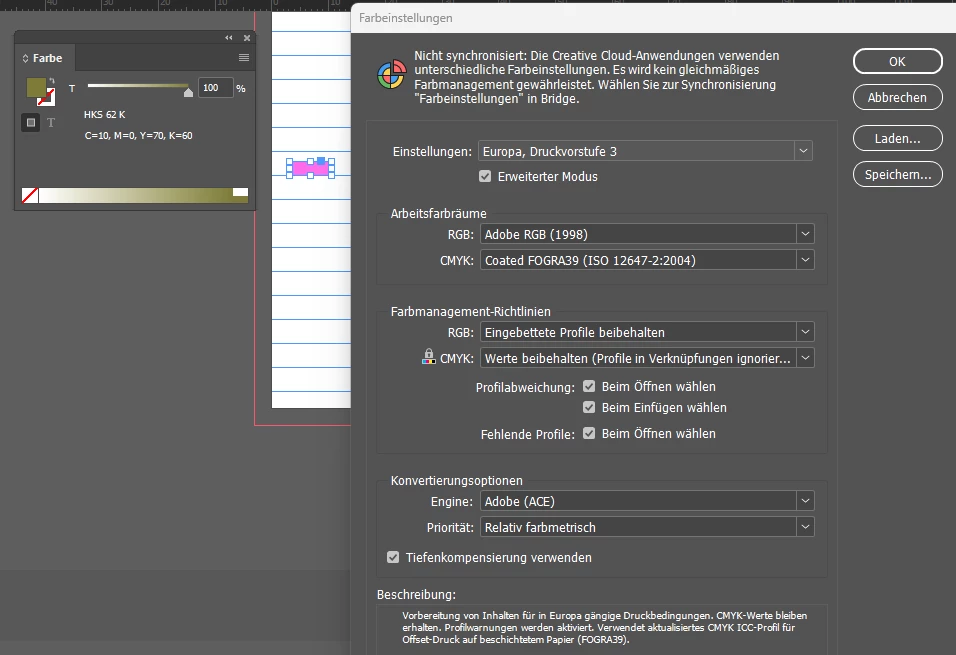
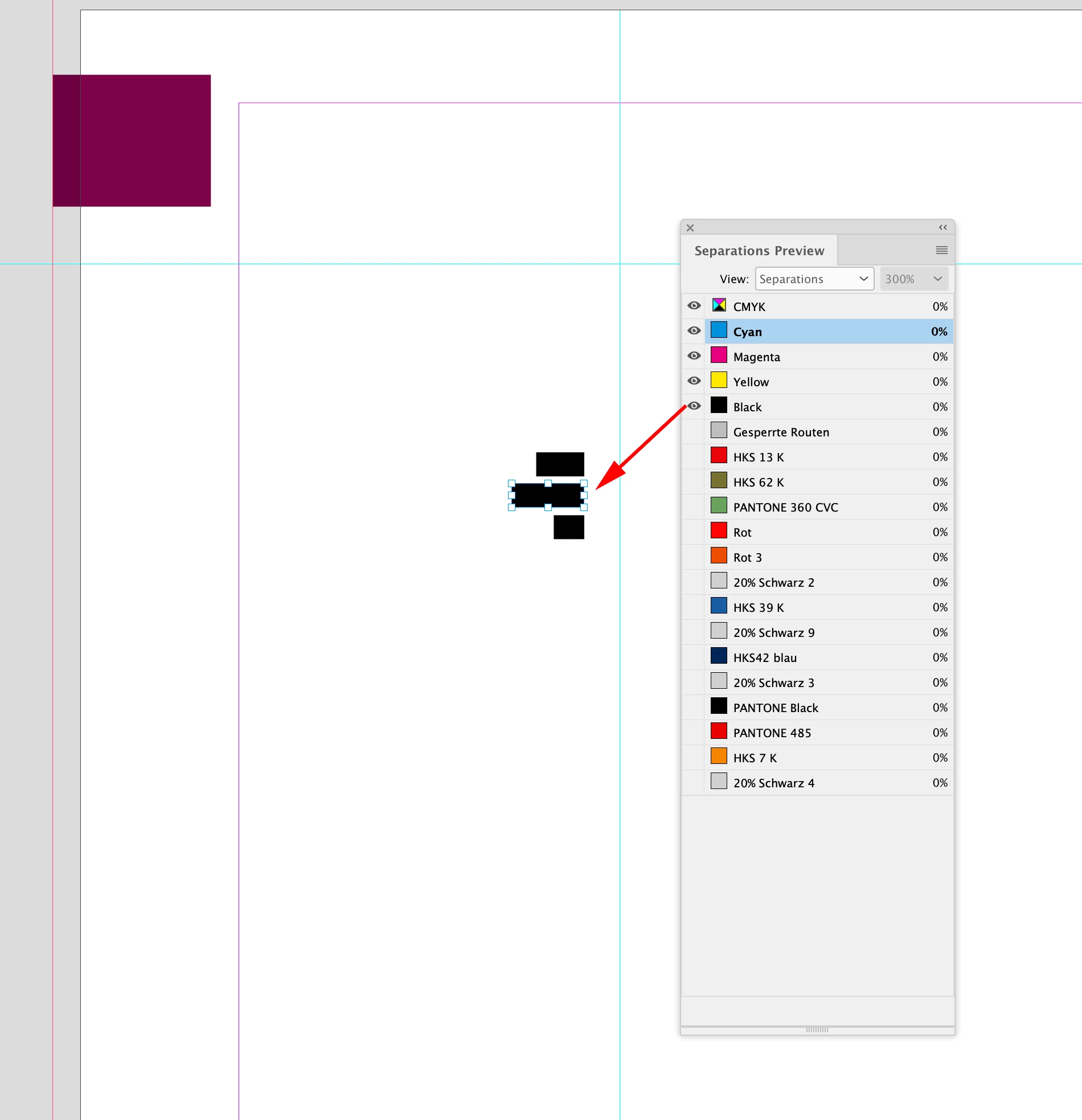
Hallo, ich habe ein Darstellungsproblem in InDesign in der Überdruckenvorschau: Die HKS-Farben werden hier nicht richtig angezeigt. Hat jemand eine Idee, was ich machen kann, damit die Farben richtig (so wie in der Farbpalette) angzeigt werden? Bei deaktivierter Überdruckenvorschau werden sie richtig dargestellt. Unten ein Screenshot mit dem ausgewählten, falsch dargestellten Objekt und den Farbeinstellungen von InDesign:

This topic has been closed for replies.
Correct answer rob day

Thank you very much! Yes that would probably be the easiest way. However, I would have to ask the publisher or printer first, as these are books in a series. Perhaps there was a good reason why the template was originally designed in this way.

Nevertheless, I don't understand why this display problem occurs with just this one file. I am now attaching another test file in which the colors are used in the same way and where the problem does not exist.


However, I would have to ask the publisher or printer first


There are no offset presses capable of printing 19 plates, and extra plates would be an added cost, so it’s unlikely your printer wants Spot colors.


I don’t see a problem with your new file, other than the output would be to 19 separate plates:


UI problems are often caused by corrupted Caches, so try clearing your Caches folder, and Exporting or Save As to an IDML.


2 replies

rob day
Community Expert
Community Expert
August 4, 2024

Hi @MarkusStadler , Is your HKS color Spot or Process? I can replicate your problem using the Spot version of HKS 62 K by using Ink Manager to Alias the spot color to another spot color:


Abhishek Rao
Community Manager
Community Manager
August 5, 2024

Hello @MarkusStadler,


Thank you for reaching out and sharing your issue. In addition to the advice provided by our experts, could you please share a few more details to help us investigate further:


1. Which version of InDesign are you using, and what is your Operating System?
2. Could you record a video of your workflow and share it with us for a better understanding?


We are happy to assist you further.


Thank you,
Abhishek Rao

Mike Witherell
Community Expert
Community Expert
August 4, 2024

Overprint Preview mode on invokes a pretending to be the colorspace defined in View > Proof Setup (or Coated Fogra 39, as you chose it in Edit > Color Settings). 

When you invoke this, and the screen begins to portray a CMYK proof colorspace, it is forced to change the colors to the closest color possible in Fogra 39 using ink printed on paper. 

Therefore, the appearance of the HKS-defined color will appear to change.

Mike Witherell