

Problems handling formulas with InDesign 21.0
Disclaimer: I’m using the Italian version of InDesign, so I’m not sure if I translated the names of the commands and windows correctly.
After updating to InDesign 21, I encountered two problems in how formulas are managed.
When working with documents containing many formulas, I usually use an AppleScript that inserts MathML into the InDesign document using the create from mathML function.
First issue (very serious).
When inserting formulas via the AppleScript function, they appear correctly formatted according to the original mathematical notation in Word: variables in italics, numbers in regular type, etc.
However, if I open the formula with Edit MathML, it is completely transformed according to the style selected in the drop-down menu of the Mathematical Expressions window, disrupting the original formatting.
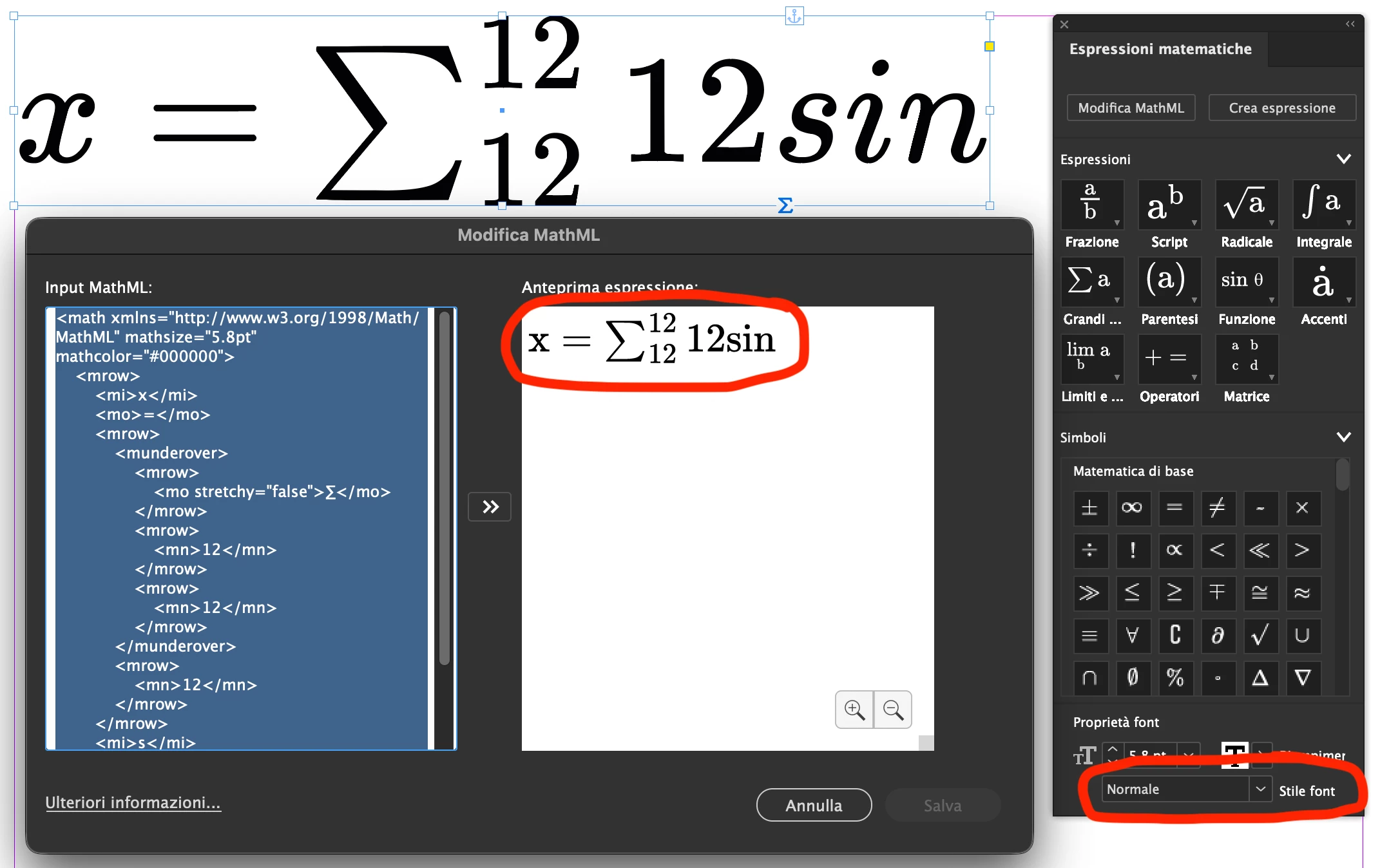
In the image, you can see the properly formatted inserted formula at the top, and below it, the Edit MathML window showing the “updated” version that automatically scrambles the formatting.
So, if you want to make changes to the formula, you’re forced to restore the formatting manually…
This did not happen in InDesign 20 (which didn’t yet include the new character formatting feature).
Second issue (odd, but also concerning).
Using this method, I can correctly insert some formulas that, if I later open them individually with Edit MathML, display an error. If I copy the MathML code from Word and paste it directly into Insert MathML, it immediately throws an error.
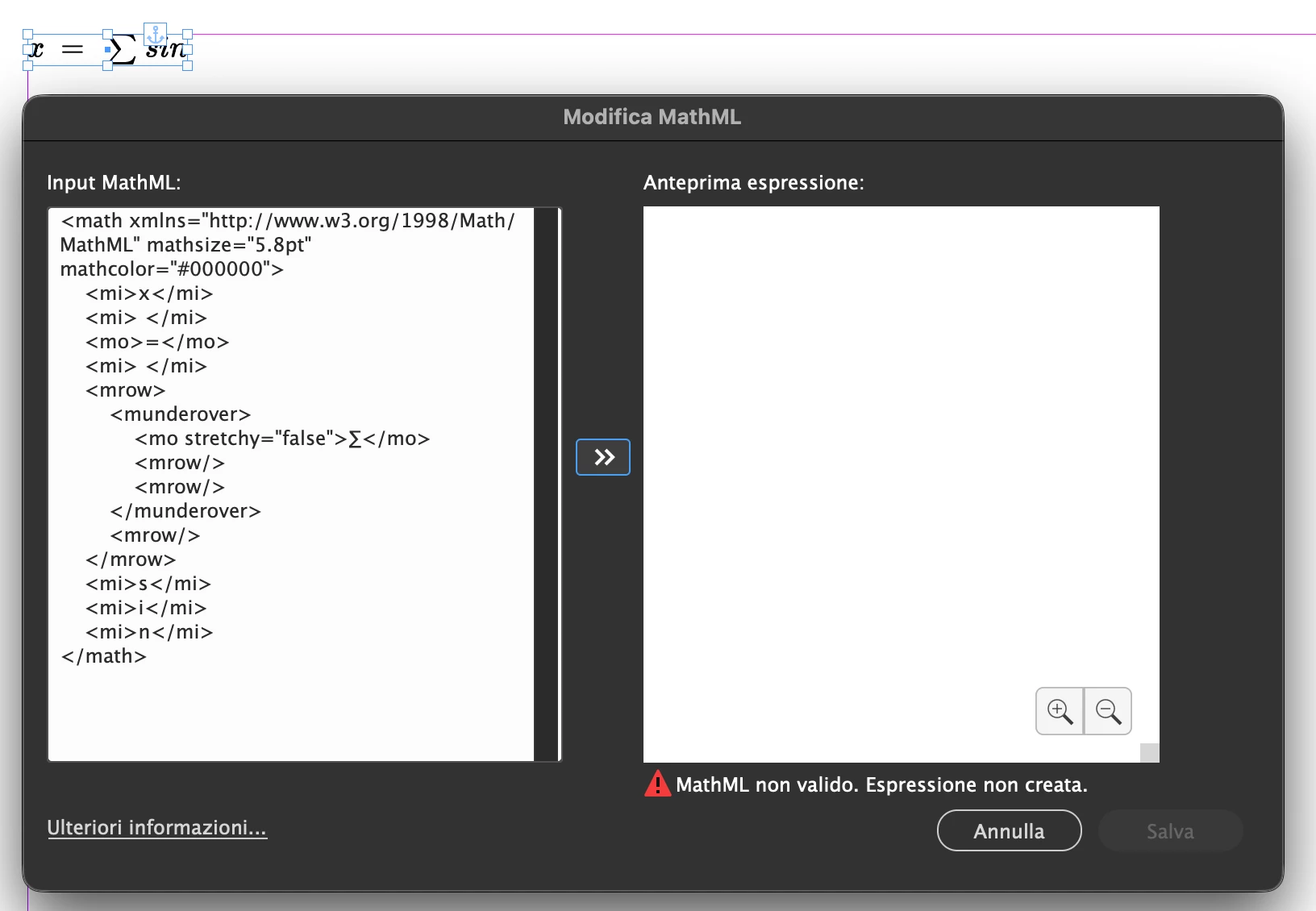
In the image, you can see at the top the formula created with the AppleScript function, and below it, the Edit MathML window showing an error when I try to open and save the same formula.
I believe this issue is caused by empty spaces left in the formula in Word. Strangely, the AppleScript function seems to ignore these issues, while the formula creation or editing window refuses to accept them. Furthermore, trying to edit these formulas directly with the text cursor causes the program to crash.

This is the formula in Word.
Another observation: the formula preview window, when set to 100% zoom, displays the formula extremely small. Only at 400% (the maximum) does it become legible. Is there a way to have it always display at a larger magnification?


 AdChoices