Inspiring
July 12, 2021
Answered

Problems importing WMF files created in Mathtype in 16.3 on Windows machine.

  • July 12, 2021
  • 11 replies
  • 5541 views

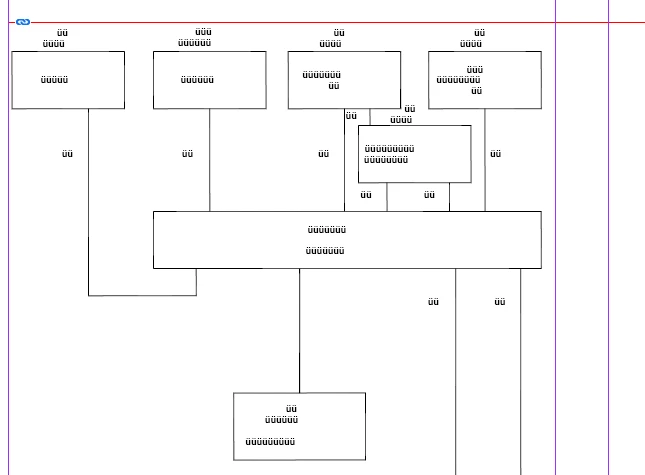
I have a large suite of Technical publications to manage. Many of the files contain linked .wmf exported drawing files. Since the 16.3 update the fonts in those files has been replaced with whats shown in the attached screenshot. This is a major issue for me as we are talking about hundreds of images. What has cuased this and how can i fix it? i guess rolling back the version might work but thats not a decision i can make for my company at this stage. Your help appreciated.


{Renamed by MOD}
This topic has been closed for replies.
Correct answer Laubender

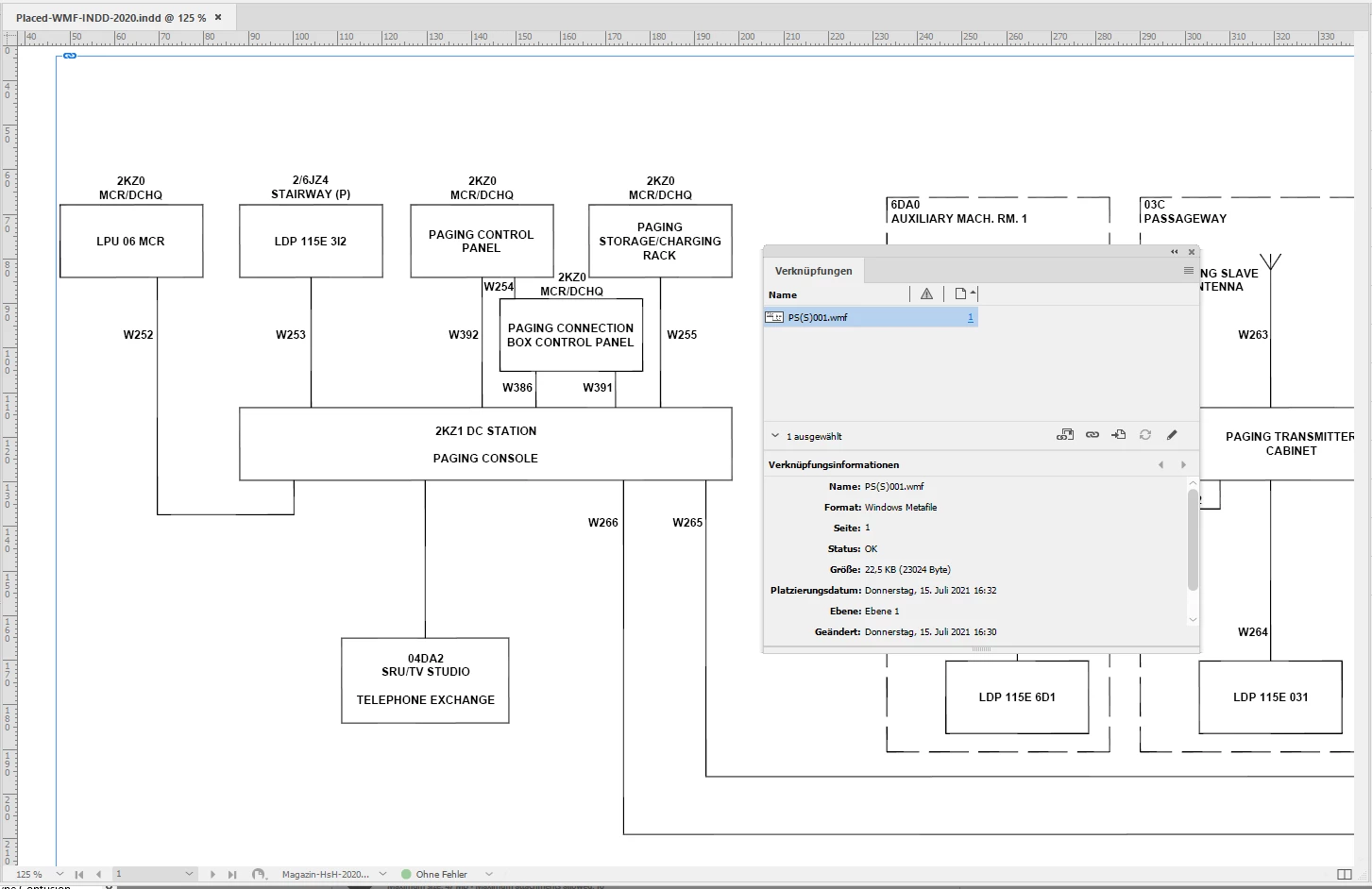
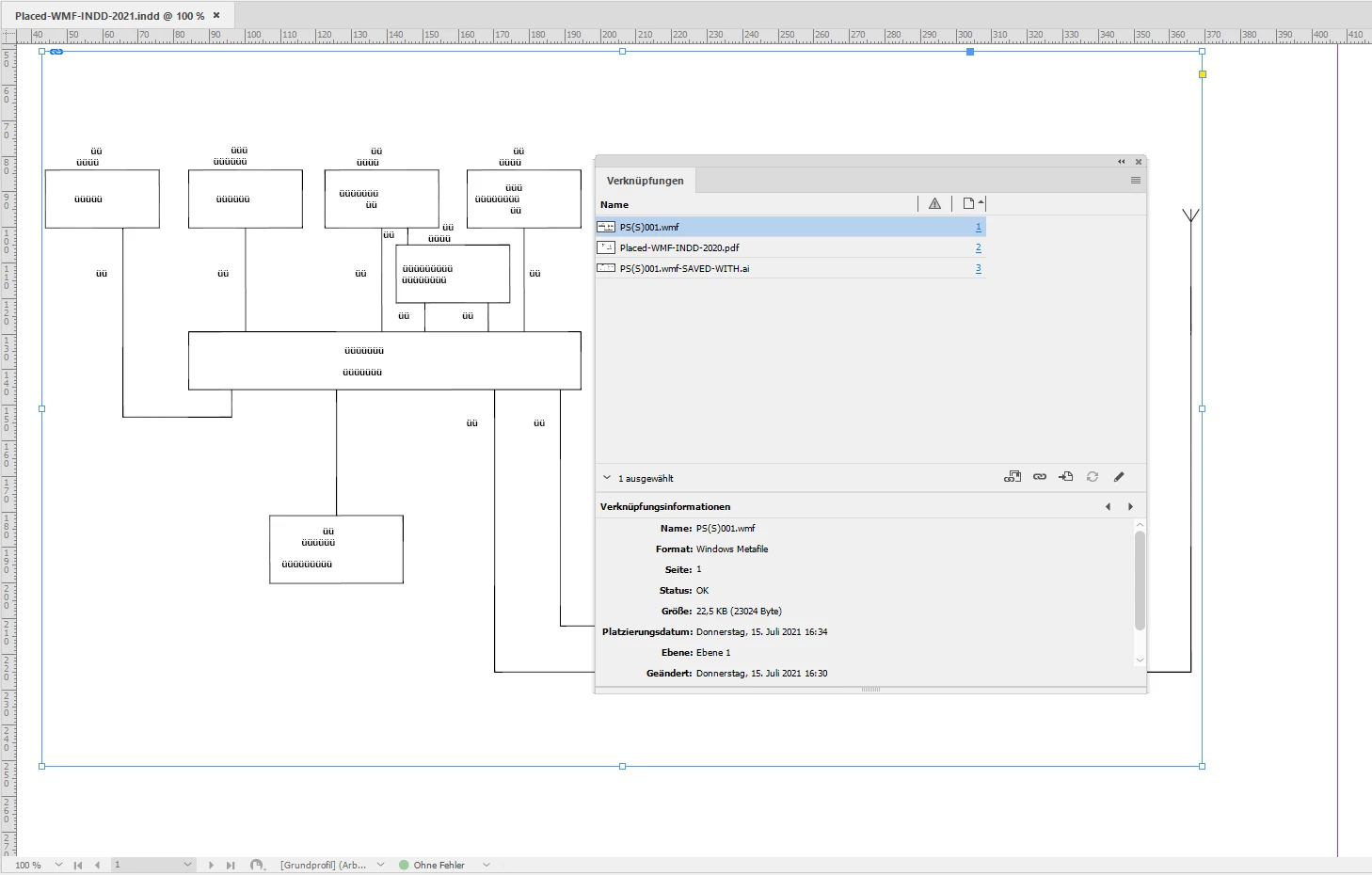
I also wonder if the issue is related to this new bug with 16.3.0.24 on Windows, all text is substituted:


Whereas the same file placed with InDesign 2021 version 16.2.1 or InDesign 2020 is showing right:


See the whole story here:


Corrupted fonts since 16.3 update
Jospeh Isherwood, Jul 15, 2021

https://community.adobe.com/t5/indesign/corrupted-fonts-since-16-3-update/td-p/12178990


If you think that's the same bug, vote for fixing the issue at InDesign UserVoice:


Problem with *.wmf files in InDesign 16.3
Ryszard, July 14, 2021

https://indesign.uservoice.com/forums/601180-adobe-indesign-bugs/suggestions/43797405-problem-with-w...


Regards,

Uwe Laubender

( ACP )

11 replies

abounamike@aol.com
Participant
July 12, 2021

I am trying to "Place" a graphic into InDesign.  When I do so the image is seriously degraded.  I have tried various file formats, e.g. png, jpg, bmp, wmf, pdf - none seem to import correctly.  Does anyone have any thoughts?

Legend
July 12, 2021

Chances are you are just seeing a lower-res screen version of the graphic. Try View >Display Performance > High Quality Display

abounamike@aol.com
Participant
July 12, 2021

Thank you.  Tried that - it didn't help.  The degradation remains, including when I print the page in question.