vincentb22853398
Participant
Oct 6, 2025 6:44 AM UTC
Answered

Profil ICC importé pour InDesign mais n'apparaît pas la liste

Bonjour, 

Help, j'ai installé un profil ICC sur mac selon la marche à suivre (Bibliothèque -> Colorsync -> profiles, redémarré Indesign, l'ordinateur) mais rien n'y fait, le profil n'apparaît pas dans ma liste lorsque je veux l'attribuer au document. J'ai essayé sur mon MacStudio, sur mon laptop mais pas plus de résultat. Quelqu'un peut m'aider?

Merci pour votre aide!

jmlevy
jmlevyCorrect answer
Community Expert
Oct 6, 2025 12:18 PM UTC

Voici un lien de téléchargement vers le fichier en question : https://www.dropbox.com/scl/fi/twwukvrvefx6z5e5r9xbv/ISOnewspaper26v4_gr.icc?rlkey=m1pqjucv6u7w1j2r1srtnv760&dl=0


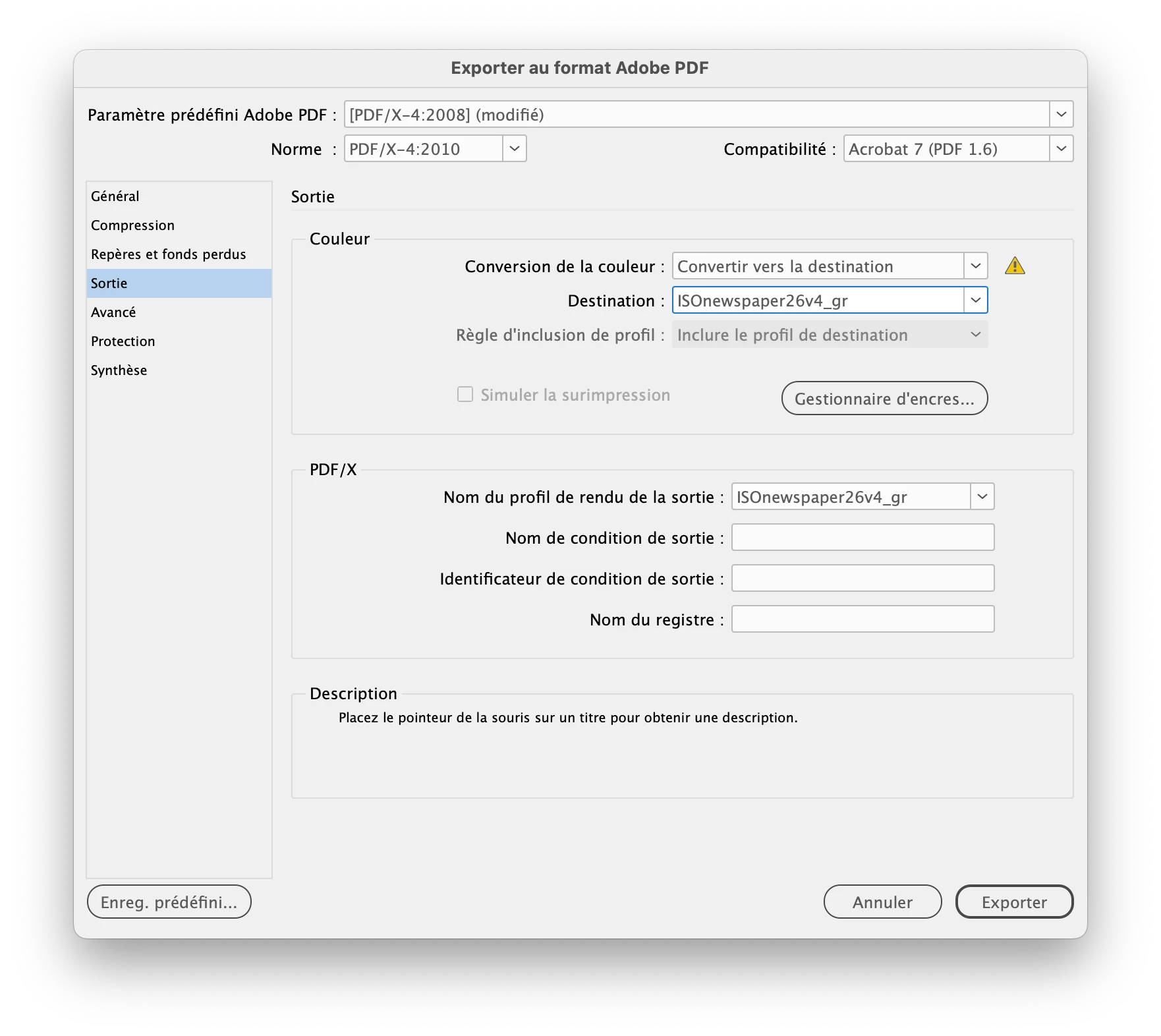
Ton profil apparaît dans la liste seeulement si tu choisis « convertir vers la destination » et pas « convertir vers la destination - conserver les numéros ». C'est le dernier de la liste, puisqu'il s'agit d'un profil en niveaux de gris.

11 replies

rob day
Community Expert
Community Expert
Oct 6, 2025 1:21 PM UTC

Hi @vincentb22853398 , Do you by any chance have Advanced Mode unchecked in Color Settings?


Translate
Anubhav M
Community Manager
Community Manager
Oct 6, 2025 8:47 AM UTC

Hello @vincentb22853398,

Thanks for reaching out. Could you try the suggestions shared in this community post (https://adobe.ly/4naboHn) and let us know if they help?

Looking forward to hearing from you.

Anubhav

Translate
vincentb22853398
Participant
Oct 6, 2025 10:11 AM UTC

Thanks for your feedback and precious help. I tried both methods, adding the profile in different locations, but nothing works, it still doesn't appear! Any other clues?

Translate
jmlevy
Community Expert
Community Expert
Oct 6, 2025 10:55 AM UTC

Bonjour @vincentb22853398 

tu as essayé de les glisser dans le dossier « recommended » ? Ceux que j'utilise sont là.

Translate