
Known Participant
July 22, 2023
Question

Property Windows Halfway Off Screen

  • July 22, 2023
  • 3 replies
  • 681 views

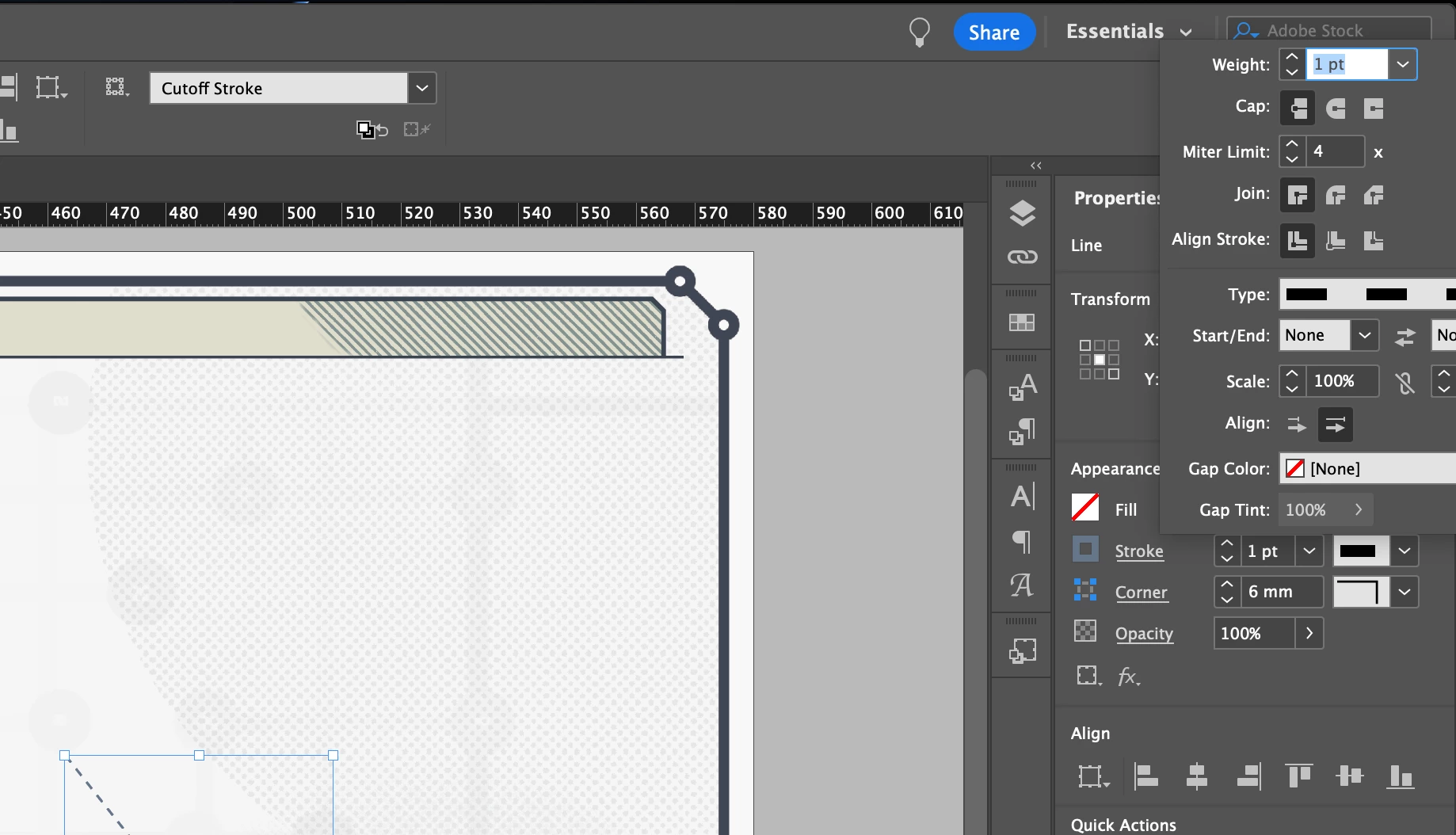
Can anyone tell me what is happening here and how to fix it? When I open a property pop-up window, it is showing up partially off-screen and I cannot interact with some of it. This occurs when my application is filling the screen. Here is my setup: 

Macbook Pro  /  16-inch, 2019  /  Ventura 13.4.1
LG Ultrafine 4K  /  23.5-inch (3840 × 2160) (I have 2 of these setup)


The image below is cropped to the top right edge of my monitor. You can see where the stroke property window is being cut off. To access that part of the window, I have to scale down my application window. I'd prefer to keep the application to full size and the window pop up within the application limits. 


Thanks in advance for any advice. 
This topic has been closed for replies.

3 replies

D. Schulte
Participating Frequently
July 28, 2023

Choose a pre-set InDesign workspace and then rearrange the panels for your liking while they are docked. 

krspondAuthor
Known Participant
August 14, 2023

This does work, but it is a workaround and not my preference. Thank you

Inspiring
July 28, 2023

Clear your InDesing Preferences -


After Immediately Launching InDesign i.e clicking on InDesign App, PRESS and HOLD - Ctrl+Shift+Apple.


A Dialog will appear asking for confirmation for clearing the preferences.

krspondAuthor
Known Participant
August 14, 2023

Thanks. I did try this and it did not work. 


Mike Witherell
Community Expert
Community Expert
July 27, 2023

According to this screenshot, the Properties panel appears to be floating free. Can you dock it?

Have you experimented with any degrees of resetting preferences; especially the cache?

Mike Witherell
krspondAuthor
Known Participant
August 14, 2023

I've reset prefs with no luck. For comparison, when I do the same thing in Illustrator, the window pops up to the left and well within the application edges.