
Participant
February 13, 2017
Answered

PUBLISH ONLINE: Error While Publishing Document

  • February 13, 2017
  • 1 reply
  • 2146 views

Hello All,

First time here posting but long time reader as I have been learning indesign. I am publishing an online document for a recipe book trial to demo for my team using interactive PDF elements I have never before used. Before today, never had an issue publishing these documents online but today I got the following error:
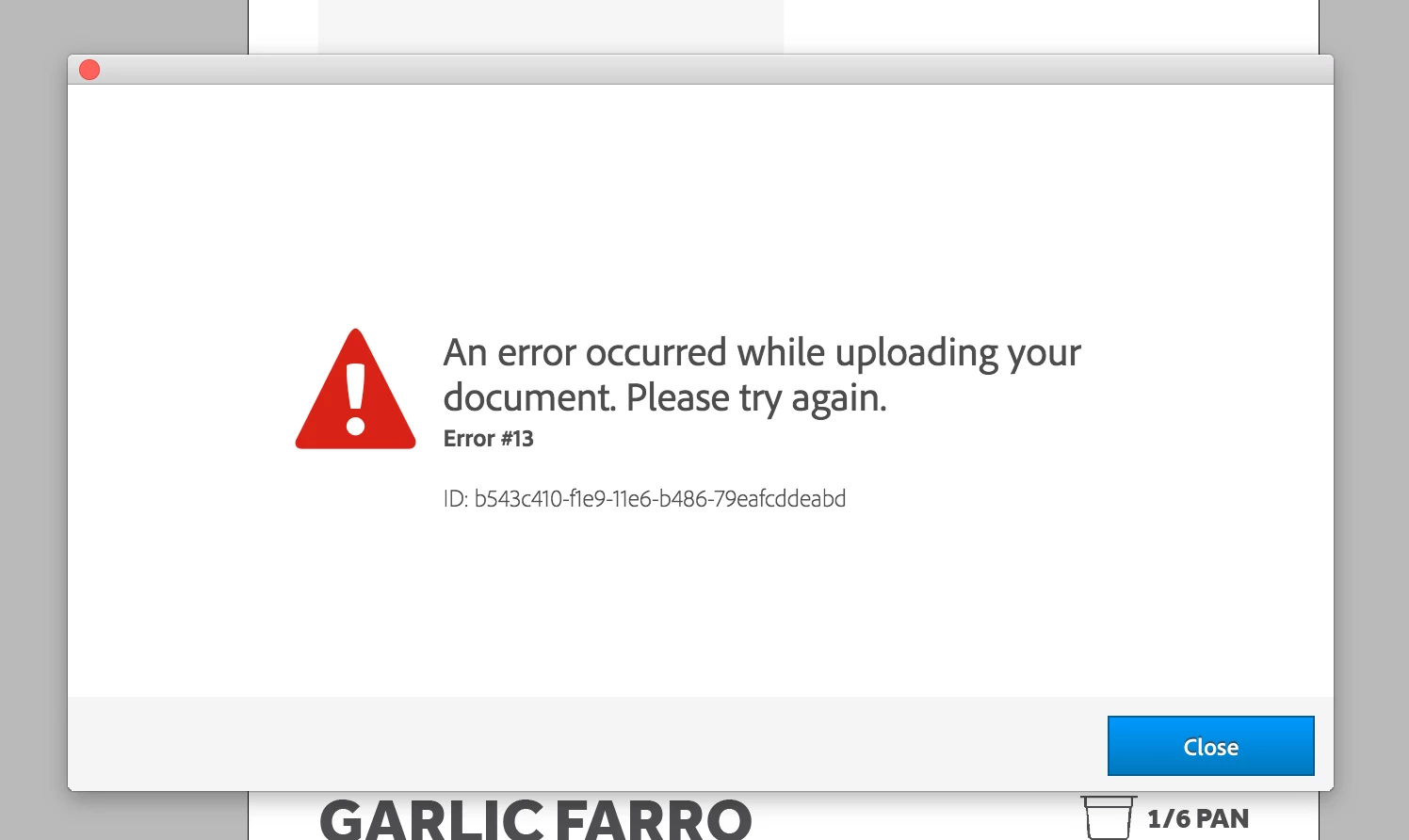
The link to my file (last updated online last week) is here:

https://indd.adobe.com/view/869b5473-4218-4399-a9f1-7ee798cf138f

I haven't change much since last publishing the demo so I am not sure what is causing the error.

I did check here:

Troubleshoot Publish Online errors

But did not see "Error #13" in the list to help identify a solution.

Not the most exciting of riddles to run into but hopefully someone out there might have the answer for me and anyone else suddenly running into this issue.
This topic has been closed for replies.
Correct answer Steve Werner

It can happen if you need to re-log into your Adobe ID in the CC desktop app.

Open the CC desktop app (menu bar on Mac, task bar in Windows). Choose the "gear" icon > Preferences > General > Sign Out. Then Sign In with your Adobe ID.

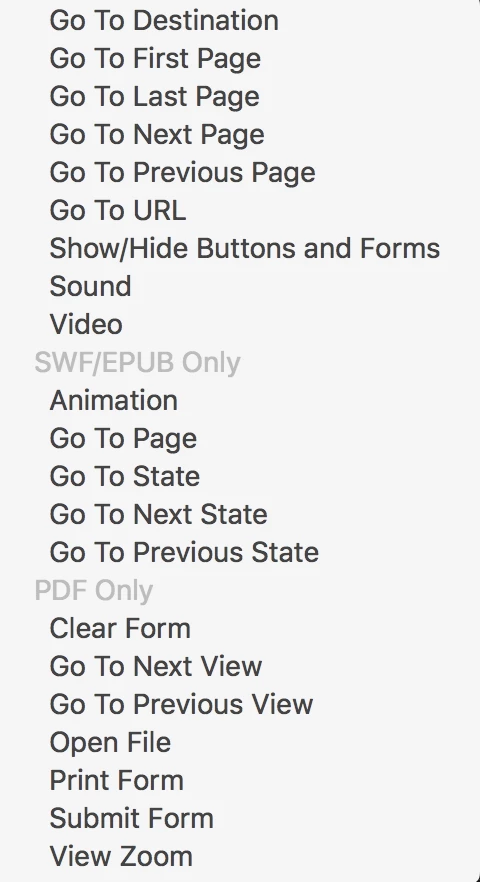
Other than that, what "interactive PDF elements" are you including. Not all button commands that can be used in an interactive PDF work when you export Publish Online. I don't know if they give an error (or simply don't work) but you can see in the Actions menu for a button that the ones at the bottom are PDF only:

1 reply

Steve Werner
Community Expert
Steve WernerCommunity ExpertCorrect answer
Community Expert
February 13, 2017

It can happen if you need to re-log into your Adobe ID in the CC desktop app.

Open the CC desktop app (menu bar on Mac, task bar in Windows). Choose the "gear" icon > Preferences > General > Sign Out. Then Sign In with your Adobe ID.

Other than that, what "interactive PDF elements" are you including. Not all button commands that can be used in an interactive PDF work when you export Publish Online. I don't know if they give an error (or simply don't work) but you can see in the Actions menu for a button that the ones at the bottom are PDF only: