
Participating Frequently
March 23, 2026
Question

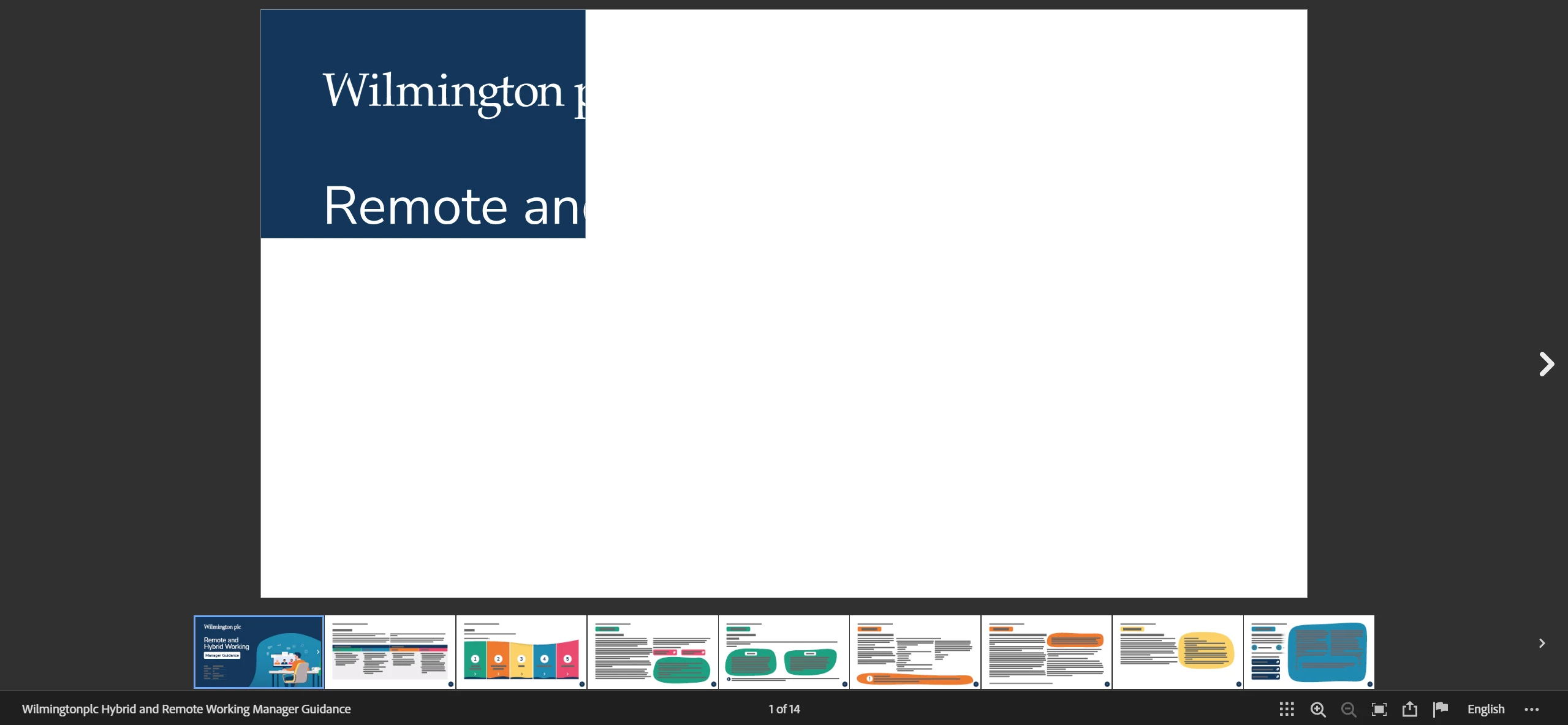
Publish online online rendering a small box in the top left corner

  • March 23, 2026
  • 1 reply
  • 23 views

Hi, 

Getting a problem with adobe publish online where uploaded documents are appearing like this where you only have a small box rendering. 
 

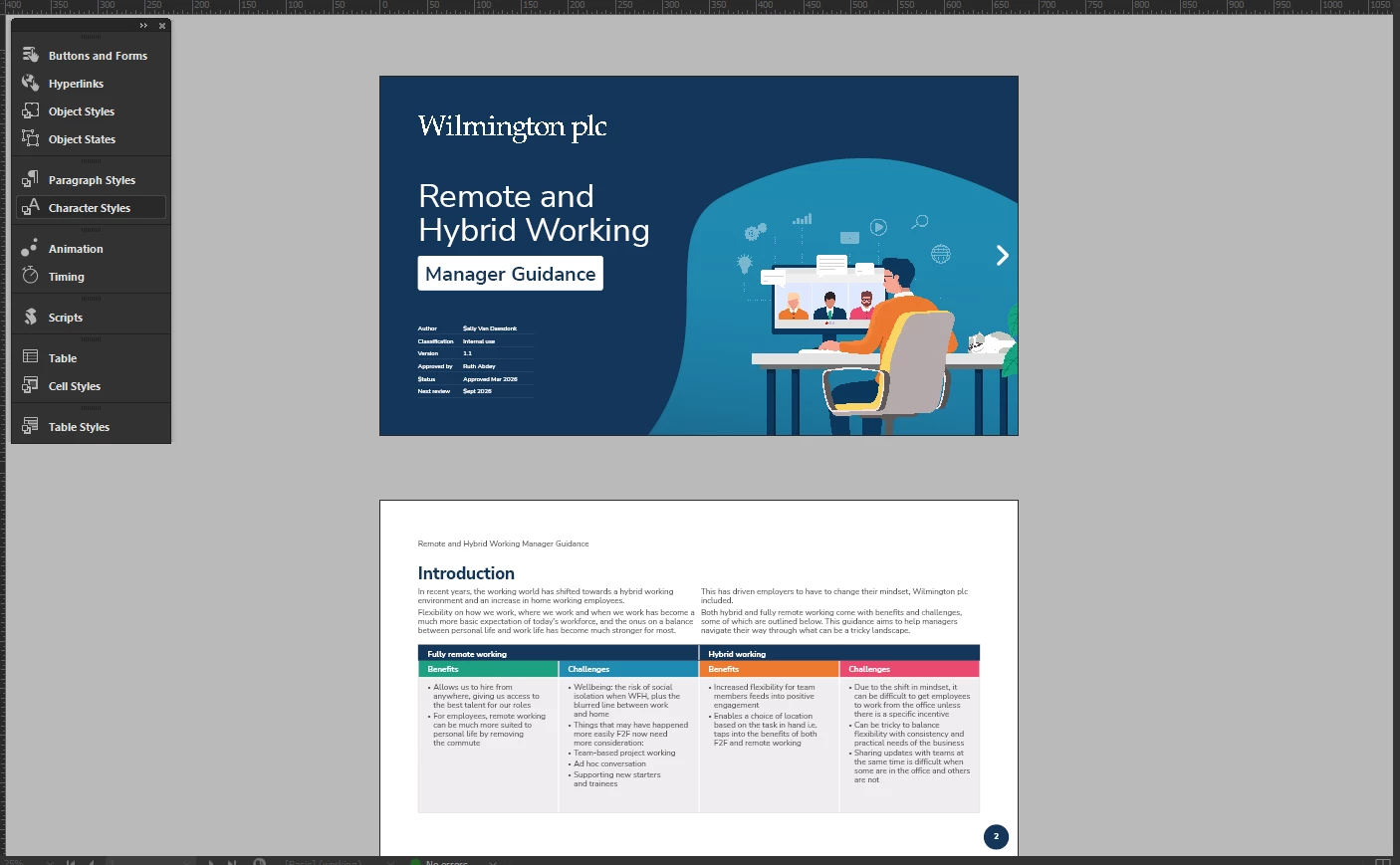
This is how the document should look (screenshot from indesign)
 

What we’ve tried:

  • Save as idml > open idml > save back as indd
  • Uploaded as a previous link
  • Uploaded as a new link
  • Get other designers to try and upload the document on there computers
  • Changed the settings in the advanced panel to different values

FYI indesign, chrome and the windows are updated to the latest versions.

Anyone else come across this issue? 

Any other information I can provide to help please let me know.

Many thanks,

Tom

    1 reply

    Abhishek Rao
    Community Manager
    Community Manager
    March 23, 2026

    Hi @Tom25894182epyt,


    Sorry you're running into this, I understand how frustrating that can be. Could you please confirm which InDesign version and Windows OS version you're using, and whether this is happening only with this document or others as well?

    In the meantime, could you try clearing your browser cache from the browser settings and see if that helps? If the issue still persists, please try moving the content into a new file and then publish it. Create a new document with the same settings, rename the A-Parent page to something different, then in the original file select all pages and use Move Pages to move them into the new file before Page 1. After that, delete the extra first page in the new file, save it with a new name, and try publishing again. You can just try moving the content and not the pages to a new file and see if that works as well.

    If the issue still persists, please share the affected file after packaging it using this guide: https://adobe.ly/3PpMdFq. If the file is confidential, you can share it via DM using a public cloud link like Google Drive or Dropbox.


    Let me know how it goes.

    Abhishek

    Participating Frequently
    March 25, 2026

    Hi Abhishek,

    Indesign version: 21.2
    Windows 24H2 (Build 26100.8037)

    Browser cache has been cleared. Also tried your advice of creating a new document and moving the pages over, re-naming the parent etc. Still getting the same issue. 

    I’ve tried publishing a couple of other documents and funnily enough they seem to be ok. 


    So it’s just this document (and another of a similar variation). I can DM you the file as its company property. 


    Will message you soon

    Thanks,

    Tom


    Abhishek Rao
    Community Manager
    Community Manager
    March 27, 2026

    Hi ​@Tom25894182epyt,


    Thanks for sharing the file via DM, I was able to access it. I can see the same behavior on my end where the document is rendering as a small box in the top-left corner when published.

    I’m checking this further with the product team and will get back to you as soon as I have an update.


    Appreciate your patience in the meantime.

    Abhishek