Alessia29296961fhwq
Known Participant
April 12, 2023
Question

punctuation pdf export

  • April 12, 2023
  • 2 replies
  • 577 views

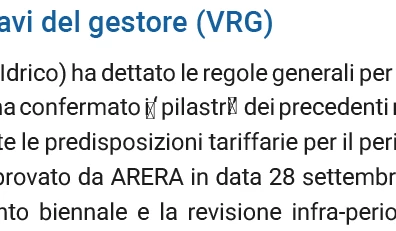
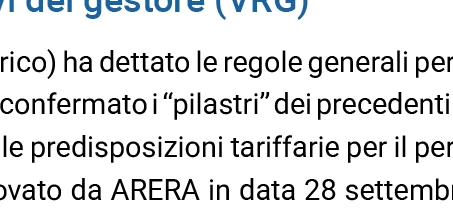
When I export my document to pdf, strange symbols appear instead of " or other punctuation. Do I have any wrong settings in the document?

Thanks
 

This topic has been closed for replies.

2 replies

Community Expert
April 12, 2023

When you export, try changing the subset value to 0%. Export > Advanced > Fonts > Subset fonts when percentage of characters used is less than 0%


Alessia29296961fhwq
Known Participant
April 13, 2023

Good suggestion, I will try. Thank you

James Gifford—NitroPress
Legend
April 12, 2023

This looks like a collision between the language settings in InDesign, the export, and perhaps the font in use.


Punctuation is controlled by the language settings of the document. Make sure you have the correct language selected for all your styles. (It's on a style-by-style basis; there is no single master setting.) That should correct this.


Alessia29296961fhwq
Known Participant
April 12, 2023

The language is set correctly. It seems that the problem is the font, it's weird, it's a simple Roboto

James Gifford—NitroPress
Legend
April 12, 2023

Roboto is a Google Font, correct? There may be a corruption issue. On a copy of the document, try substituting a similar font (regardless of how it messes up your layout) and try the export again; that would narrow it down to this font, at least.


You might purge and re-install the Roboto fonts as a heavyweight solution.