M.Hasanin
Inspiring
May 25, 2020
Question

QR Code Type Always Shown as Plain Text within Data merge

  • May 25, 2020
  • 3 replies
  • 2088 views

Dear Professional's

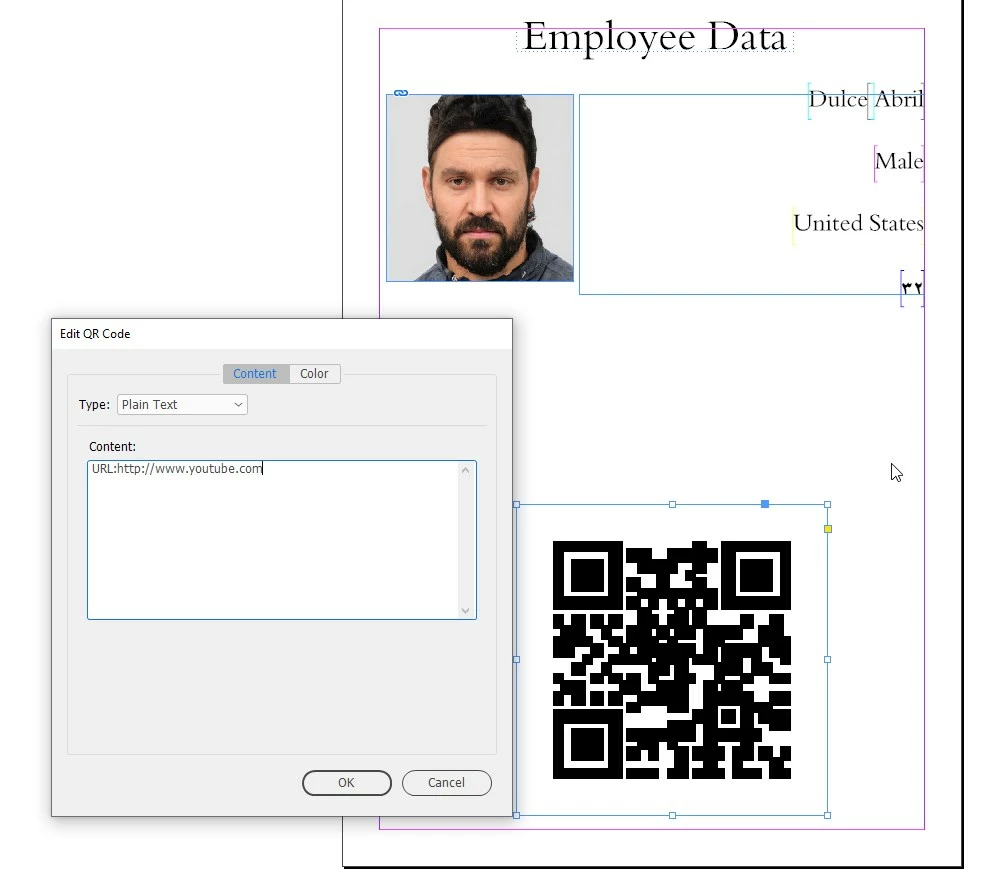
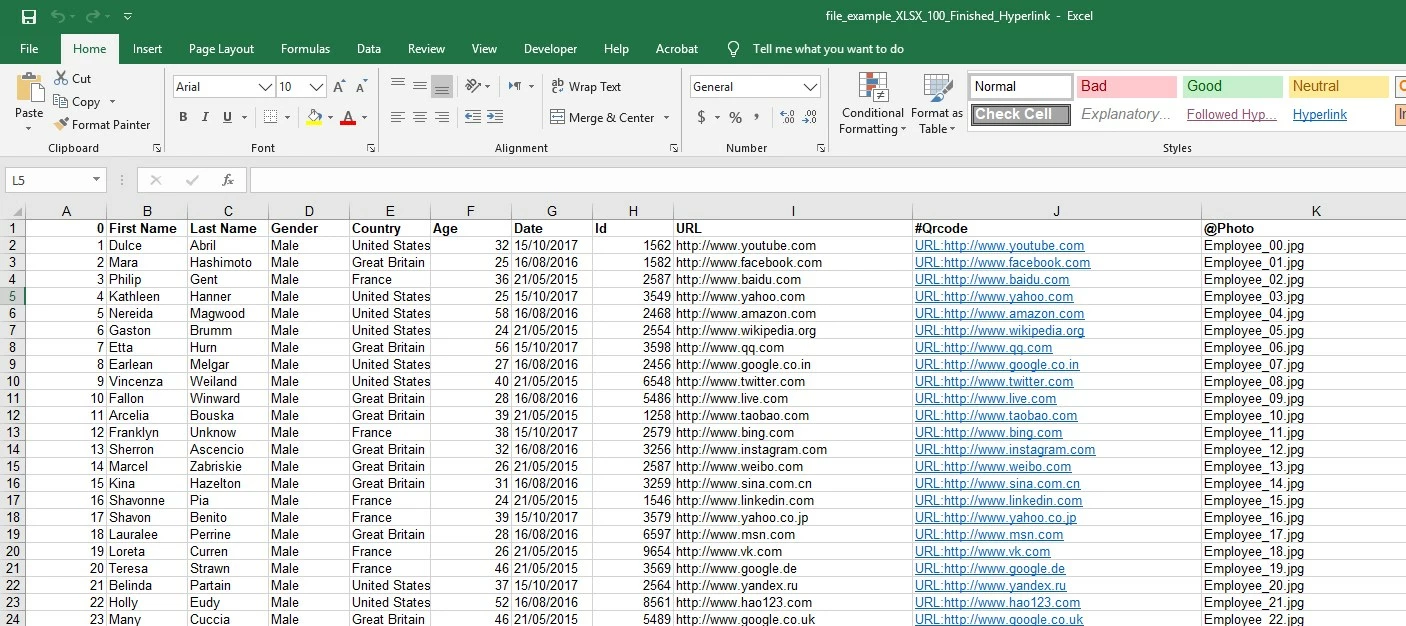
I tried very hard to make Data merged document to Show the URL at the Right place (Website) but i always Shown as Plain Text, I dont know why?, I tried everything and this get me mad!, did i miss somthing? , I use InDesign 2020 in Windows 10 Pro,

Thanks for AnyHelp

Mohammad
 

This topic has been closed for replies.

3 replies

Community Expert
May 25, 2020

Hm. Shouldn't it be:

URL:https://www.youtube.com/

Adding an s to http and perhaps doing a slash at the end of the address?


Template:


Resulting merge:


Regards,
Uwe Laubender

( ACP )

David Popham
Participating Frequently
May 25, 2020

Your QR code appears to be working properly, as it goes to the correct URL if you scan it with a QR code reader. I think it's defaulting to Plain Text because the data is coming in as text from Data Merge. The "URL:" prefix ensures that InDesign interprets it as a URL address.


If you were creating a QR code manually, you would type the URL minus the "URL:" prefix (e.g. http://www.youtube.com) and choose Web Hyperlink as the Type.

Colin Flashman
Community Expert
Community Expert
May 26, 2020

I agree, the URL: prefix denotes that a web page is to be loaded, and that's the syntax on the help page too.

However, not all QR code readers behave the same way. Perhaps have a look at this reference to see other ways that the syntax can be prepared: https://github.com/zxing/zxing/wiki/Barcode-Contents

If the answer wasn't in my post, perhaps it might be on my blog at colecandoo!
Mario Fritsche
Legend
May 25, 2020
edit...
---Mario