Inspiring
June 19, 2022
Answered

question about border frame

  • June 19, 2022
  • 5 replies
  • 505 views

Hello,

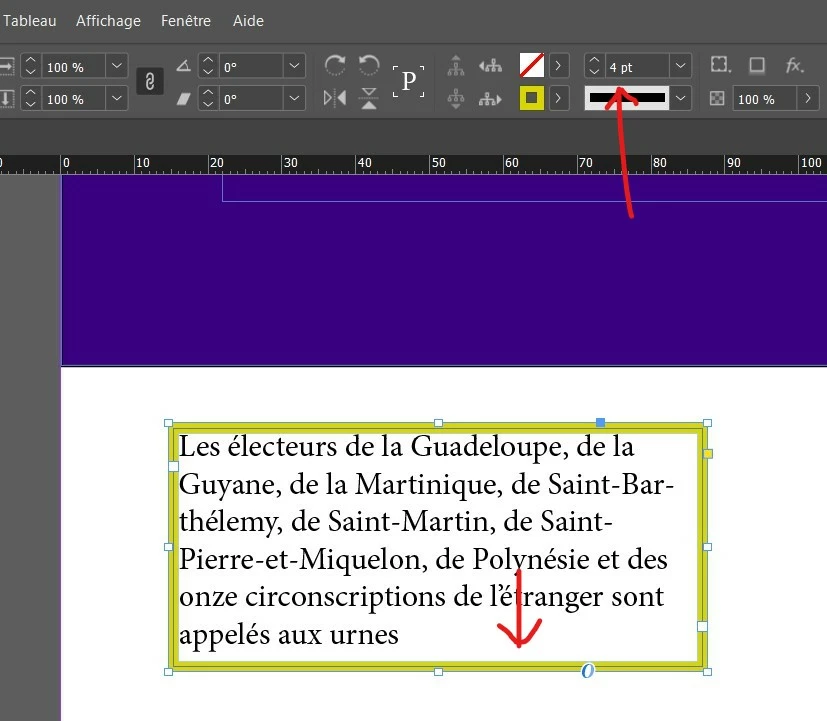
I have created a text frame :


You can see I have set a border around all the frame of 4pt.


Now, I would like to have this border frame only at the bottom of the text frame.

My goal is to make a bottom border not on the text but on the frame itself.

How to do this ?
This topic has been closed for replies.
Correct answer Barb Binder

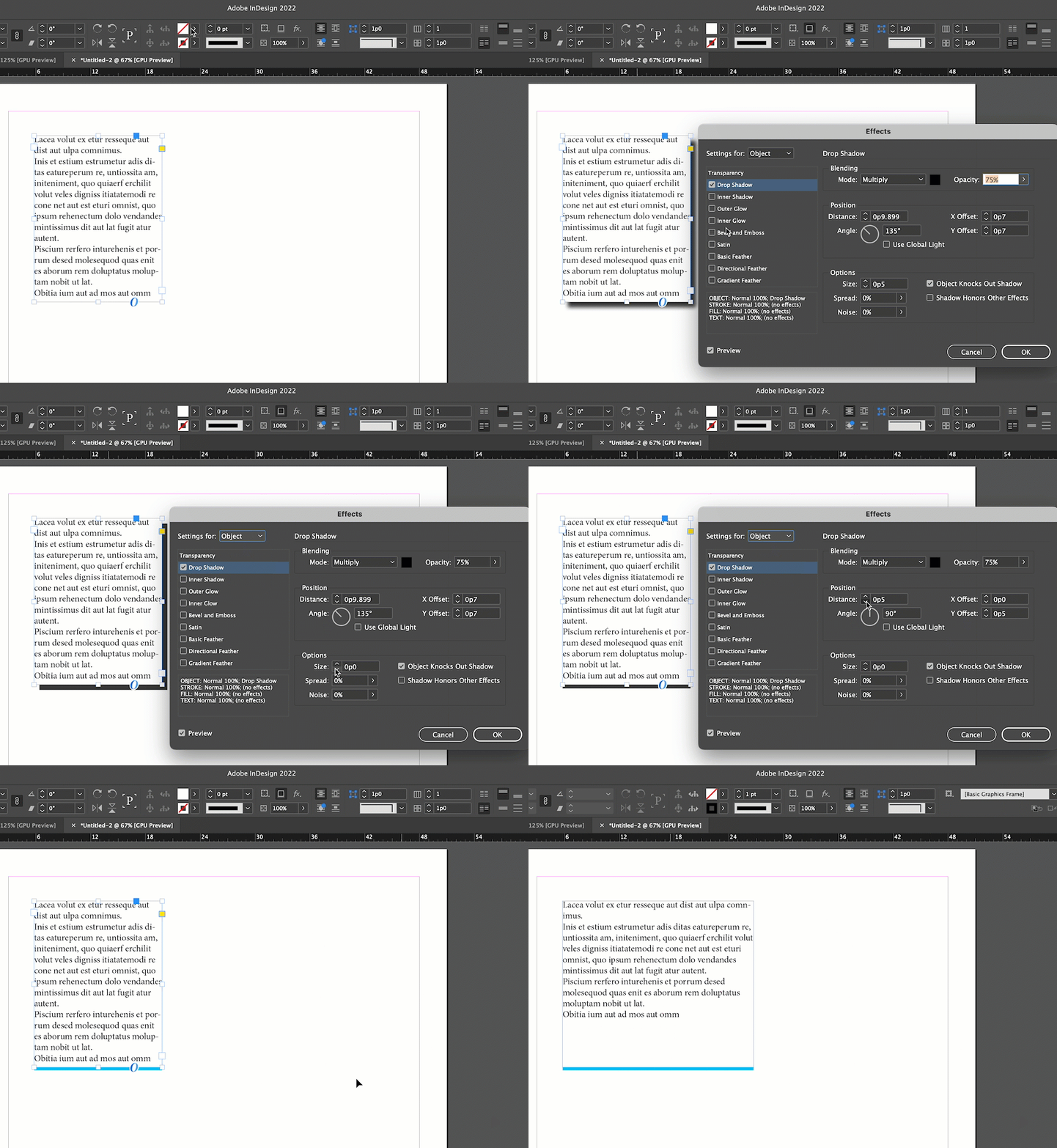
Will this work for you? Change the frame color to white and customize a drop shadow.


~Barb


5 replies

Community Expert
June 20, 2022

Hi Pierre,

clearly InDesign has no feature to do this.

So you have to work around this missing feature.


What workaround is best could depend on how your layout is.

And most important: Is the text frame part of a series of threaded text frames?

Or does it stand alone?


Some workarounds listed:


[1] Use a drop shadow like Barb suggested it.

[2] Use a table with exactly one table cell like Willi suggested it.

With table cells one can clearly do what you want.


From my German InDesign with a table cell selected and the Control panel shows the cell strokes and the cell insets:


Or use paragraph properties:

[3] Use a paragraph rule below for the last paragraph in the frame.

[4] Use a paragraph border for the last paragraph in the frame.

[5] Use a paragraph border for all paragraphs in the frame.


Regards,
Uwe Laubender
( Adobe Community Professional )


// EDITED

Geоrge
Legend
June 20, 2022

Barb! You are the best 🙂👍


Pieret, may be you don't really want to have a stroke for the whole frame and you are need only for a paragraph then you have more clear feature for that: 

https://youtu.be/eOj7S_-iVPQ


Remember, never say you can't do something in InDesign, it's always just a question of finding the right workaround to get the job done. © David Blatner
Willi Adelberger
Community Expert
Community Expert
June 20, 2022

Make a 1-cell table. There you can apply different borders on each side.

Diane Burns
Inspiring
June 19, 2022

In addition to Barb's brilliant suggestion, you might try going to the Stroke panel and setting the "Align Stroke" to align at the edge of the text frame. Not exactly sure what you're going for here, so just another option.

Barb Binder
Community Expert
Barb BinderCommunity ExpertCorrect answer
Community Expert
June 19, 2022

Will this work for you? Change the frame color to white and customize a drop shadow.


~Barb


~Barb at Rocky Mountain Training
Frans v.d. Geest
Community Expert
Community Expert
June 19, 2022

Brilliant Barb! 🙂