However, when I test this with codes like <20000> or <2F800> on Windows, they remain as code format (e.g., <020000>) rather than converting to characters or showing empty squares.
That's... not what I experience when I try it! It's weird enough that I screencapped a GIF of it.
1) Pasting <020000> into the Text tab of the F&R
2) Switching to the GREP tab and pasting <020000> in
3) Going back to the Text tab
4) Going back to the GREP tab
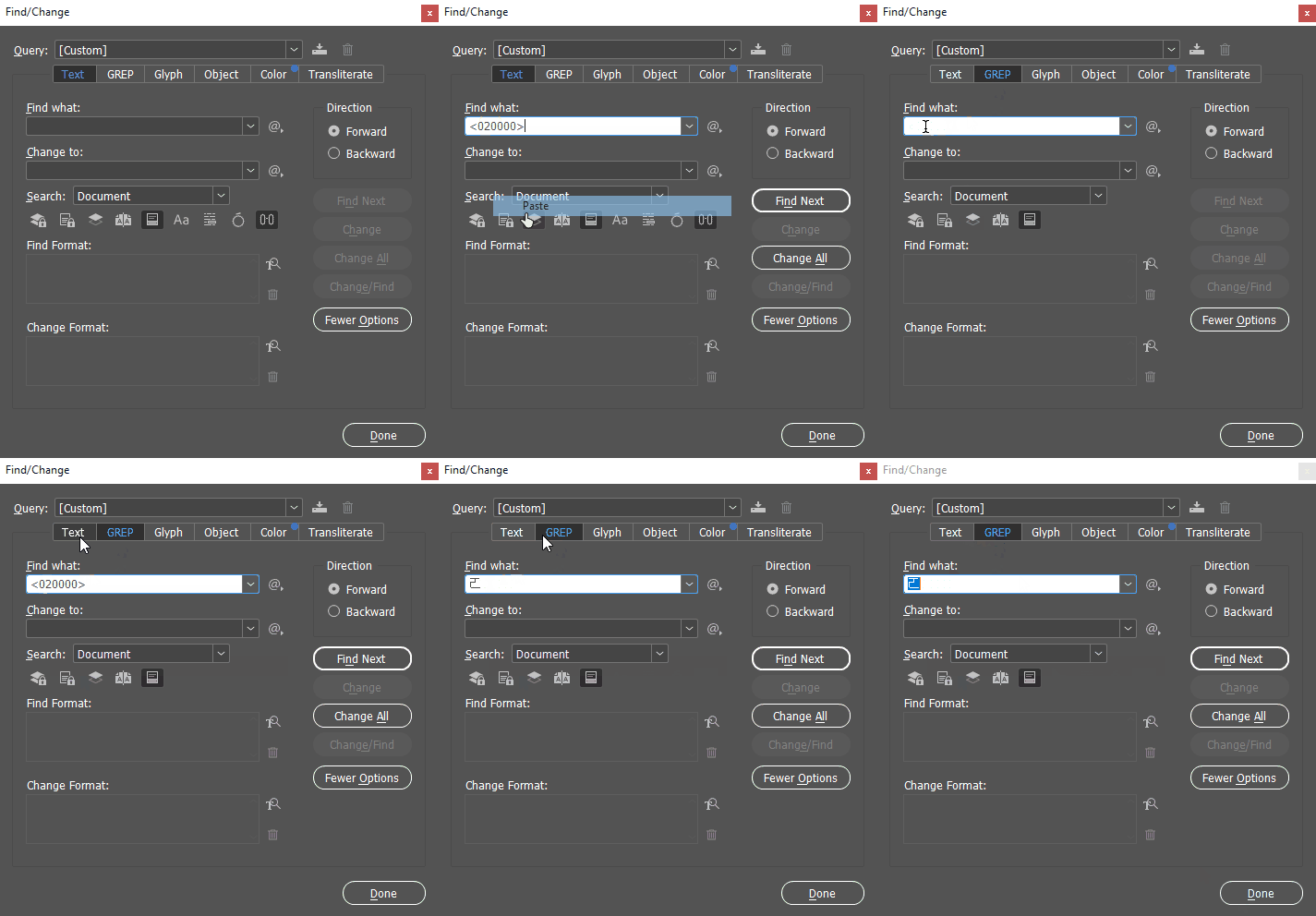
... what?
I expected, when I read your message but before I started experimenting, that the problem was that you were trying to use UTF-32 encoding but that InDesign was only going to accept UTF-16 encoded stuff. So I looked up the glyph at 020000, figured out what its UTF-16 encoding was, and then pasted it in.
1) Pasting <D840><DC00> into the Text tab of the F&R
2) Switching to the GREP tab and pasting <D840><DC00> in
2b) being bewildered
3) Going back to the Text tab
4) Going back to the GREP tab
4b) being bewildered again
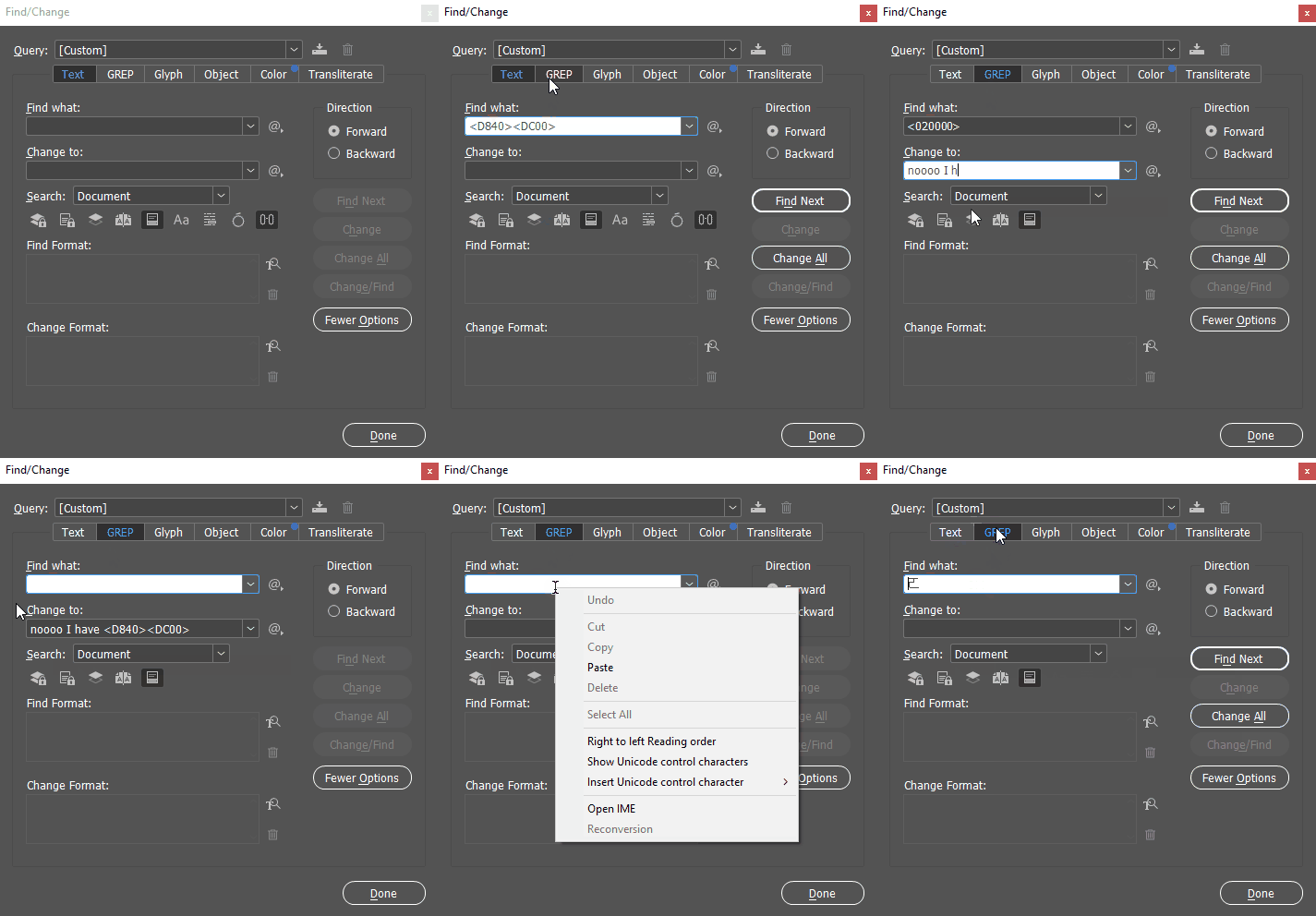
Special bonus weirdness: I type my bewildered complaint "noooo I have <D840><DC00> on the clipboard" then switch away to the Text tab, then back to the GREP tab, where everything after the <D840><DC00> has been removed from the Change To field.
I submit to you a possible explanation: this feature is half-baked. I suspect that very little testing has been done around UTF-32 encoding.
Only very rarely have I experienced a square you've-dropped-a-glyph box ("tofu") in InDesign's interface, and at that, I've only seen it when I'm working in a writing system where the font designer has crowded the Private Use Area with custom glyphs. (Lots of font developers working with SE Asian languages have used this hack, over the years.)



 AdChoices