

Questions about Copy text from Illustrator
Hello,
I replied to the pinned post of Enhanced Copy-Paste but it seems like no one was reading it and I’m really looking for some answers (as I'm writing a Hebrew Tip in in my InDesign tips site), so I decided to create a post of it’s own.
There are a few things that are unclear to me:
1. Under InDesign help of “Copy text from Illustrator” there is a photo showing the paste options:
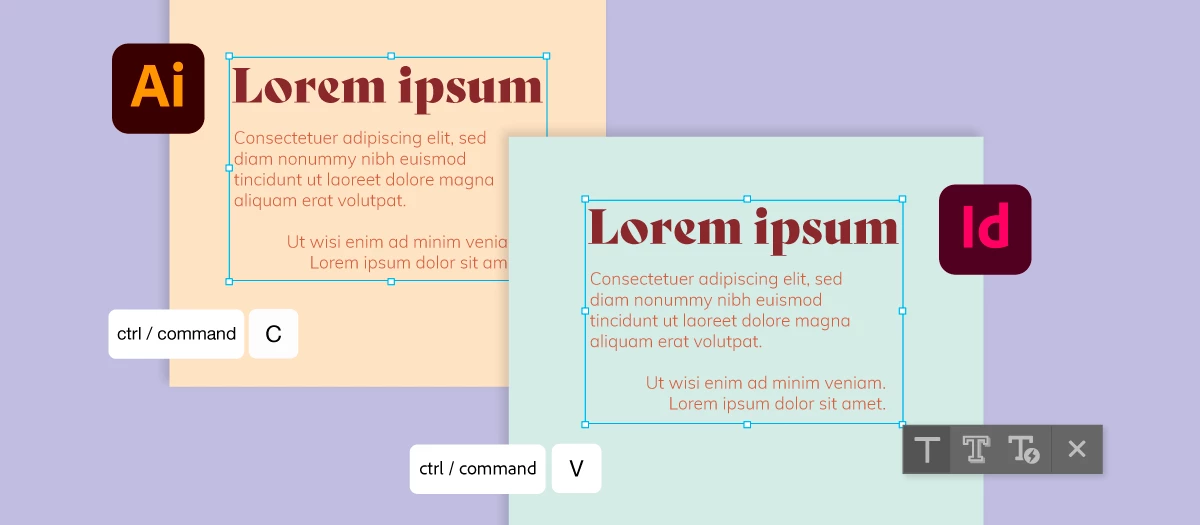
In the paste option to the right, it shows 3 types of T's. The last one is with a lightning sign. I don't see it when I perform paste and I don't see it is mentioned in the Help manual... So what is it and when will it show up?
2. In the same photo, it is unclear if the copy was done to the text frame or to the text and if it was paste directly without creating a new text frame in InDesign or with creating a text frame.
When I do it, the pasted text frame in InDesign will not stay the same size as it is in Illustrator. (In my screenshot below (in Hebrew) - to the right it is illustrator, to the left it's the result in InDesign. The text didn't loose it's definitions, but the Text Frame did. Of course I can later change it but shouldn't it kept the the text frame size too?
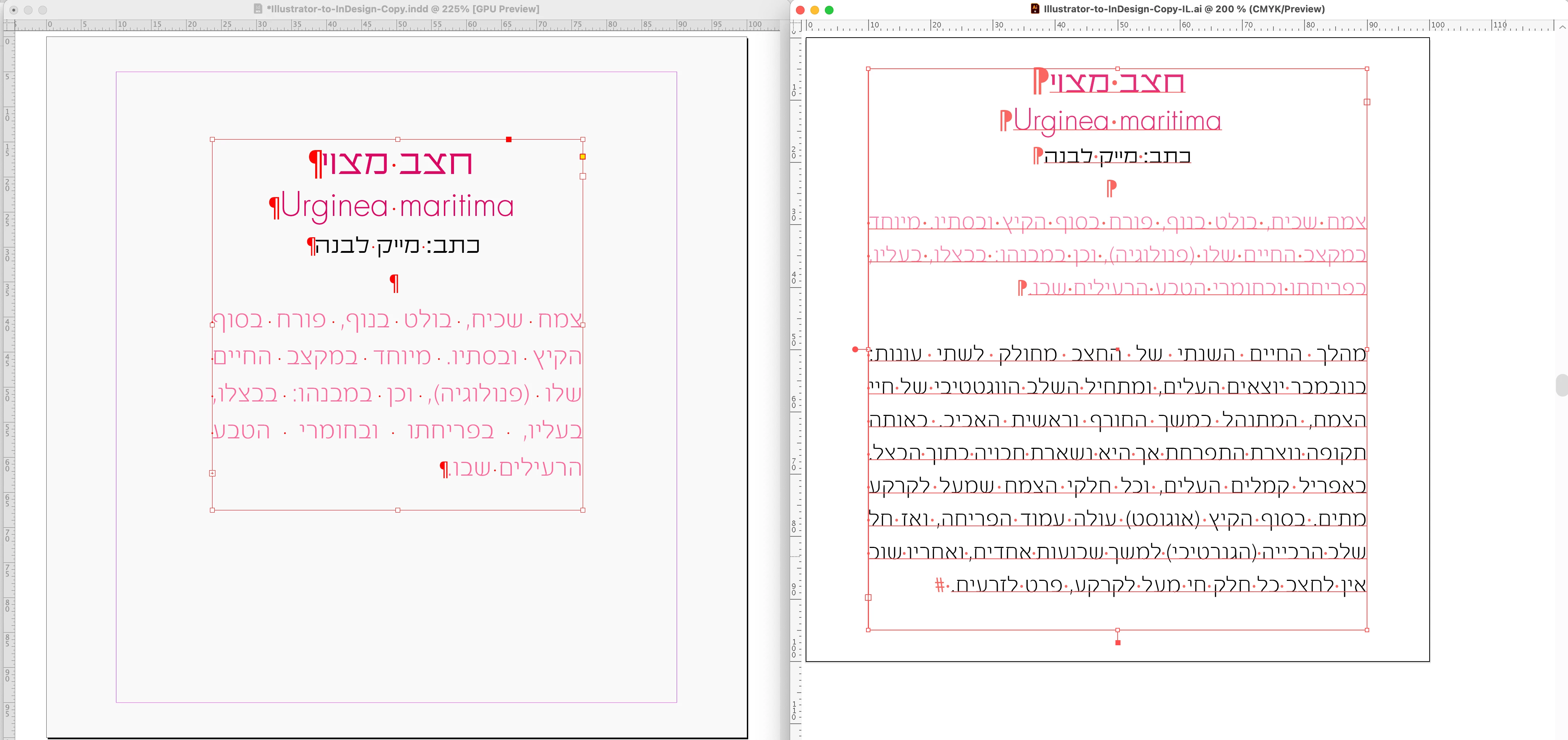
3. The explanations only talk about copy from IL to ID. Does it also work the opposite? It is unclaer.
All my applications are updated to the latest version. The option to paste with formatting is turned on in InDesign prefs.
Thank you very much,
All the best,
Shlomit


 AdChoices