Hi Johnny:
Welcome to the InDesign forums.
This is actually the default in InDesign. When you create a new document and designate the specifications in the New Document dialog box, the page information (i.e., paper size, margins, columns) is added to the A-Parent page at the top of the Pages panel. The A-Parent is automatically assigned to all of the body pages within that document. When you navigiate to the A-Parent to add the running heads (aka headers and footers), they will be automatically assigned to all of the body pages.
If you decide to reserve the A-Parent for some other use, then as per @RvdT you can create a new Parent page, add the running heads, then right click the new parent page name > Apply Parent and apply the new Parent to To Pages: All Pages.
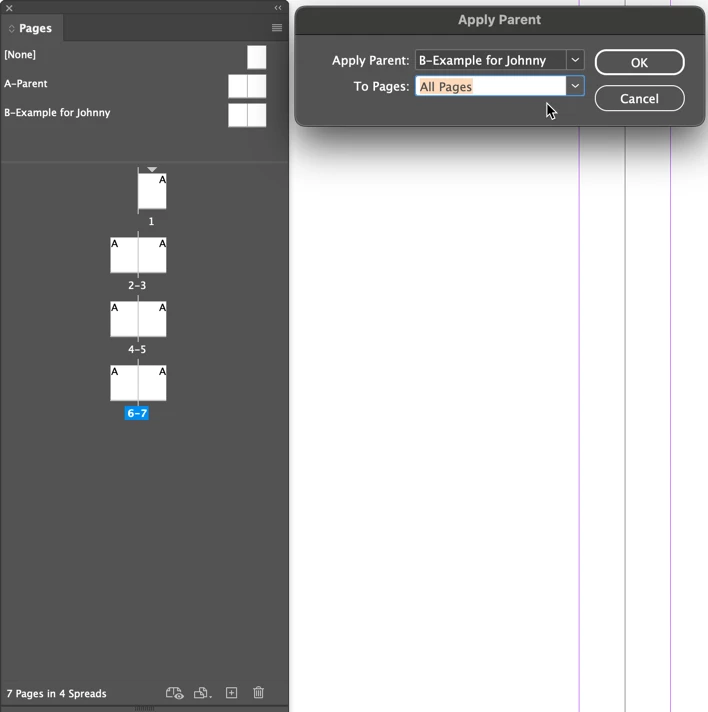
~Barb



 AdChoices