Known Participant
April 1, 2025
Question

Quotation Mark Position Issue

  • April 1, 2025
  • 3 replies
  • 256 views

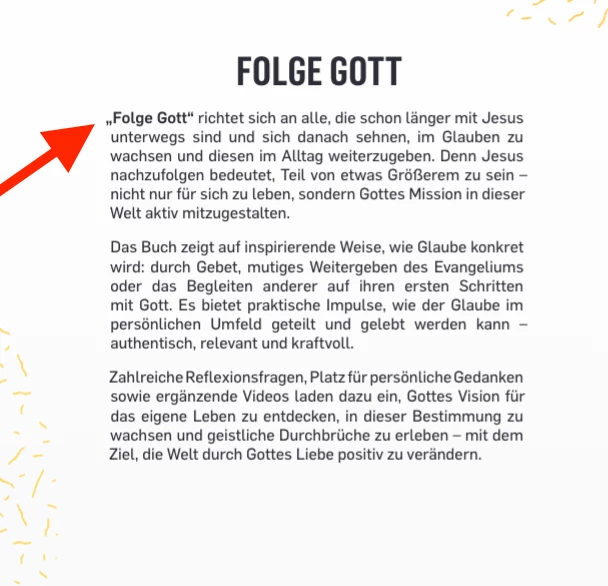
Hi everyone, I am working on a book cover for print. For some reason, the first quotation mark appears to be outside of the text box. Why is this happening, and is there a way to fix it?

 

3 replies

Abhishek Rao
Community Manager
Community Manager
April 1, 2025

Hi @Mateomono,


I hope Willi and Barb’s suggestions helped! Try deactivating Optical Alignment under Text > Story as Willi mentioned, and see if that resolves the issue. Barb also provided a great explanation of how it works, so you might even decide to leave it on for a cleaner text alignment.

If one of these solutions worked for you, feel free to mark it as the correct answer. Let us know if you still need any help!


^
Abhishek

Barb Binder
Community Expert
Community Expert
April 1, 2025

@Willi Adelberger  is correct and here's how it works:

Now that you know about it, you might decide to leave it on. It gives a cleaner look to the sides of the text.


~Barb

~Barb at Rocky Mountain Training
Willi Adelberger
Community Expert
Community Expert
April 1, 2025

Text > Story > Deactivate Optical Alignment.