
Participant
April 15, 2021
Question

Quotation Marks/apostrophes appearing on baseline?

  • April 15, 2021
  • 2 replies
  • 1767 views

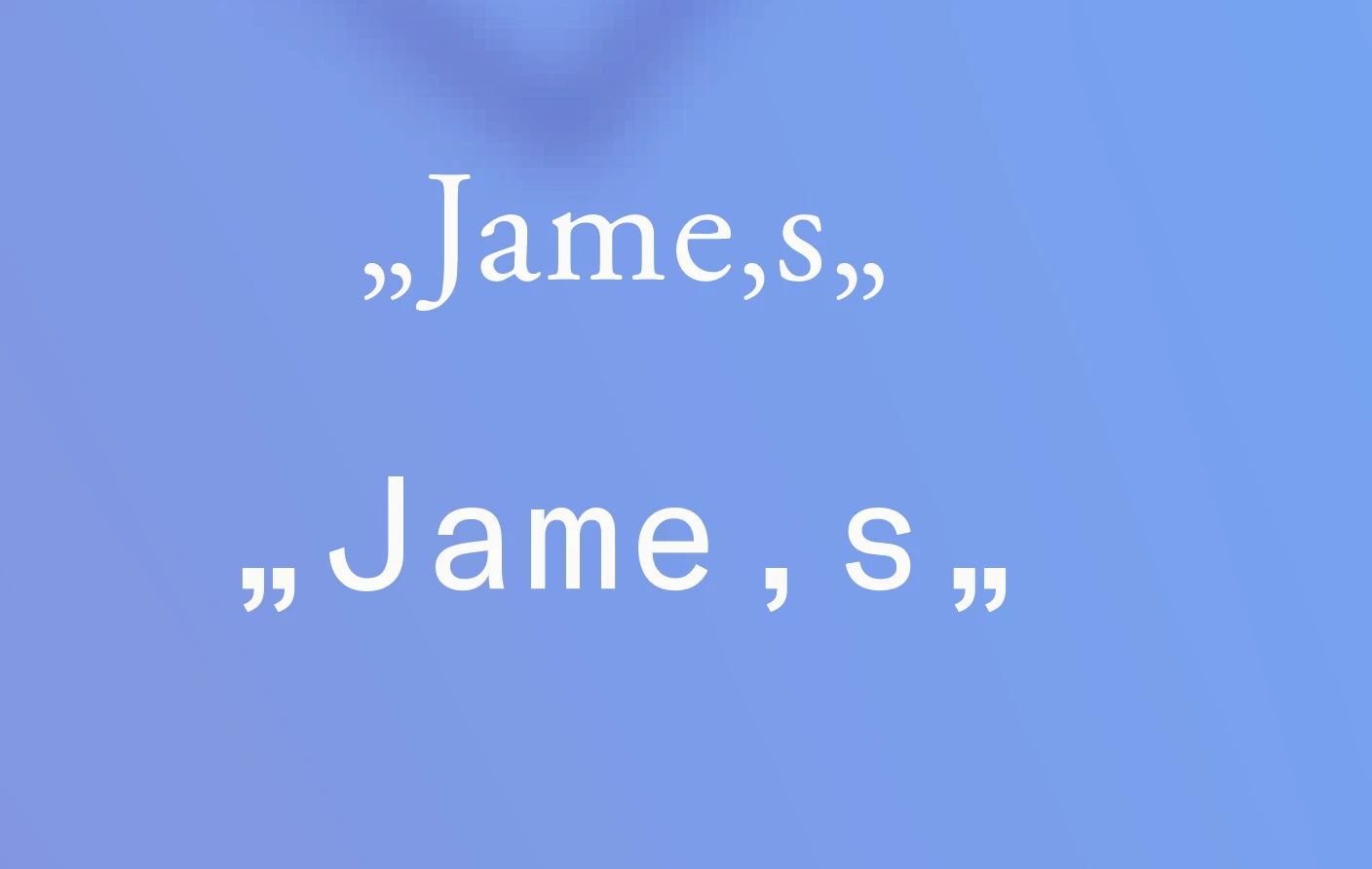
I'm having an issue with apostrophes and quotation marks appearing on the baseline in every font on InDesign. Anyone know where I can switch this back to normal settings? Also, all characters appear to be facing to the left. Please see attached. Thanks.
This topic has been closed for replies.

2 replies

Community Expert
April 21, 2021

My guess is that you applied the wrong value for "language".

Example: If you apply language "German Reform…" for example the quotation marks will be set like you are currently seeing this.


Change the language value for e.g. US English and type the quotation marks and the apostrophe again. They will change. You could speed up that process with 3 GREP Find/Change actions:


Before a word boundary, find pattern:

\x{201E}(?<=\b)

Change to:

\x{201C}


Result:


After a word boundary, find pattern:

(?<=\b)\x{201C}

Change to:

\x{201D}


Result:


Alright, now I see from your screenshot that your apostrophe looks either like a single quotation mark or, more likely like a comma. You may try this:


Find any comma, that is between word boundaries:

(?<=\b)\x{002C}(?=\b)

Change to:

\x{2019}


Result:


Regards,
Uwe Laubender

( ACP )

Steve Werner
Community Expert
Community Expert
April 15, 2021

Does this happen in every document you try it in? You might try restoring your InDesign preferences:


https://www.rockymountaintraining.com/adobe-indesign-rebuilding-preferences-cache/


If only one document, there might be corruption, and you could try saving the document as IDML and reopening it.