

Radial Menu for InDesign
Contribution Welcome
Radial Menu for InDesign – Status Update
Implemented Features:
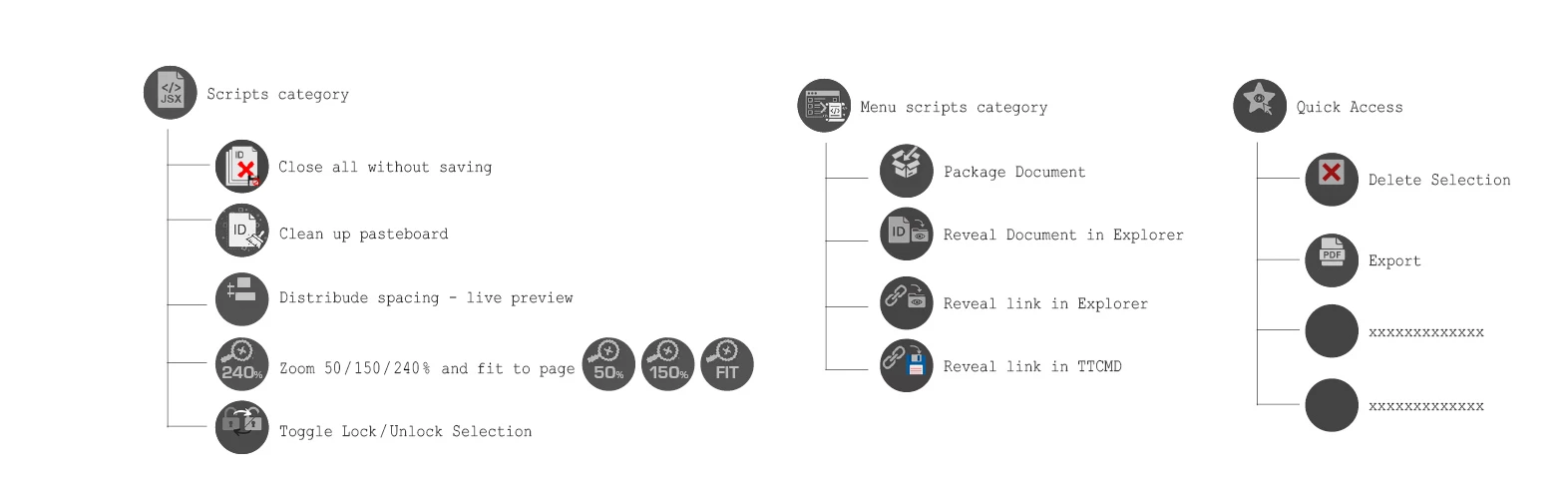
Script Category: Contains several popular user scripts.
Menu Scripts Category: Invokes specific menus from InDesign (not custom scripts).
Quick Access Category: Offers essential steps and functions for working with documents.
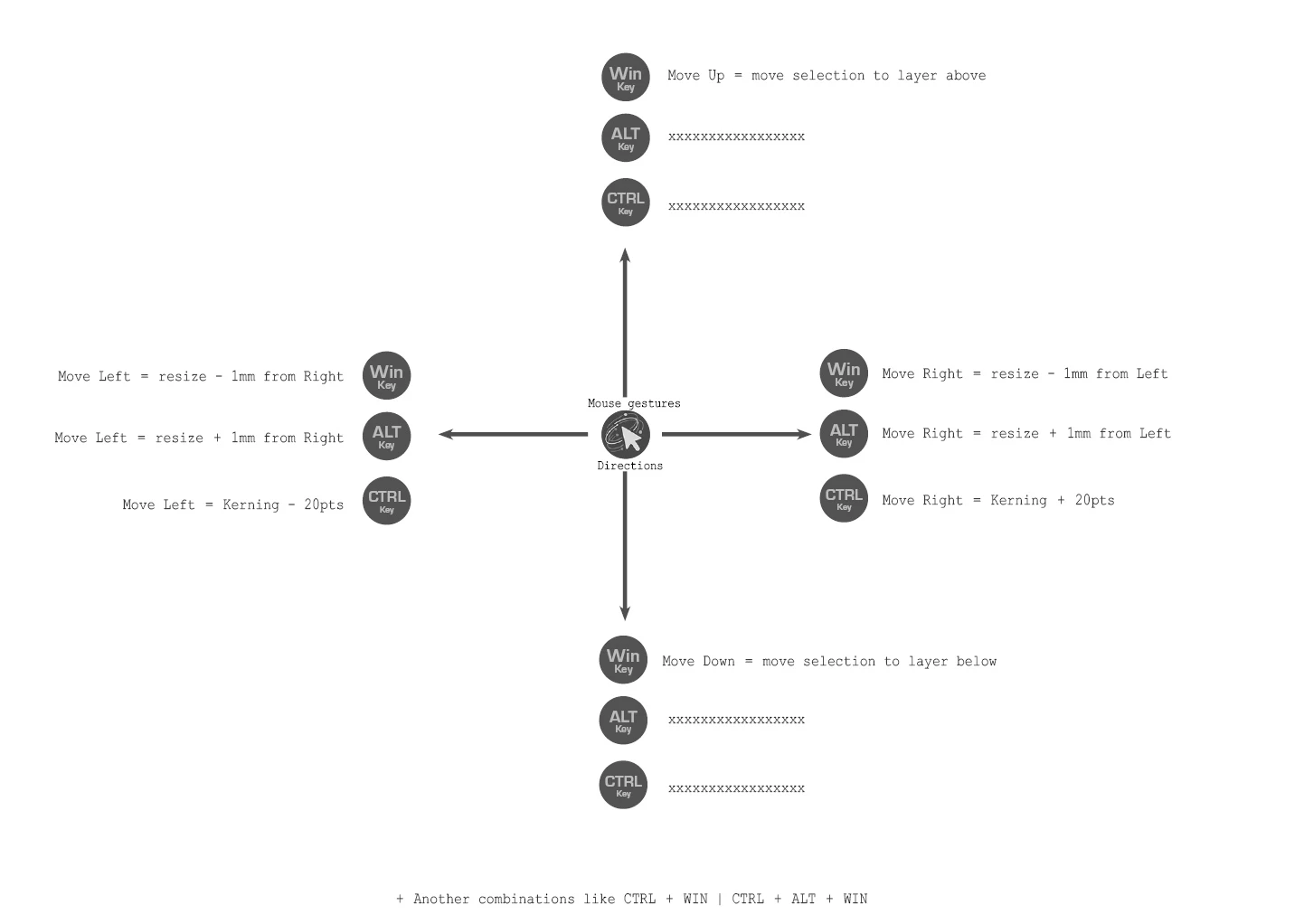
Mouse Gestures Category (In Progress): Provides various functions triggered by mouse movement combined with a key press. For example:
Holding the WIN key and moving the mouse to the left will decrease the size of the selected object by 1 mm.
Holding the WIN key and moving the mouse up will move the selected objects to the top layer. Moving the mouse down will move them one layer below.
Development & Design:
I write the scripts myself. The radial menu's design has been harmonized with the darker GUI version of InDesign.
Nothing is set in stone, and the radial menu is still under active development. Its final form is yet to be determined. I would welcome anyone who is interested in collaborating on this project with me.
The script includes many other features, such as undo/redo steps, automatic export to a PDF folder next to the InDesign document, and many more functions that will be detailed in the documentation. I am also preparing a dedicated YouTube video with a thorough description of the entire radial menu.
A Question for the Adobe Team:
Don't you think a Radial Menu (or "Pie Menu") would be a useful tool that should be an integral part of InDesign? (Similar to applications like Blender, Unity, and many others.)
Try It Out:
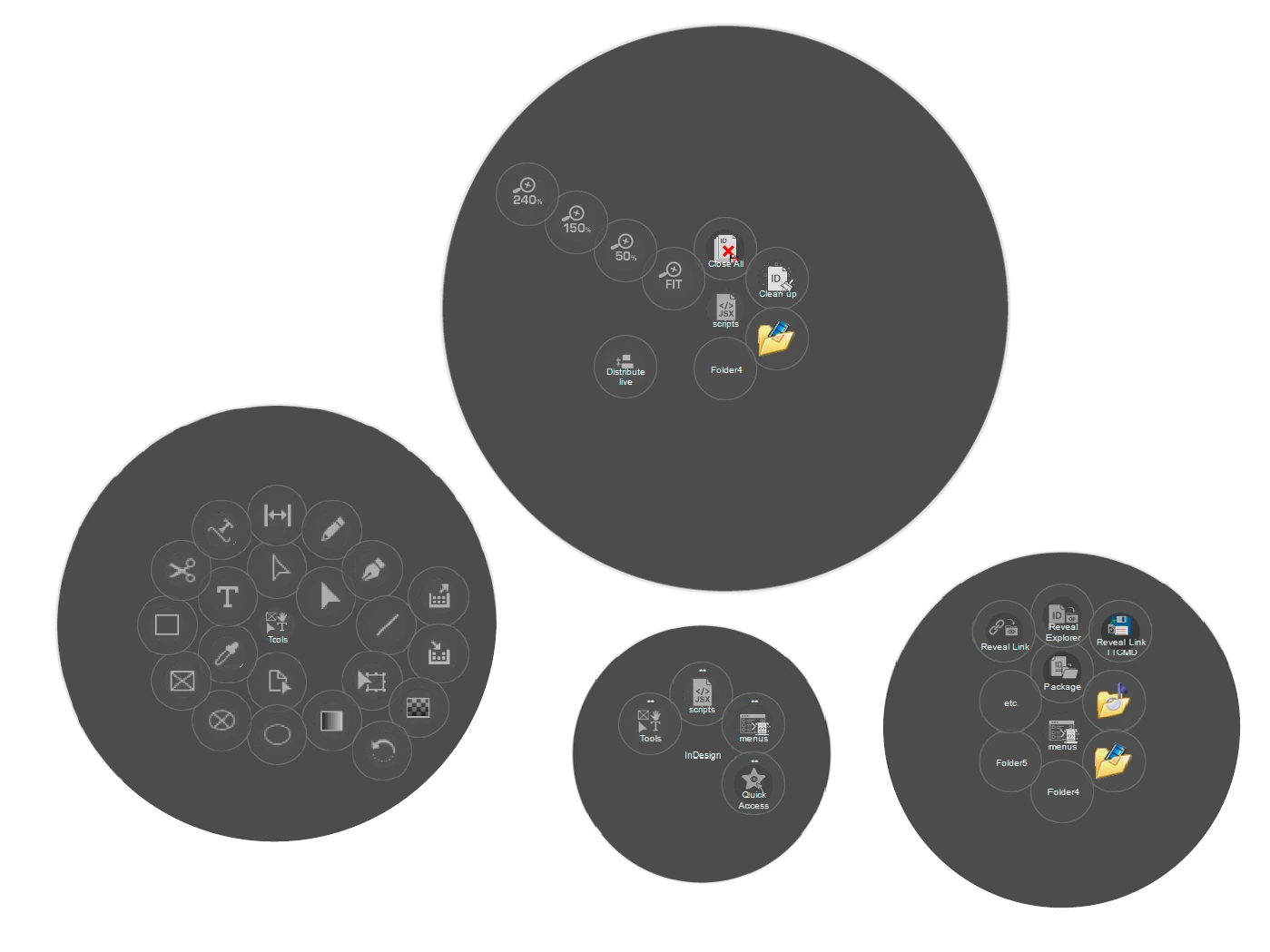
Screenshots are attached below. The project is already in its alpha version and available for testing.
Once again, this is Windows only.
Thank you.


 AdChoices