Random text fading makes printing impossible
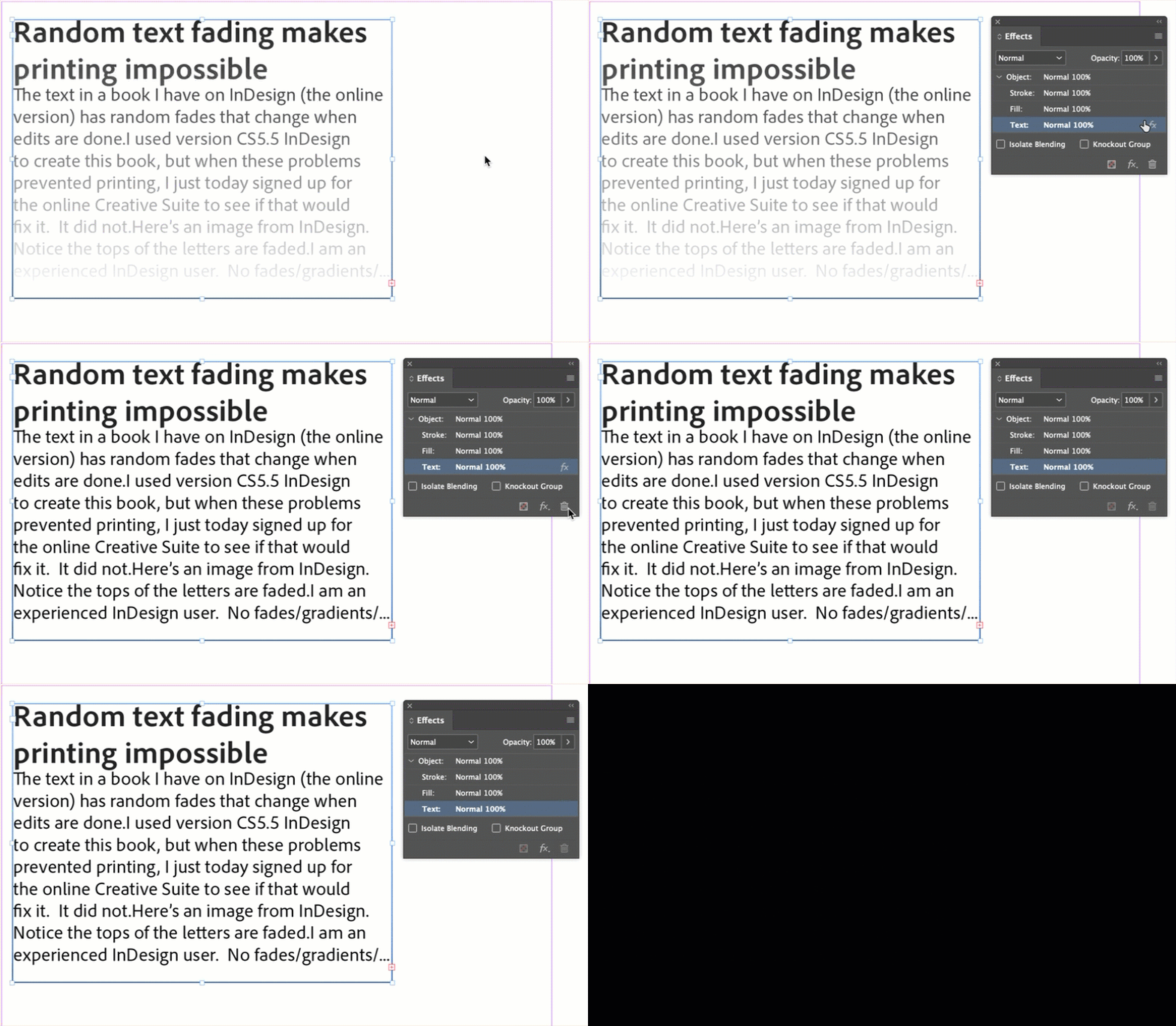
The text in a book I have on InDesign (the online version) has random fades that change when edits are done.
I used version CS5.5 InDesign to create this book, but when these problems prevented printing, I just today signed up for the online Creative Suite to see if that would fix it. It did not.
Here's an image from InDesign. Notice the tops of the letters are faded.
I am an experienced InDesign user. No fades/gradients/... used.

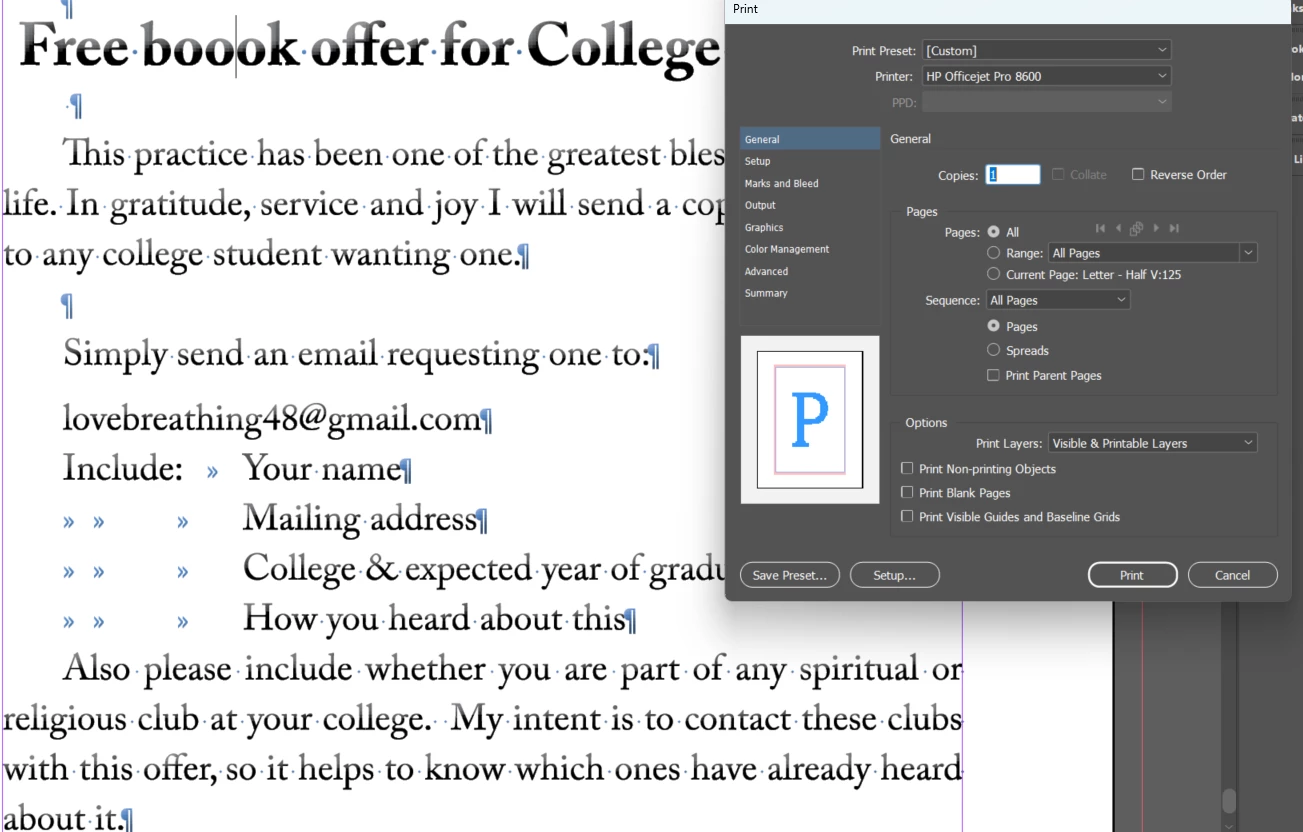
If I add one letter to the page, the fading goes away. Added extra "o" to book.

The fading went away right after I added the extra letter.
However as soon as I do something else like try to print
the fading comes back (before I can print).
HELP ADOBE! This is obviously a bug and it is making your program totally unsuable for me.
What can I do to stop triggering this bug?
I have been using a purchased copy of InDesign about 10 years old.
But now it seems the old version and the latest online version will not work.
I'd be happy to pay your subscription fee, but can't unless this is resolved.
Thanks in advance.
 AdChoices