
christophed21197058
Inspiring
March 9, 2020
Answered

Raw XMP data needed when exporting PDF for printing

  • March 9, 2020
  • 3 replies
  • 1147 views

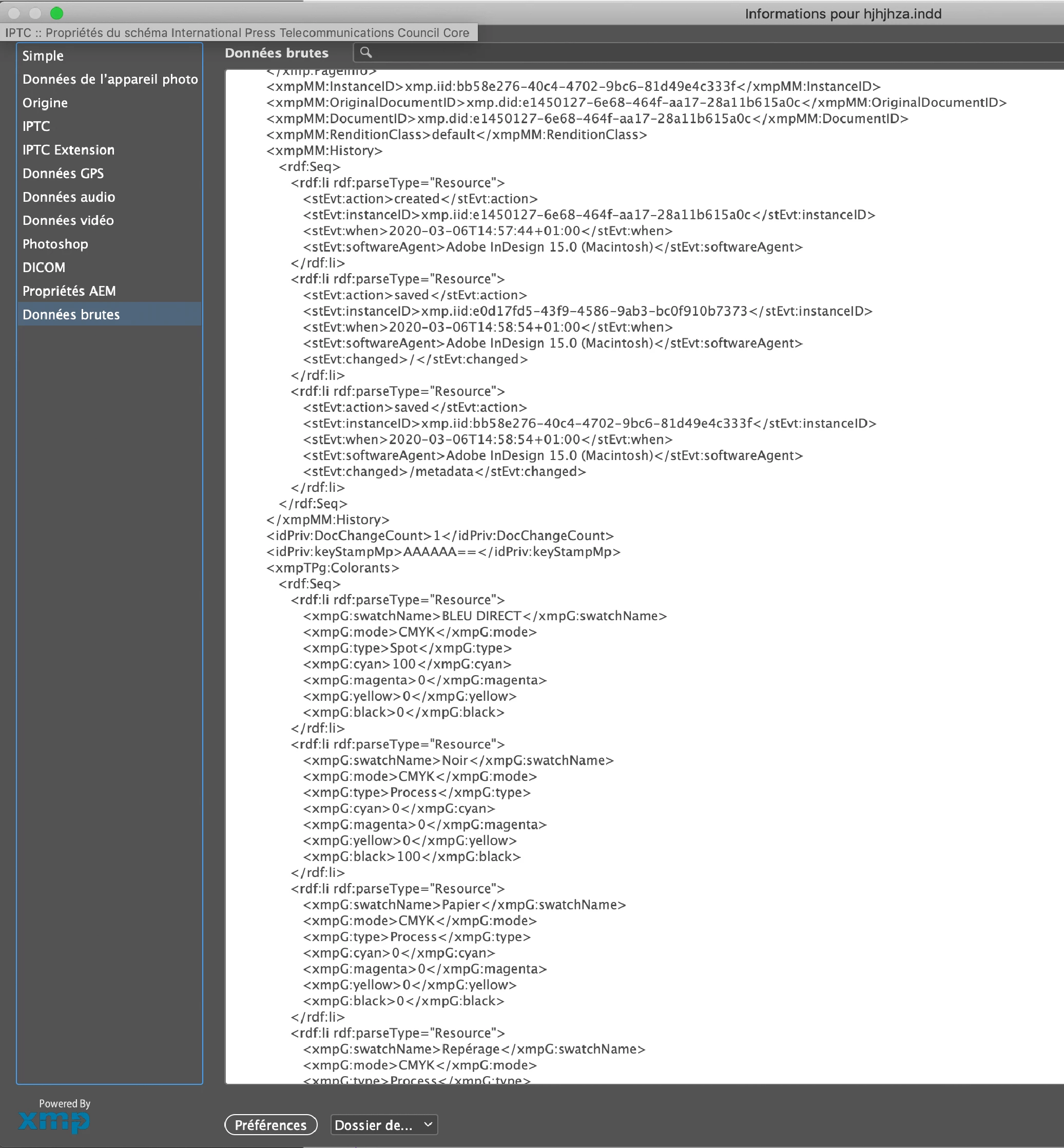
Hello, we would like to get the XMP from the "Raw data" tab into the PDF that is exported for printing. Our system reads the XMP from Illustrator just fine but we saw that when we export using InDesign this XMP data doesn't follow.

We tried every kind of export possible and searched through any settings nothing works. It's frustrating because it is in the .indd file but we need it when exporting as PDF.

If anyone has managed to do that, please I'd like to know the answer. Thank you !
 

This topic has been closed for replies.
Correct answer christophed21197058

I got an answer from the support, I hope this will change in the future ...


"Greetings from Adobe!!

 I hope you are doing well. I checked about it and found that is a default feature of the InDesign application, the XMP metadata information which you see after exporting it from InDesign that is correct, there is no way to change this feature. Illustrator export engine is different that is why the XMP Metadata information is different  on exported file from Illustrator"

3 replies

Community Expert
April 8, 2020

Hi,

couldn't you transform the XML to the desired output?


Regards,
Uwe Laubender

( ACP )

christophed21197058
Inspiring
April 9, 2020

Hi,


That would be very difficult as we work with thousand of files with different parameters, inks etc.

The way Illustrator works is what is integrated in our MIS and how the software we use in pre-press.

Handling it natively would be a must.

christophed21197058
christophed21197058AuthorCorrect answer
Inspiring
April 6, 2020

I got an answer from the support, I hope this will change in the future ...


"Greetings from Adobe!!

 I hope you are doing well. I checked about it and found that is a default feature of the InDesign application, the XMP metadata information which you see after exporting it from InDesign that is correct, there is no way to change this feature. Illustrator export engine is different that is why the XMP Metadata information is different  on exported file from Illustrator"

christophed21197058
Inspiring
March 11, 2020

What we need the most is structured XMP data for inks the same way it is by defaut on Illustrator.

I hope this is possible !

Legend
March 11, 2020

Hi,


Where is in the PDF?


P.

christophed21197058
Inspiring
March 11, 2020

Hi, in the PDF if you search by name, you can see these information about the inks aren't formated the same way and thus doesn't respond to the same xmp standard as Illustrator