
Participant
April 11, 2025
Question

Reading Order fix in InDesign layer option

  • April 11, 2025
  • 2 replies
  • 139 views

Hi All,


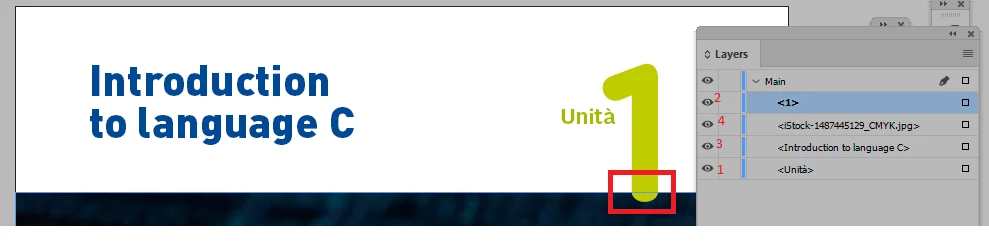
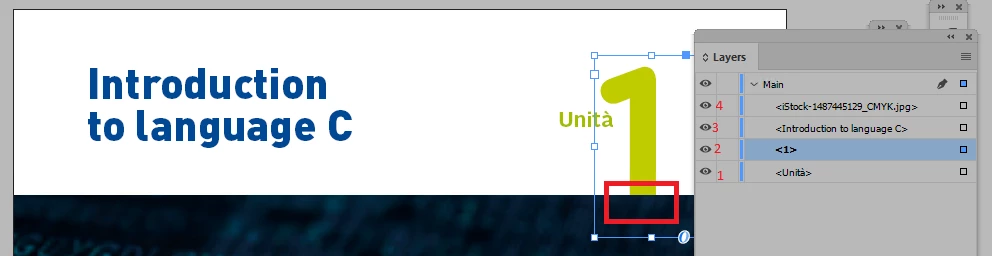
We are not able to fix the reading order in InDesign CC24 layer option, if the Image and text is overlapped. while attempting to fix the reading order, text frame hide/arranges back side of image. Please suggest how to fix the reading order without text hiding


Before Reading Order fix
 

After Reading Order fix
 

Regards

Venkatr

2 replies

Robert at ID-Tasker
Legend
April 11, 2025

Please check this thread: 


https://community.adobe.com/t5/indesign-discussions/how-to-set-pdf-reading-order-in-indesign/m-p/12385099#M445197 


And what if you put your image on a separate layer? And / or tag it as "artifact".


Frans v.d. Geest
Community Expert
Community Expert
April 11, 2025

That is how layers work, back/front, so make sure the image (the bar below I assume) is below the green '1' in the layer. This image bar looks like an Artifact to me so that is not part of the reading order.