

Dan Greyhound
Inspiring
September 21, 2017
Answered

Recto verso problems when deleting a page.

  • September 21, 2017
  • 2 replies
  • 3363 views

Hi all,

I'm designing a book where the inner page margin is different to that of the outside margin. I have set up numerous master pages reflecting this (each chapter has the chapter title as a running head). The author has deleted text from one page meaning that a chapter now finishes a page too early. To get the content to match up with the master page styles I need to delete one page from the document. However, instead of applying the appropriate verso page master, InDesign is still retaining the recto master page's margins although it updates the content. So a verso page now has the margins set up for a recto page. Other than manually applying all the master page items to the pages again, is there any way of getting InDesign to do the right thing from the beginning?

I'm using CS6 on a PC.

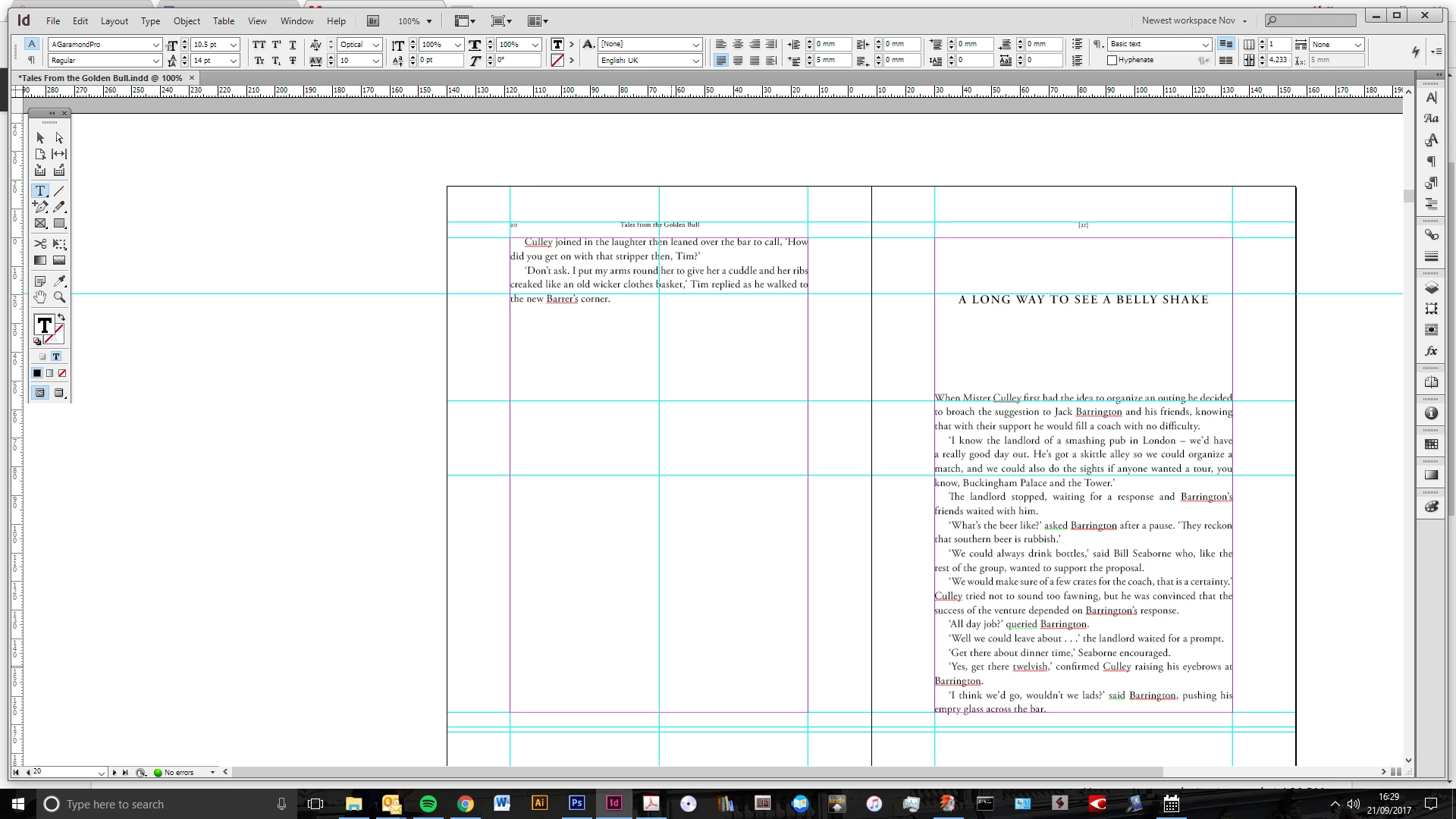
Before text alterations:
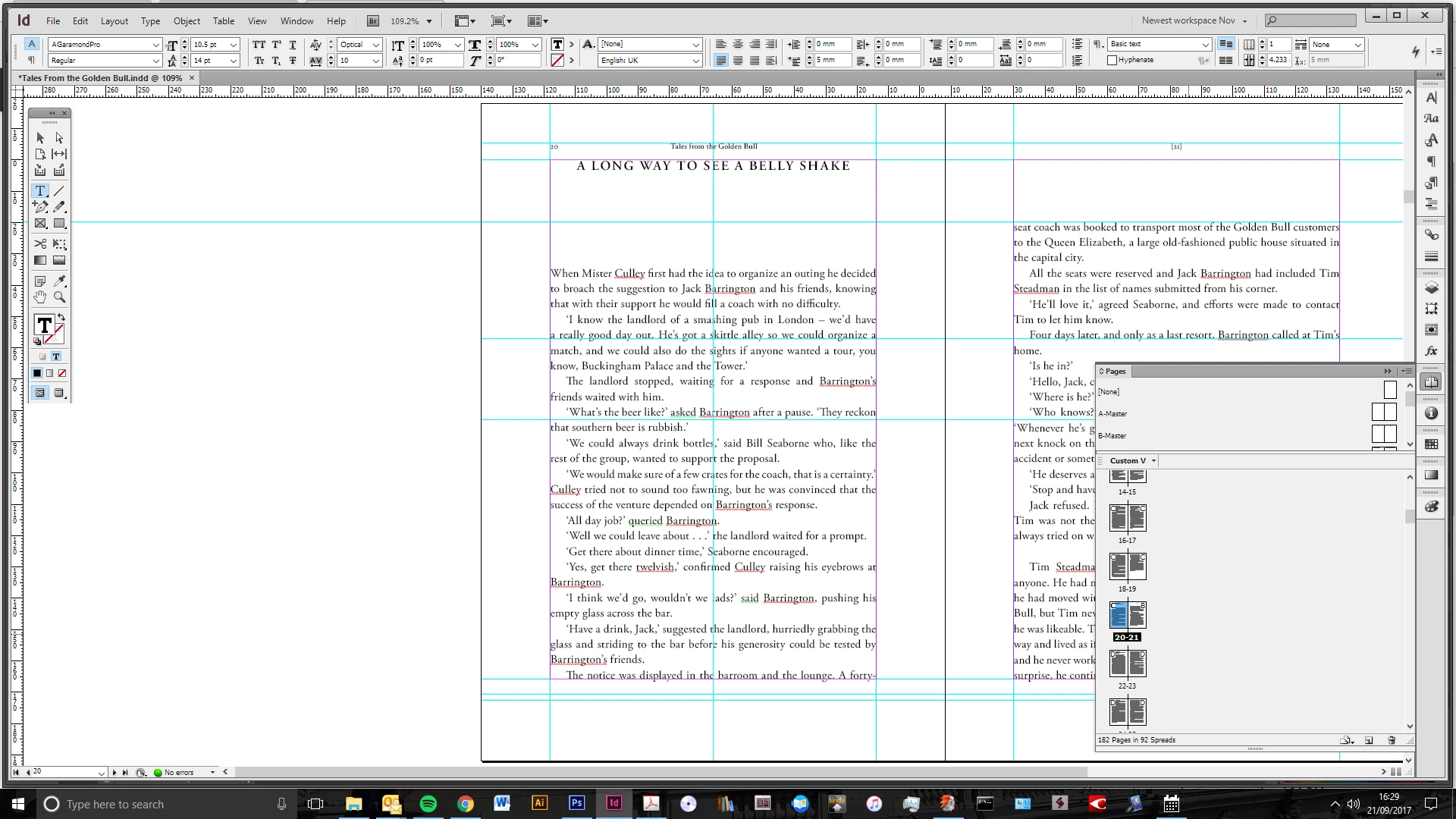
After text changes:
With verso page deleted:
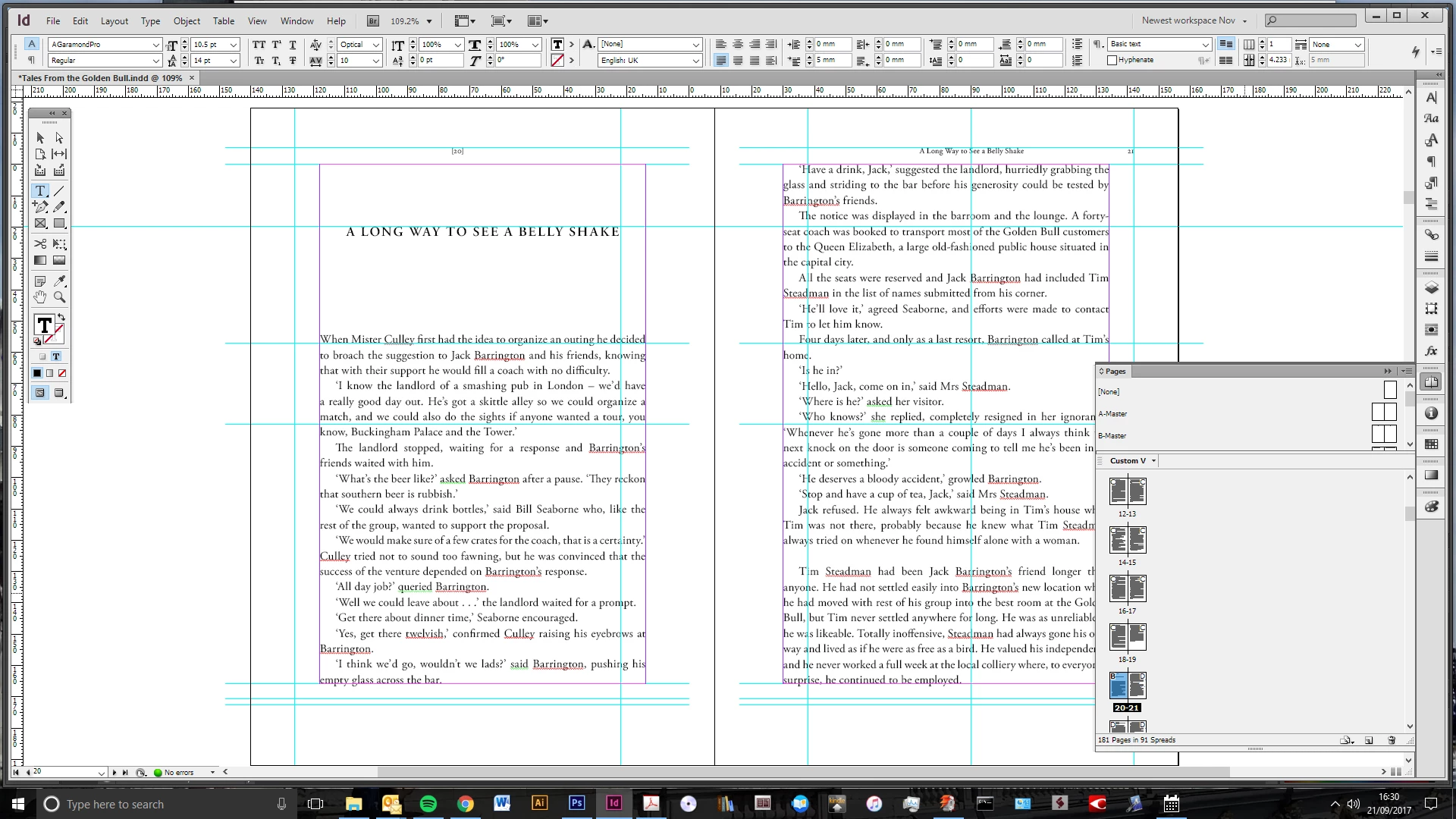
All the pages following are the same, the margins are wrong and the master page items are in the wrong place (although the right items are applied to the right pages)

Any ideas?

This topic has been closed for replies.
Correct answer rob day

Obviously this is going beyond the remit of this thread, but I couldn't get the script to work. I get an error saying 'too many closing braces'? Same in the Adobe ExtendScript Toolkit application


Dropbox - ResetMasters.jsx

2 replies

vinny38
Legend
September 22, 2017

Hi

Just like rob said, hard to advise without knowing how is document set... so many parameters are involved.

That said, I noticed something strange on your last screenshot: guides are "shifted". Just like if they were "pushed out" from binding...

This is not normal behavior and probably part of your problem.

Can you try saving it in IDML and see what happens (see Troubleshooting 101: Export to .idml or .inx to clear file corruption )

If it doesn't solve your problem, can you somehow share your file so we can have a look at it?

Dan Greyhound
Inspiring
September 22, 2017

Hi Vinny, thanks for your help. Yeah, sorry, when I said the margins weren't shifting I meant the guides which were aligned to the margins. Saving it as an IDML doesn't help. The other strange thing is that when I reapply the master page it says that it is a different size to the master, which is nonsense obviously. All  very weird, but I've had this numerous times now with different files. I would have thought others would have had the same problem if it is a bug. Not sure how to share the file?

Dan Greyhound
Inspiring
September 22, 2017

Does this work?

First file without page deleted:

Dropbox - Tales From the Golden Bull 2.indd

Second file with page deleted:

Dropbox - Tales From the Golden Bull 3.indd

rob day
Community Expert
Community Expert
September 21, 2017

Other than manually applying all the master page items to the pages again, is there any way of getting InDesign to do the right thing from the beginning?

It's hard to know without seeing how the document is setup, but for book layouts like this where you are using multiple masters with the running text frames coming from the master pages, you want to be using Primary Text frames which help when pages get swapped or have new masters applied to them.

Maybe this thread helps?

Re: Can someone help demystify how primary text frames actually work?

Dan Greyhound
Inspiring
September 22, 2017

Hi Rob,

Thanks for your reply. The text frames are placed in the document pages, not the masters. The text frames move correctly, but the margins (as can be seen on the screen shot which shows the guides) and the running heads stay in the wrong place. As such I don't think setting up the text frames differently would help?