@Alanaloha said: "… I created pages in the most recent version of Indesign for a client that uses Indesign 4"
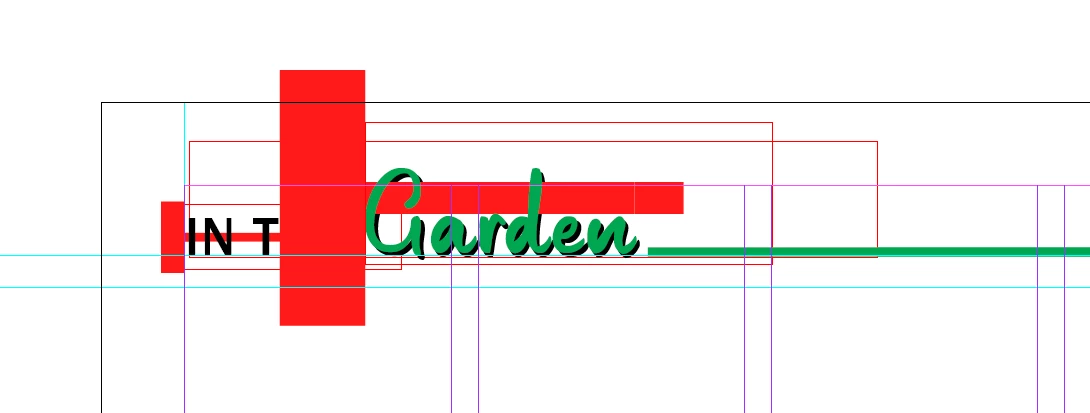
Well, you have turned on the Style Override Highlighter feature in your most recent version of InDesign.
That is the visual marker you see for style overrides. Blue in your current version, red in the old version where the feature was not available in the GUI, but could be turned on by scripting the document.
What you can do:
Turn off Style Override Highlighter in your recent version of InDesign and export the IDML again for your customer with the old InDesign. You'll find the feature in the Paragraph Styles panel or the Character Styles panel, the button that looks like [a+].
FWIW: The red horizontal bars is indicating character overrides; the vertical bars at the left edge of the text frames is indicating paragraph overrides… ( blue in your version of your recent InDesign )
Regards,
Uwe Laubender
( Adobe Community Expert )
 AdChoices