December 29, 2025
Answered

Reduce the size of a page's content

  • December 29, 2025
  • 2 replies
  • 290 views

Hello,


I would like to know if there is a quick way to reduce the size of a page's content, using either InDesign or Acrobat.


It is an Indesign book of over 1,000 pages (composed of several documents).
Each page consists of a frame and a block of text.


Here is an example: on the left is what I currently have, and on the right is what I want:
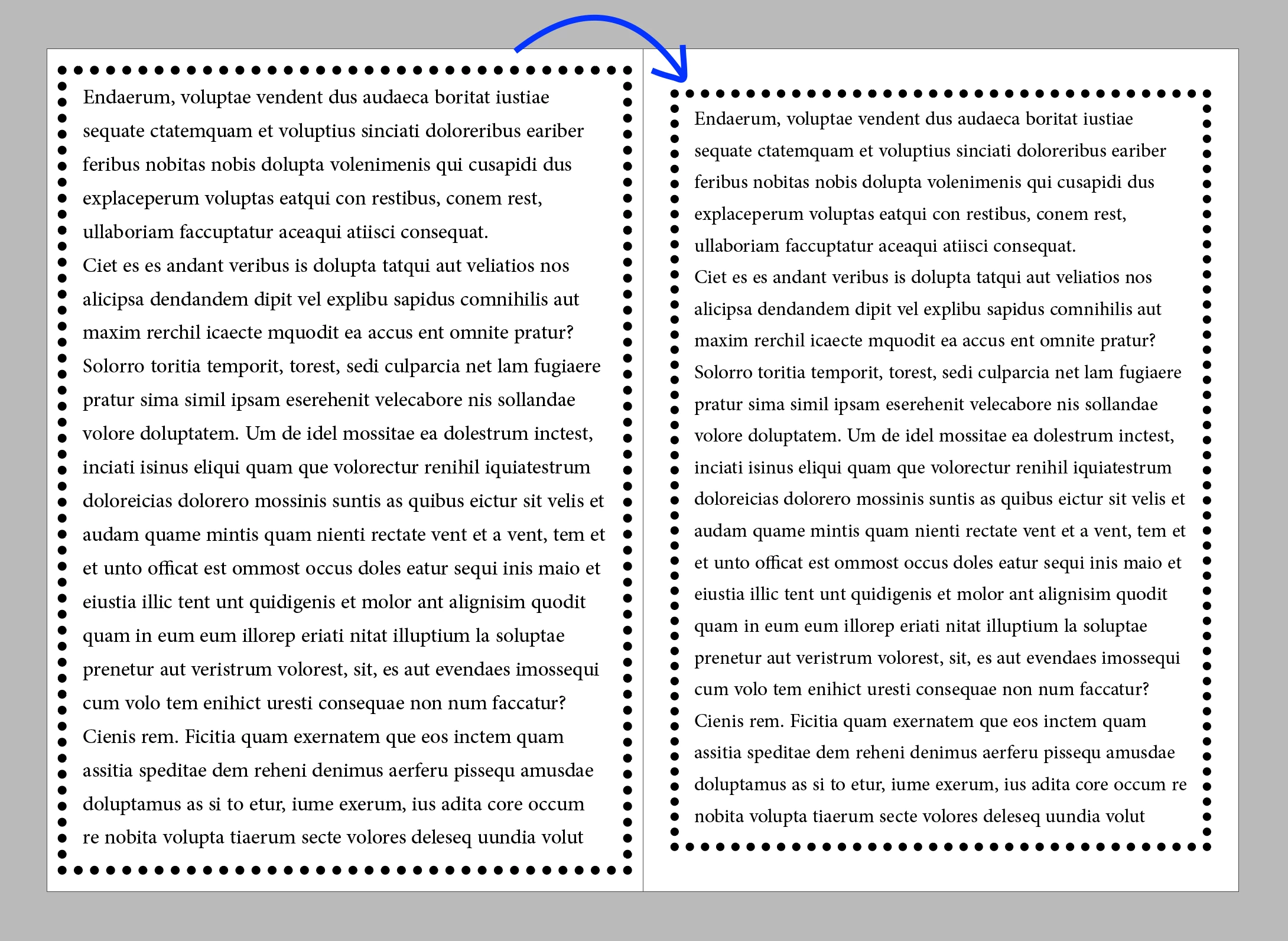
image01.png

Thank you in advance for your help.

Correct answer bright_colors

Thank you for your help. I had already tried using the pre-press tools, but that resized the page itself, which is not what I want.
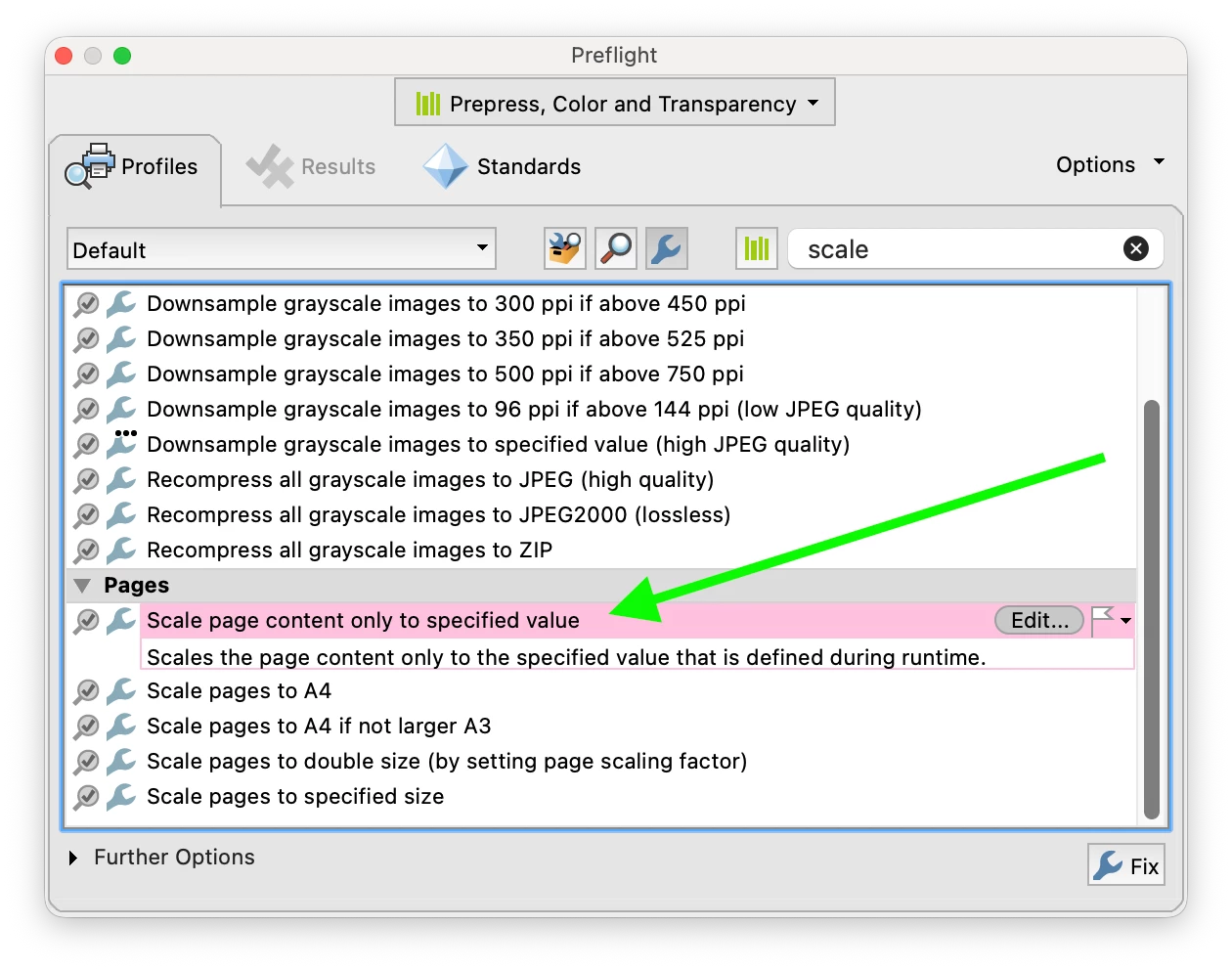
After searching around a bit, I found the option ‘Scale page content only to specified value’ and it seems to work.

image02.png

2 replies

Willi Adelberger
Community Expert
Community Expert
December 29, 2025

Change margins and activateadjust layout. 

Luke Jennings3
Community Expert
Community Expert
December 29, 2025

You can do this in Acrobat using one of two preflight fixups, Tools> Print Production> Preflight> Fixups.

Another option would be to place your InDesign document into a new InDesign document using the Multipage Importer script, which will allow you to re-size and position the new pages. The script will work with pdfs or InDesign documents. This link to a related discussion has a link to the download site (see Peter Spier's post):

Edit, I see your sample shows type re-flow, if you want to see this, my suggestions won't work for you.

https://community.adobe.com/t5/indesign-discussions/importing-multipage-pdf-in-indesign/m-p/15012702#M600076

scale to specific size.png

scale page content.png

bright_colorsAuthorCorrect answer
December 30, 2025

Thank you for your help. I had already tried using the pre-press tools, but that resized the page itself, which is not what I want.
After searching around a bit, I found the option ‘Scale page content only to specified value’ and it seems to work.

image02.png

Mike Witherell
Community Expert
Community Expert
December 29, 2025

Hi BC,

Did you try File > Adjust Layout... ?

https://helpx.adobe.com/indesign/using/adjust-layout.html

Mike Witherell
December 29, 2025

Thank you very much for your feedback @Mike Witherell @Willi Adelberger 


It does indeed work for blocks of text, but I should have mentioned that I also have images and paths on all even-numbered pages, and it is not possible to resize them.