
Question
Reflowable ePub is ignoring my paragraph spacing - InDesign
Hi All,
I'm have a frustrating issue that has been vexing me for some time.
It's seemingly cropping up at random. I can't predict when it's going to happen, but when it does there seems to be nothing I can do to solve it. I'm hoping someone has encountered this an know a way to solve this.
Sometimes when I'm making epubs the paragraph spacing will just be ignored in the exported ePub file.
I've just created two ebooks back-to-back. One where the spacing is there and working and one where the spacing isn't.
The spacing between the paragraphs of the body copy is working in both but just not the headings or images.
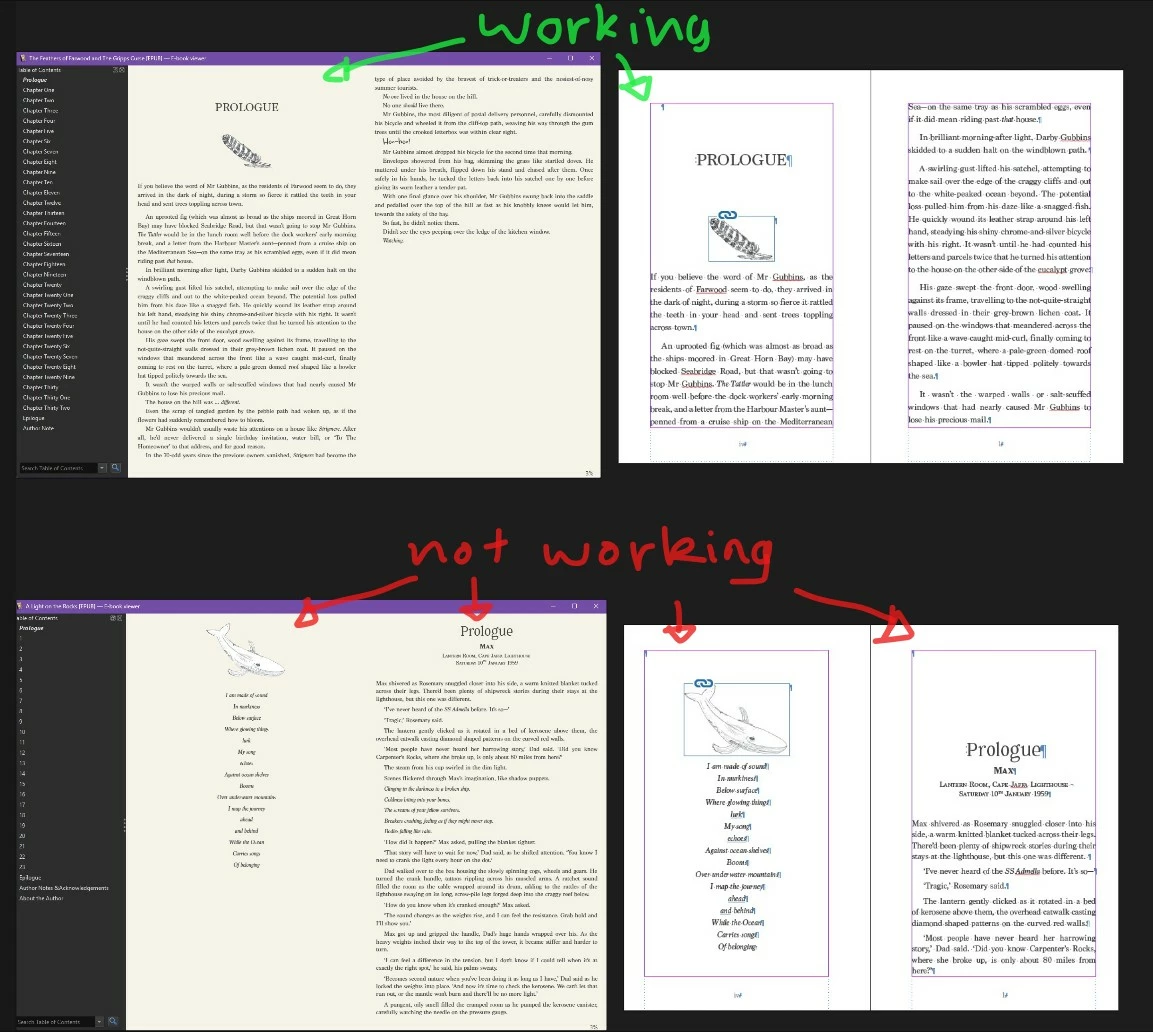
I used the same process for both.
My process is:
- From the final print file, I go through and convert all complex fonts (i.e. the title page fonts) to graphics (create outlines) to avoid the fonts getting rejected. I also check any images are a compatible file type and are added in the text flow with the correct epub settings so they sit right in the file. They also have their own paragraph style so I can adjust the paragraph spacing separate to the rest of the body text.
- Then I thread any loose text frames so it's one continuous thread.
- Next, I check:
- the page breaks are all in place between chapters,
- each chapter start has a single blank paragraph space before the chapter for the paragraph spacing to push off of which is set to the main body text paragraph style with no overrides, and
- the chapter number style has no overrides
- I then generate the TOC with text anchors and leave that on the paste board.
- Add the meta data to File Info and in the export window I add the last 2 bits of data that aren't available in the File Info window.
Does any one know what is happening here and what I'm doing wrong?


 AdChoices