
Remote teaching and missing components on InDesign 2021
- November 11, 2020
- 4 replies
- 625 views
Like most people who are teaching remotely, there are always challenges adjusting to the new reality and also the dreaded Adobe upgrades such as the latest version InDesign 2021.
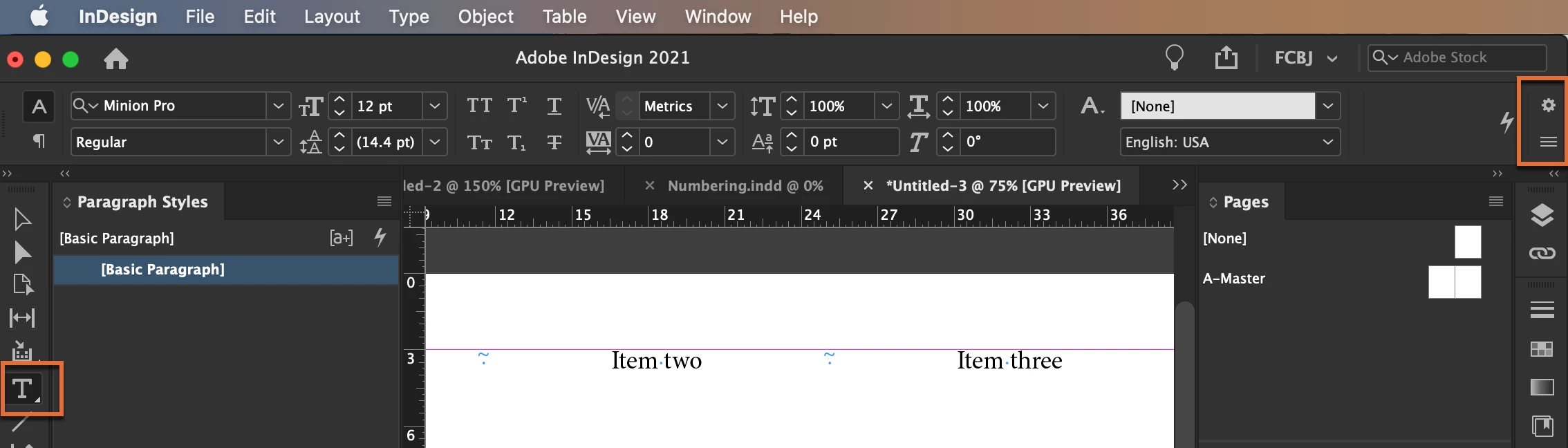
I'm teaching a class about text and columns properties and at some point, I was to show spanning a title across multiple columns. To my surprise, that feature is nowhere to be found under the Properties' Panel > Paragraphs' section properties, there are no flyout menus in panels, I went and opened the Paragraphs from the Window Menu and there is no span feature there either.
I'm starting to feel uncomfortable the awkward silence while I trying to find the span feature.
I ended not finding the feature, so I had to promise I will have an answer for the next class.
Although, I've been teaching InDesign since 2005 and certified with Adobe to teach it in 2014.
I can't help it to feel terrible in front of other adult students they're expecting to have all answers.
Not only that it was removed from the Properties Panel and from the Widow > Paragraph but it was hidden under the flyout menu of the paragraph's panel.
After so many years I'm not surprised by the level of ineptitude of the developers anymore.
Same with the Wrap Around Object features, I wrapped text around an odd shape object, where are the contour options to select the Alpha channel on a PNG? There are none available on the Properties Panel.
Again, that feature is found under the Window Menu > Wrap around Panel > Contour options.
So, what's the purpose does it serves to display the wrap tools on the new Properties' Panel still incomplete?
What was the point of the new interface if you still have to access features from the Window-menu, when will Adobe understand that moving things around doesn’t improve the program?
Improving the user experience by concentrating features into a single unit in a more intuitive way does.
Please see attached JPGs
 AdChoices