
Known Participant
June 12, 2023
Answered

Remove QR Code Border

  • June 12, 2023
  • 4 replies
  • 2756 views

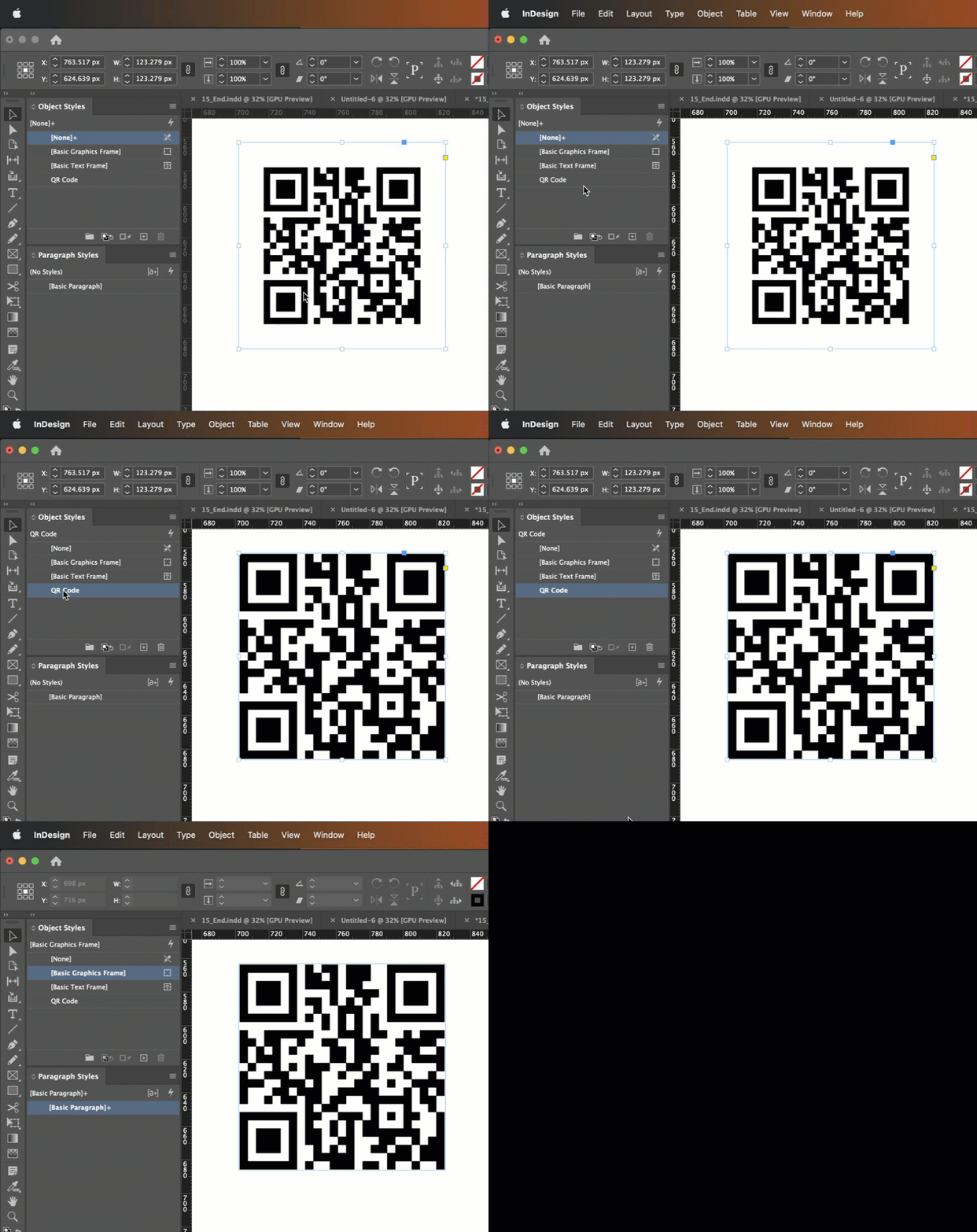
Is there some undocumented, easy way to get rid of the border around InDesign-generated QR codes? That border makes it a huge pain to align with other items, and it's so time consuming to resize the object box perfectly. How easy it would be to simply turn off the borders! Any ideas?
Correct answer Barb Binder

The transparent edge? No, not that I know of. Are they always the same size? You might play with sizing and then save it as an object style.


~Barb


4 replies

Participant
August 29, 2025

Leaving this here for anyone looking up the same issue in the future: I found a quick and dirty way to do this. Copy the QR code's object into Illustrator. (I didn't find a way to create outlines of it in InDesign.) That will convert it to vector shapes. Copy the width/height and resize the frame in InDesign to those measurements.

The "border" proportions seem to vary depeding on the complexity of the code, otherwise I'd say "just scale it up X%."

Community Expert
September 2, 2025

@Barb Binder said in June 2023: "Are they always the same size?"

From the perspective of 2023 when Barb asked this, the answer was "yes".


Now, at least with InDesign 2025, the size of the border changes with the complexity of the QR code.

So @Angela25876015ammb has a point by using the INDD > AI > INDD route of copy/paste.

I have no idea why the developers changed this behavior…


Regards,
Uwe Laubender
( Adobe Community Expert )

Barb Binder
Community Expert
Barb BinderCommunity ExpertCorrect answer
Community Expert
June 12, 2023

The transparent edge? No, not that I know of. Are they always the same size? You might play with sizing and then save it as an object style.


~Barb


~Barb at Rocky Mountain Training
RAILheadAuthor
Known Participant
June 12, 2023

Gotcha — I will look into that! Thank you!

James Gifford—NitroPress
Legend
June 12, 2023

By "border" do you mean the (usually) white space around the grid?


That's not there from sloppiness or an arbitrary aspect of ID's generator. QR codes must have a dead zone around them to facilitate quick and accurate reads. It's a defined part of the standard. 


You're free to remove them in PS or by cropping, but unless you preserve something like it in your layout, the code may be annoying to use. 

RAILheadAuthor
Known Participant
June 12, 2023

This I know, and that's what I currently do — and I layout my work to accomodate required space, thus rendering the built-in white space unnecessary. I'd much prefer to have the code image snap to the margin as opposed to the white border snapping.


I'm going to assume there's no clean way to elimiate this outside of the manual methodologies.


James Gifford—NitroPress
Legend
June 12, 2023

Is using a guideline not a workable option?

BobLevine
Community Expert
Community Expert
June 12, 2023

What border?