
Participant
February 27, 2023
Question

Remove Words from TOC Entries

  • February 27, 2023
  • 3 replies
  • 781 views

I've got a large multi-section document with a TOC set up to grab the Header paragraph style. The problem is in some cases I don't want all the header information in the TOC entry. I've attached an image to show what I'm talking about. 
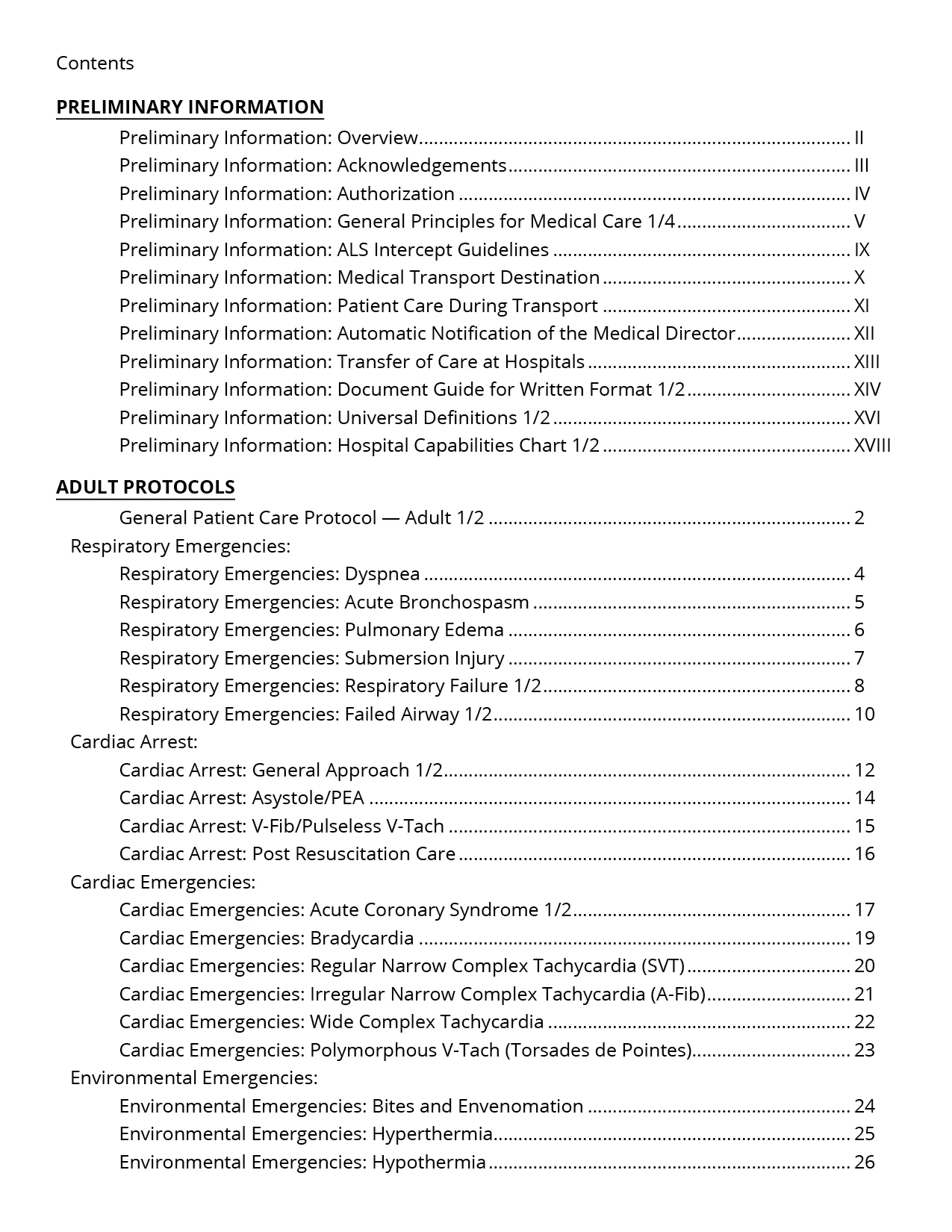
For example in the Preliminary Section, I'd like the words Preliminary Information: to not show. As well as where there are numbers (1/2, 1/4, etc...) at the end of the entry. 

In the Adult Protocols section, I'd like Respiratory Emergencies: to not show, Cardia Arrest: to now show, etc... 

I know I can remove that with Find/Change but if I need to update the TOC, then I'd have to remove them again. 

I don't think Running Headers will work because the headers are not in the master pages. They change every few pages based on the information presented. 

Any suggestions would be appreciated. 
Thank You. 

This topic has been closed for replies.

3 replies

Barb Binder
Community Expert
Community Expert
February 28, 2023

Hi @Mina240880936zj2:


Two other (less elegant but easy) options are to add the actual heads you want (i.e., Overview, Acknowledgements) to the document, but either set them so that the words are on the pasteboard with just part of the frame overlapping the page and grab them for the TOC or add them to the page but on a layer designated as non-printing.


~Barb

~Barb at Rocky Mountain Training
FRIdNGE
February 27, 2023

You could try Grep Styles + Invisible as:

^.+?:\h

\h1/[24](?=\t)


(^/)  The Jedi

Participant
February 28, 2023

Thank you. I'll give that a try. I was trying to figure out Grep Styles. So in the Grep Styles do I indicate the words/numbers I want to remove? If so, where would that input be?

Robert at ID-Tasker
Legend
February 27, 2023

So in text, you have those extra words as well? 


Participant
February 28, 2023

Yes. The header text includes those words as well.