
Participant
August 17, 2025
Answered

Removing page numbering from a document that has been set to include them automatically

  • August 17, 2025
  • 1 reply
  • 377 views

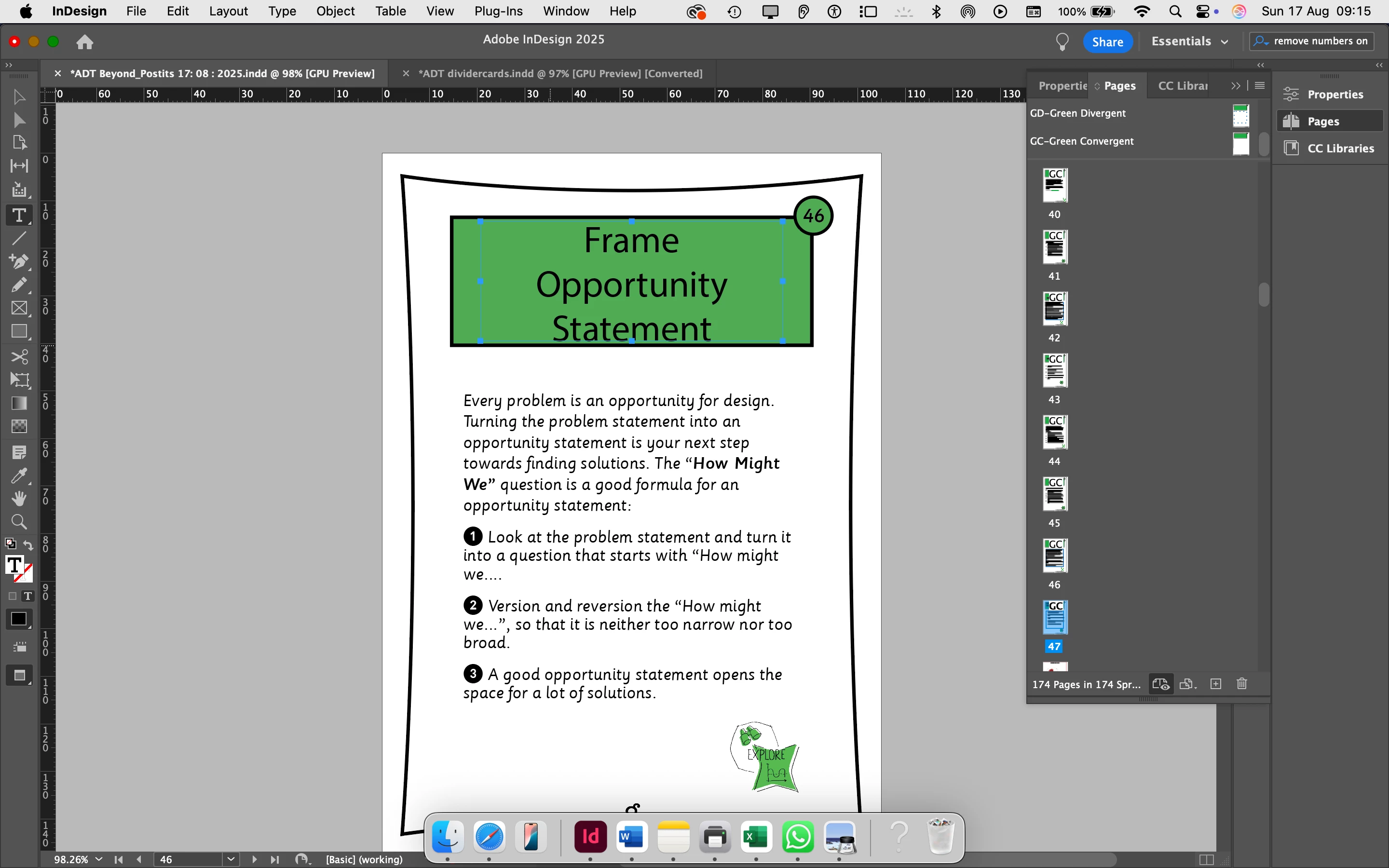
I am updating an indesign file. I can not get rid of the page number which must be part of style.  It appears on top of the green section.  How can I change numbering from  automatic to manual? Many thanks. 
Correct answer tonks_the_auror

You need to set up a parent page with no page number for the back of the card.

Easiest is to duplicate the parent page (A Parent), remove the page number from the new parent page (B Parent), then apply the B Parent to the pages that are the backs of the cards. 


1 reply

Community Expert
August 17, 2025

The page numbers are usually on the Parent Pages. 


Why do you want to change it to manual? What are you trying to do?
https://helpx.adobe.com/ie/indesign/using/layout-design-9.html


juliagcAuthor
Participant
August 17, 2025
Hi Eugene
Thank you for your reply. I am designing a pack of cards. I need numbers on
the front but not on the back. At the moment numbers appear automatically
in all of them.
What can I do?
Julia

Dr.Juliana Goga-Cooke,
Academy of Design Thinking
Somerset House, Strand, London WC2R 1LA
tonks_the_auror
Community Expert
tonks_the_aurorCommunity ExpertCorrect answer
Community Expert
August 17, 2025

You need to set up a parent page with no page number for the back of the card.

Easiest is to duplicate the parent page (A Parent), remove the page number from the new parent page (B Parent), then apply the B Parent to the pages that are the backs of the cards.