
Participant
October 29, 2022
Answered

Reorganise spreads after removing one page

  • October 29, 2022
  • 1 reply
  • 384 views

Hi there!


I am curious to hear any tips on how to quickly reorganise the spreads in a document after removing one page. This is an issue I have faced for years and I am tired of doing it manually!
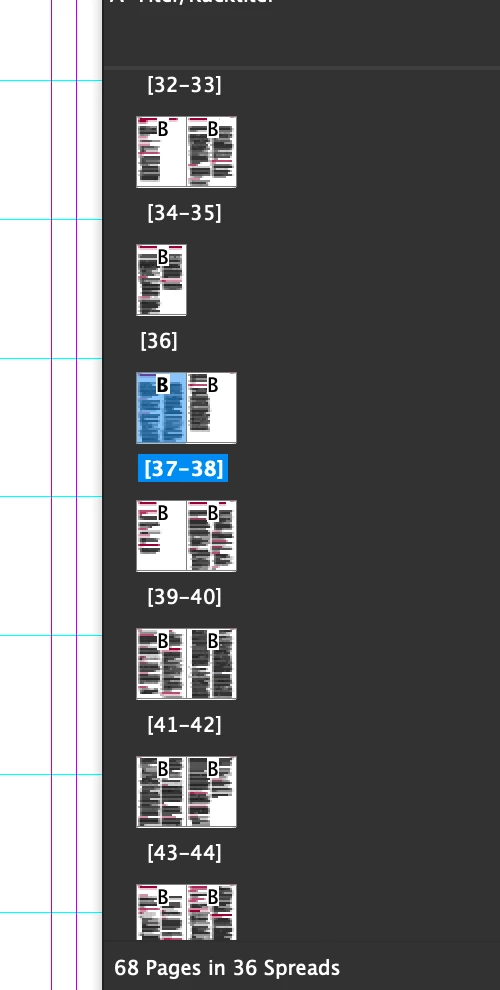


In the screenshot above, page 37 was deleted. Now, to reorganise the document, I have to take the new page 37 and bring it beside page 36 to create the spread. And so on, page by page until the end of the document.


Is there a way to do this automatically?


Thanks!

Fer
 

This topic has been closed for replies.
Correct answer Robert at ID-Tasker

Ah by looking at your screenshot I also noticed something else - for this to work, Facing Pages must be enabled right?


The documents I had been given to work with did not have Facing Pages originally configured ...


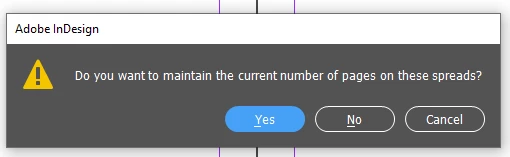
Switch document to FACING PAGES, select all pages in the Pages panel, then check BOTH "Allow ... to Shuffle" - and answer NO to:


1 reply

Community Expert
October 29, 2022

No you shouldn't have to do that


You need to select the correct option in the Pages Panel


Community Expert
October 29, 2022

When you turn on these options - you'll be prompted - select No and the pages will align ok.

Participant
October 29, 2022

Ah by looking at your screenshot I also noticed something else - for this to work, Facing Pages must be enabled right?


The documents I had been given to work with did not have Facing Pages originally configured ...