
tpk1982
Legend
August 24, 2016
Question

Repeated Library Item Names

  • August 24, 2016
  • 1 reply
  • 258 views

Hi,

I need to know if a library item is place twice. My idea is getting library item name and stored as script label. Then adding an event listener to check whether same script label coming twice it will alert the user.

var libName = app.libraries.everyItem().assets.everyItem().name;

alert(libName)

Library item Names ----->Script Label--->Event listener
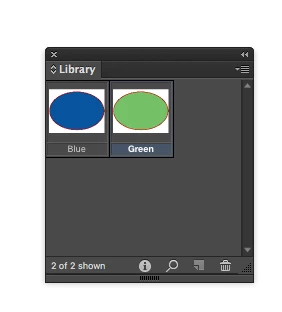
If i place Blue library item twice it have to alert.

Please help me regarding my logic is correct or not.

Thanks,

Karthi

This topic has been closed for replies.

1 reply

Community Expert
August 24, 2016

Hi Karthi,

if I get you right, your plan could work for library assets, that contain only a single pageItem.

It would not work, if your library contains an asset that consists of more than one item. And I don't speak of grouped items here.
Then you have to supply unique labels for every pageItem that comes with that asset.

If you don't supply unique labels, your listener will give an alert in the moment you place the items the first time.

To prepare an already set up library you have to place the assets to an otherwise empty spread, add the unique labels, remove the asset from the library and store the labeled assets in the library again. As far as I know you have no direct access to an asset in a library, means you cannot change properties of the items stored without placing them first.

A note on that: there is a difference how this can be accomplished in the UI and by scripting. In the UI you can drag a bunch of items to the library and decide to store it as one asset. You cannot do that by scripting without grouping the items first. If I'm wrong on that, please provide example code how to accomplish this.

To get unique label values I would not count on the name of the asset alone.

Regards,
Uwe

tpk1982
tpk1982Author
Legend
August 24, 2016

Hi Uwe,

Thank you for the prompt reply.

I found strange things when i have two objects in the single library item ( grouped). When I get the page item id.. it shows three values!!!

Also i get two different page item id value when i place the same library item to two different document

Is it any other logic can i think or can build this one?

Thanks,

Karthi

Community Expert
August 24, 2016

That's not strange at all.
Using the value of pageItem.id is not a good idea for unique asset label names.


If you have a group of two pageItems, there are three ID numbers for:

1. The group itself

2. Item 1 in the group

3. Item 2 in the group

The ID numbers are only unique if you consider a single document.

The numbers will change if you place the assets in a different document,
if you export to IDML and open the IDML file as a new InDesign document,
if you export to IDMS and place the IDMS a new ID will be provided to the pageItem.

Used ID number of pageItems within the scope of a document will not be reused again.
So if you remove a placed asset and place it again the ID number will be always higher than before.


You could e.g. use the date object before adding an asset to a library to generate a unique number. Perhaps accompanied with a random number… And do not start the label value with a string that was converted from number to string. Just for safety reason. Always add an alpha value first.

Regards,
Uwe