Shadimatar
Participant
November 4, 2020
Answered

Replacing missing graphic font (eps file)

  • November 4, 2020
  • 2 replies
  • 1909 views

I designed a math book in iMac computer with indesign software. and then I opened the file in my pc (windows7), and suddenly I got yellow warning with missing font called HelveticaNeue that is used by mathmagic software. and when I export to pdf, I see that the indesign replace this font automatically to "Courier New" Font.
you can see the warning I have, and how the font appear in the pdf after exporing
in my pc (windows 7) I installed an authorized mathmagic pro edition for indesign. but I still have the warning with this missing font.
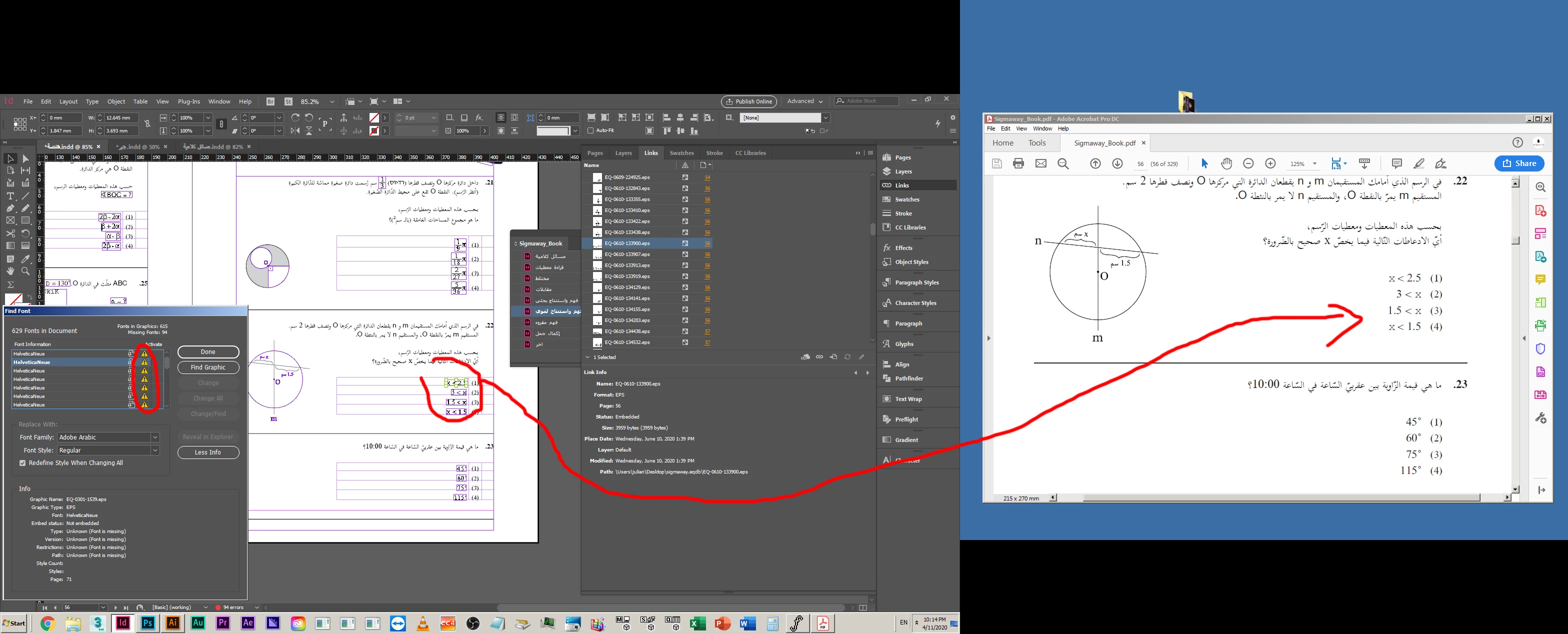


can you help me how to replace the missing font with another font?

Thank you
Shadi
This topic has been closed for replies.
Correct answer Luke Jennings3

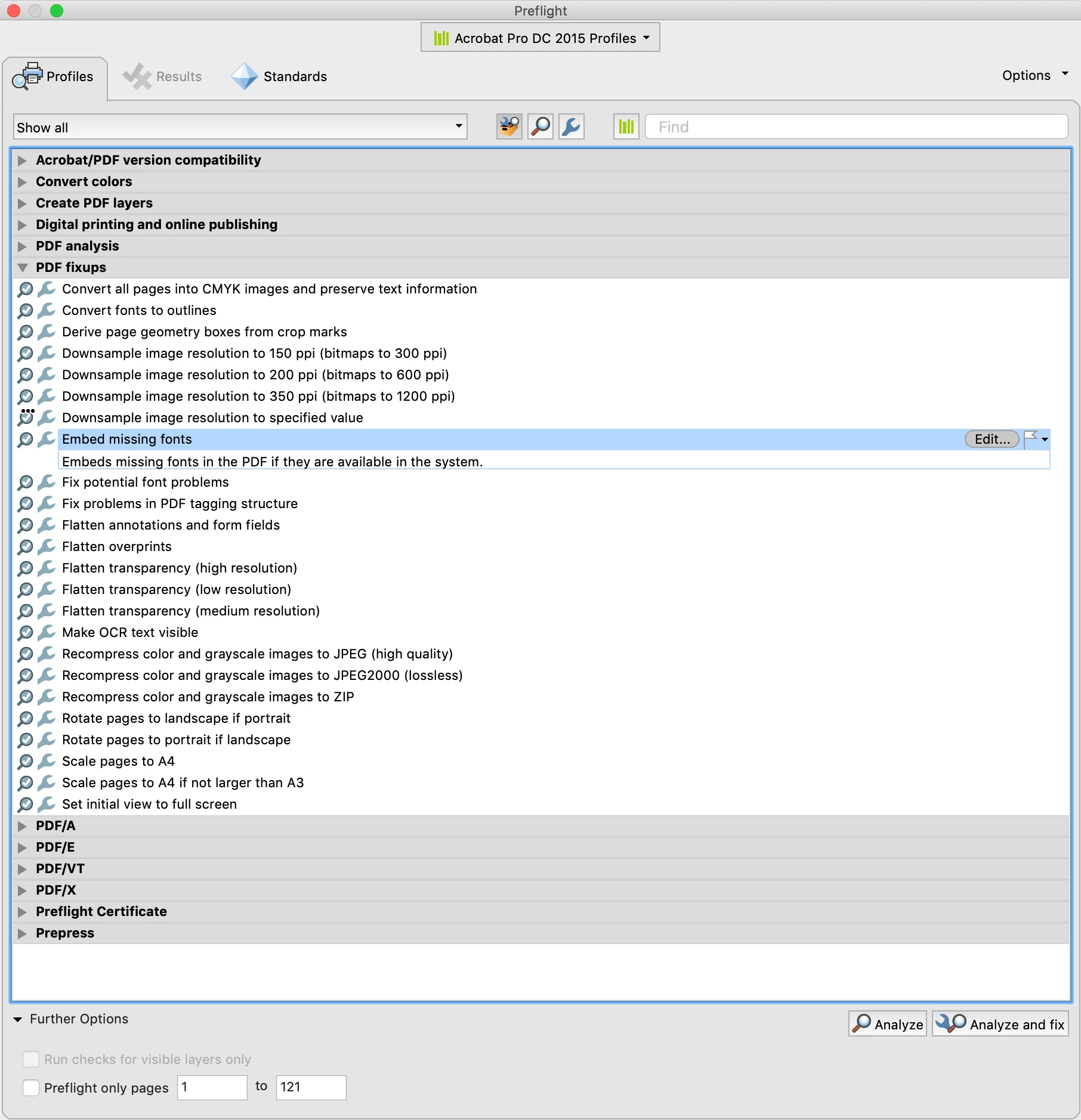
In addition to the good information above, if you have the option to save the Mathmagic art file as a PDF, that would be preferred over an .eps, embedding the fonts if possible. If there is no option to embed the fonts, open the art file in Acrobat and use a Preflight Profile to embed the fonts– Tools> Print Production> Preflight> Fixups> Embed missing fonts. You could also try opening the .eps in Illustrator, if the fonts are available, you can save as a PDF using the Illustrator default settings, which should embed the fonts. You could also change the file to black only, if this is intended for commercial printing.

2 replies

Luke Jennings3
Community Expert
Luke Jennings3Community ExpertCorrect answer
Community Expert
November 5, 2020

In addition to the good information above, if you have the option to save the Mathmagic art file as a PDF, that would be preferred over an .eps, embedding the fonts if possible. If there is no option to embed the fonts, open the art file in Acrobat and use a Preflight Profile to embed the fonts– Tools> Print Production> Preflight> Fixups> Embed missing fonts. You could also try opening the .eps in Illustrator, if the fonts are available, you can save as a PDF using the Illustrator default settings, which should embed the fonts. You could also change the file to black only, if this is intended for commercial printing.

Brad @ Roaring Mouse
Community Expert
Community Expert
November 5, 2020

When you are creating the EPS's, you should have the option to embed fonts. Looking at your Font replacement dialog, it indicates fonts are not embedded. In any case, you should do this particularly on a cross-platform file. The other option is to obtain a Windows version of the Helevtica Neue and install that. However, since Helvetica Neue on OS X is a TrueType (ttc) font file, you may not be able to install it.