
karthikS
Inspiring
May 3, 2016
Question

Reset File menu

  • May 3, 2016
  • 2 replies
  • 660 views

Dear Friends,

I was try to workout one script, That time, unfortunately my File menu is"Hide". But, File menu options all working fine.

How to Reset file menu in my INDD Document (I am using system MAC).  Please suggest friends.
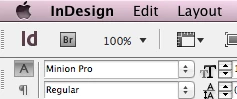
That File menu viewed for Edit menu last submenu. Please see my screen shot for your reference.
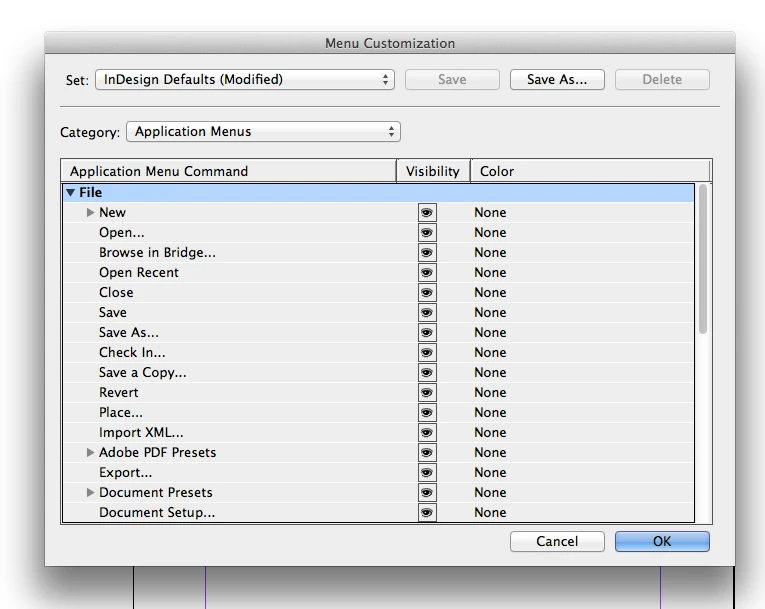
Please suggest Friends

Advance Thanks

This topic has been closed for replies.

2 replies

tpk1982
Legend
May 5, 2016

is it working?

karthikS
karthikSAuthor
Inspiring
May 5, 2016

Hi TPK

Not working tpk. Again, i am install for indesign

Thanks

Peter Kahrel
Community Expert
Community Expert
May 5, 2016

Delete InDesign's preferences: exit InDesign, restart it and while Indesign starts, press Ctrl+Alt+Del. Confirm the question whether you want to delete the preferences.

Peter

tpk1982
Legend
May 3, 2016

Restart the system and open the indesign again. Didi you tried that?

Also share your script when the file menu hide

karthikS
karthikSAuthor
Inspiring
May 3, 2016

Hi Tpk,

Already, i try to restart the system but not view TPK

This coding for "Add menu and submenu" in  the indd document.

#targetengine "FileManu"

menuInstaller(); 

function menuInstaller() { 

     try {

                    app.menus.item("$ID/Main").submenus.item("File").remove();

                }catch(e){}


                menuT = "File",

                 subT = "XXX";

                 subs = app.menus.item("$ID/Main").submenus; 

                var refItem = app.menus.item("$ID/Main").submenus.item("$ID/&Layout");

                mnu = subs.item(menuT); 

                    if( mnu == null ) { 

                        mnu = subs.add(menuT, LocationOptions.after, refItem); 

                    } 

                subsSubs = app.menus.item( '$ID/Main' ).submenus.item( menuT ).submenus;

                    mnuSubMenu = subsSubs.item( subT ); 

                    if( mnuSubMenu == null ) { 

                        mnuSubMenu = subsSubs.add( subT); 

                    }

                            mnu.menuSeparators.add(LocationOptions.BEFORE,mnuSubMenu);

                            };

alert("See your File manu XXX")

Above script coding working good.

Next, I was try to remove submenu "XXX". That time removed for File menu also TPK.

#targetengine "FileManu"


menuInstaller(); 


function menuInstaller() { 

     try {

                    app.menus.item("$ID/Main").submenus.item("File").remove(); // I have mistake this line

                }catch(e){}

                }

alert("Done");

Thanks

tpk1982
Legend
May 3, 2016

Am not sure why you tried this script. This actually remove your inbuilt File menu and added from your script.

Please check all plugin and Presets are same with other system. Otherwise please copy those and replace in your system.

Before do the above task see this:

Preference Manager Script | in-tools.com