


Resetting zeroPoint | Not working when pages AND spread are rotated
Hi together,
I'm looking for the solution of a peculiar problem with resetting the zeroPoint to the upper left corner of a page.
( I suspect a bug or at least an unfinished feature. )
Have a facing pages document with two A4 pages on a spread.
1. Step: Rotate the pages by 4° counter clockwise so that the spine touches only one corner of each of the pages.
2. Step: Align the page left from the spine with the page right from the spine by moving it on the y-axis.
3. Step: Counter rotate the spread so that the view on the pages is in parallel to the rulers.
( Spread rotation always rotates the view, page rotation does not. )
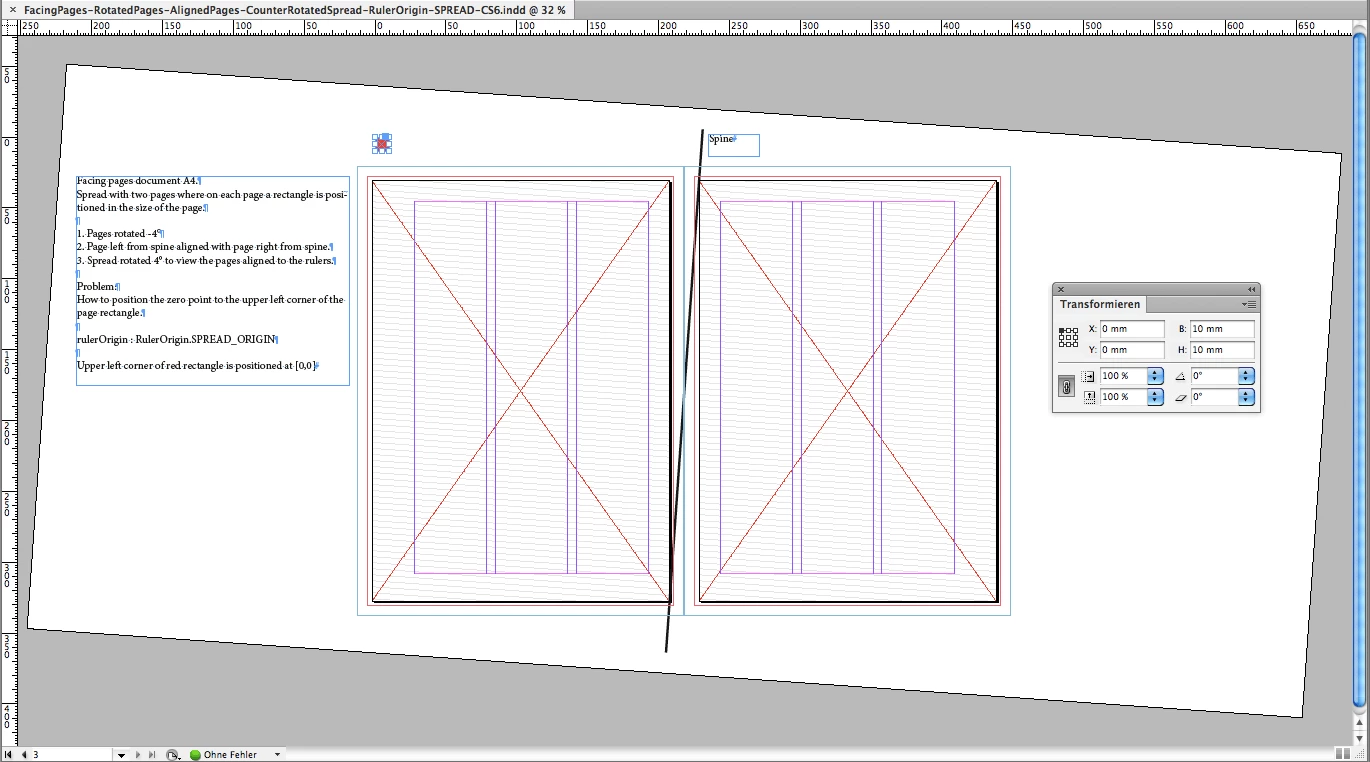
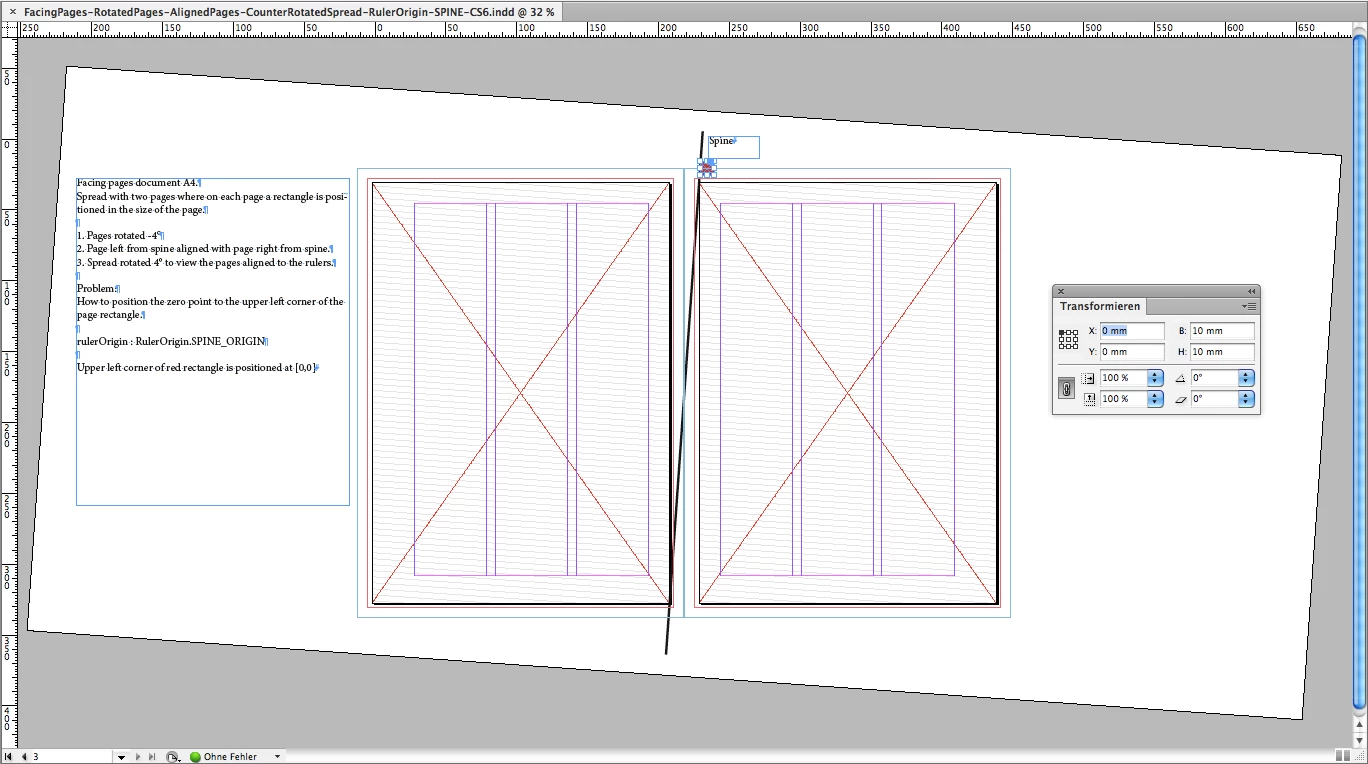
Fig.1 is showing a rectangle selected with the upper left corner set to position [0,0]. The ruler origin is set to SPINE.
The rulers are reset and do not align with the upper left corner of the page left from the spine.
That's the first issue. You can also see the spine ( I drew a graphic line ) that is in parallel with the rotated spread:
Now I tried to move the zeroPoint to the upper left corner of the page.
First I dragged the cross-hair ( upper left corner where the guides meet ) to the upper left corner of the page.
That failed. The new zero point remains at the old zero point position.
See a movie clip where I tried this:
Dropbox - zeroPoint-DraggingCrossHairToUpperLeftCornerOfPage.mp4
Two screen shots of the clip.
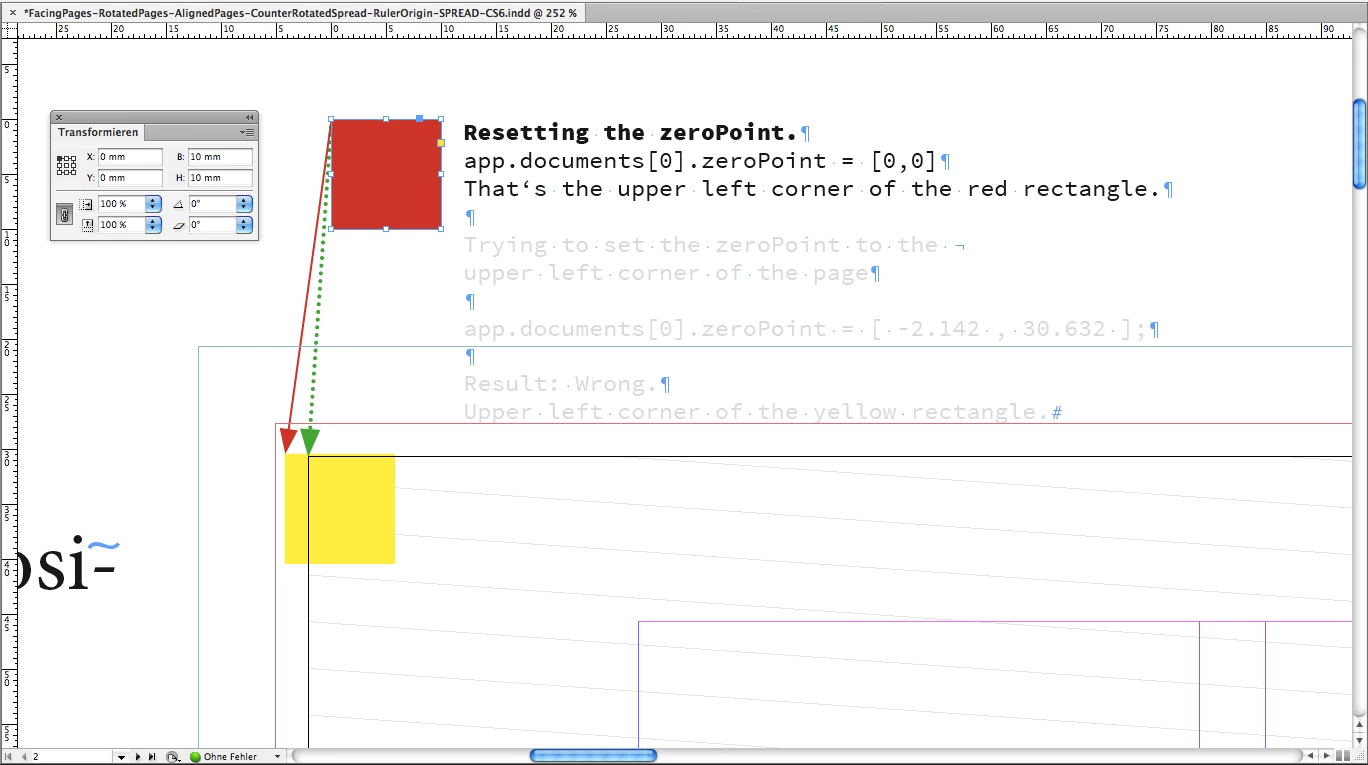
Fig. 2 Dragging the cross-hair to the upper left edge of the page.
The yellow rectangle plays no role now. We come to it later.
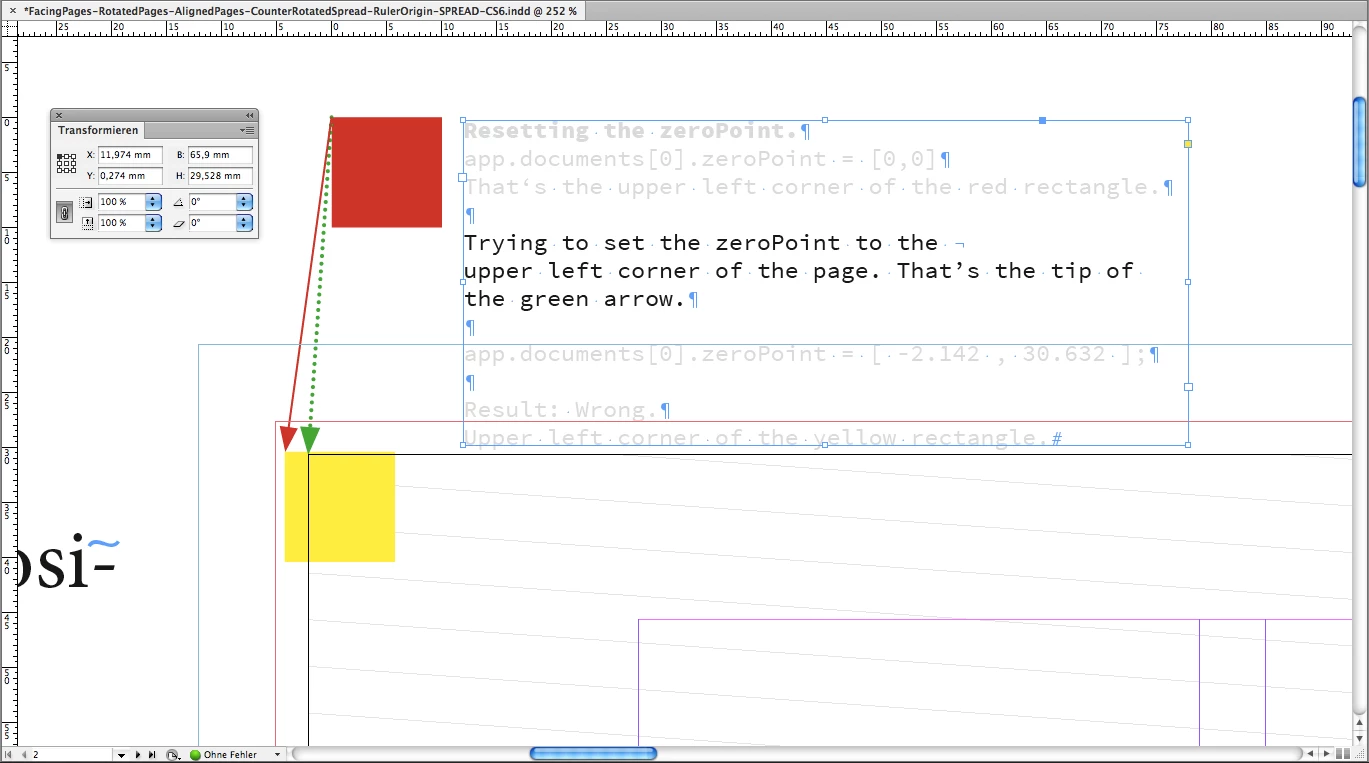
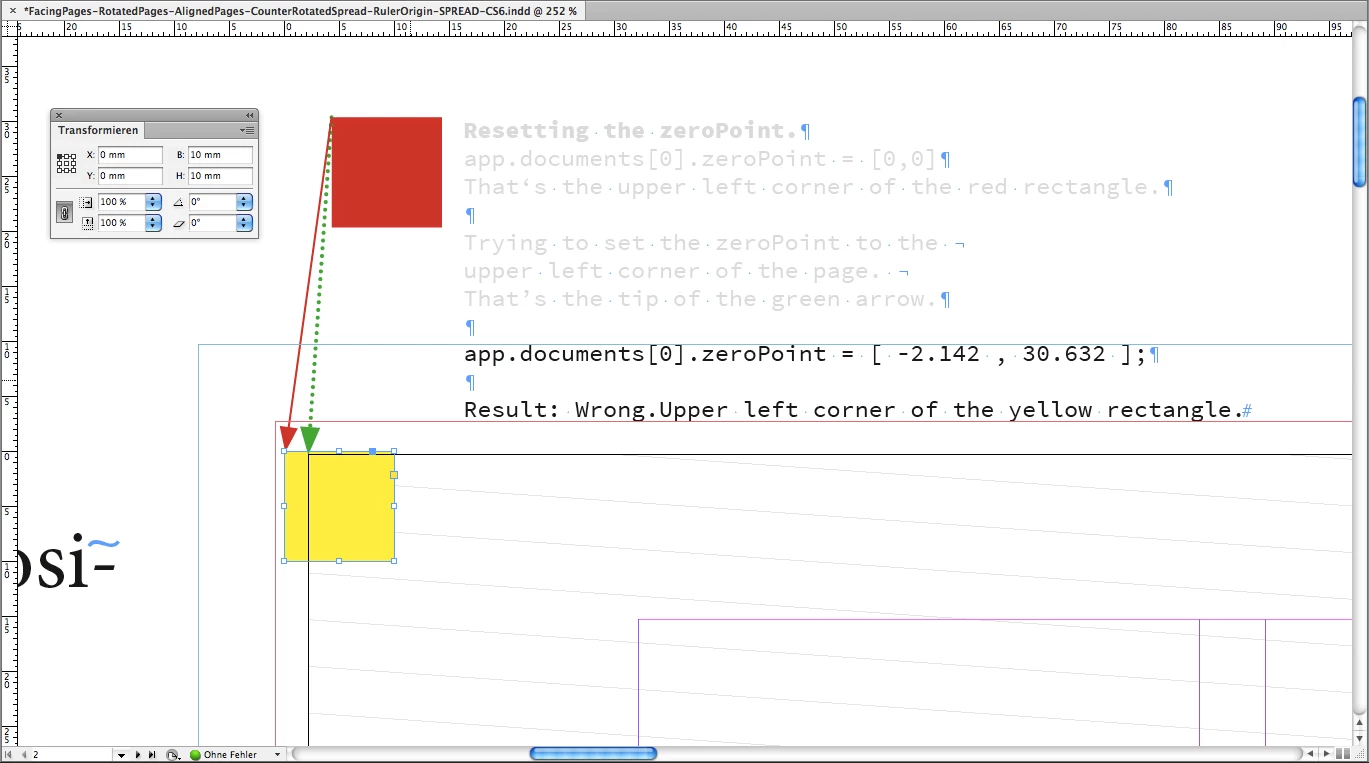
The green arrow shows the distance that the reset zeroPoint is away from the upper left corner of the page.
Fig. 3 The result after dragging. The zero point landed at the upper left corner of the red rectangle ( now the magenta one ).
Ok. Let's try this by scripting.
app.documents[0].zeroPoint = [0,0];
should do it, but unfortunately it will not move it to the upper left corner of the page.
That's the amount we would move the zero point.
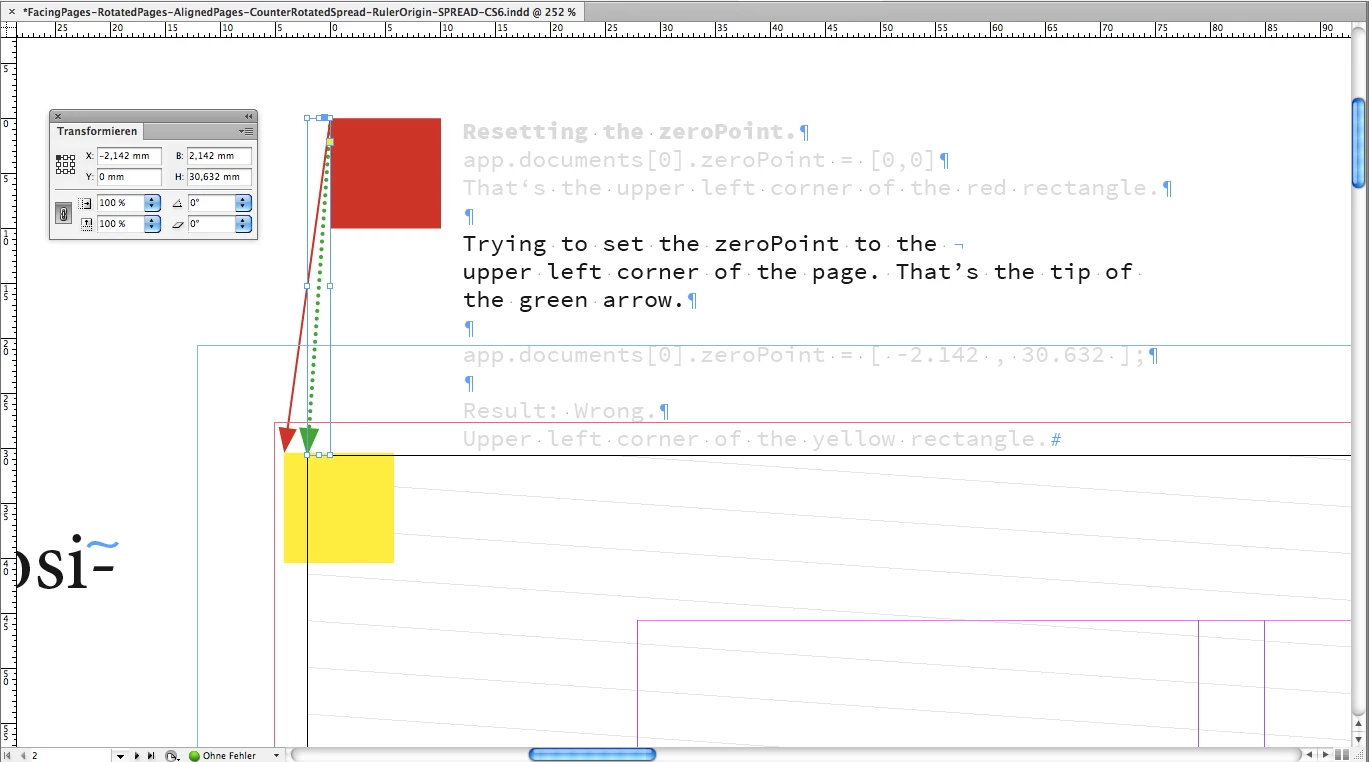
But unfortunately that does not work as expected.
app.documents[0].zeroPoint = [ -2.142 , 30.632 ];
moves the zero point to the upper left corner of the yellow rectangle.
That's a bit off…
Here the link to some test documents and the screenshots:
Dropbox - zeroPoint-issue-FacingPages-RotatedPages-CounterRotatedSpread.zip
zeroPoint-issue-FacingPages-RotatedPages-CounterRotatedSpread.zip
FacingPages-RotatedPages-AlignedPages-CounterRotatedSpread-RulerOrigin-PAGE-CS6.idml
FacingPages-RotatedPages-AlignedPages-CounterRotatedSpread-RulerOrigin-SPINE-CS6.idml
FacingPages-RotatedPages-AlignedPages-CounterRotatedSpread-RulerOrigin-SPREAD-CS6.idml
FacingPages-SCREENSHOTS
RulerOrigin-PAGE-PageRectangle-LeftFromSpine.png
RulerOrigin-PAGE-PageRectangle-RightFromSpine.png
RulerOrigin-PAGE-RectangleAtZeroPoint-LeftFromSpine.png
RulerOrigin-PAGE-RectangleAtZeroPoint-RightFromSpine.png
RulerOrigin-SPINE-PageRectangle-LeftFromSpine.png
RulerOrigin-SPINE-PageRectangle-RightFromSpine.png
RulerOrigin-SPINE-RectangleAtZeroPoint.png
RulerOrigin-SPREAD-PageRectangle-LeftFromSpine.png
RulerOrigin-SPREAD-PageRectangle-RightFromSpine.png
RulerOrigin-SPREAD-RectangleAtZeroPoint.png
zeroPoint-Reset-Problem-1.png
zeroPoint-Reset-Problem-2.png
zeroPoint-Reset-Problem-3.png
zeroPoint-Reset-Problem-4.png
I tested with all available ruler origins, SPREAD, PAGE and SPINE.
With e.g. ruler origin SPINE there is yet another issue in the horizontal guides.
The zero point is visible near the upper left corner of the page left from the spine.
And not around the spine I drew.
However, if you move a rectangle to the zero point you'll get it to the spine.
Unfortunately not exactly to the upper left corner of the page right from the spine…
That's it for now…
Ah, all my tests shown here are done with InDesign CS6 8.1, but the issues are also with InDesign CC v9.3.0 to the current CC 2018.
Has anyone an idea to workaround that problems by scripting? I tested a lot.
One thing I tried: Unrotated the spread, reset the zero point > That's working.
But if you rotate the spread again the zero point moves again.
Regards,
Uwe
 AdChoices