Participant
January 9, 2017
Answered

ReSize a document

  • January 9, 2017
  • 2 replies
  • 1659 views

Hi,

I created a document that is 8.5 X 11. I need to resize it to a magazine ad equal to 1/6th page, a size of 2.4 X 6.5. How do I do this?

    This topic has been closed for replies.
    Correct answer rob day

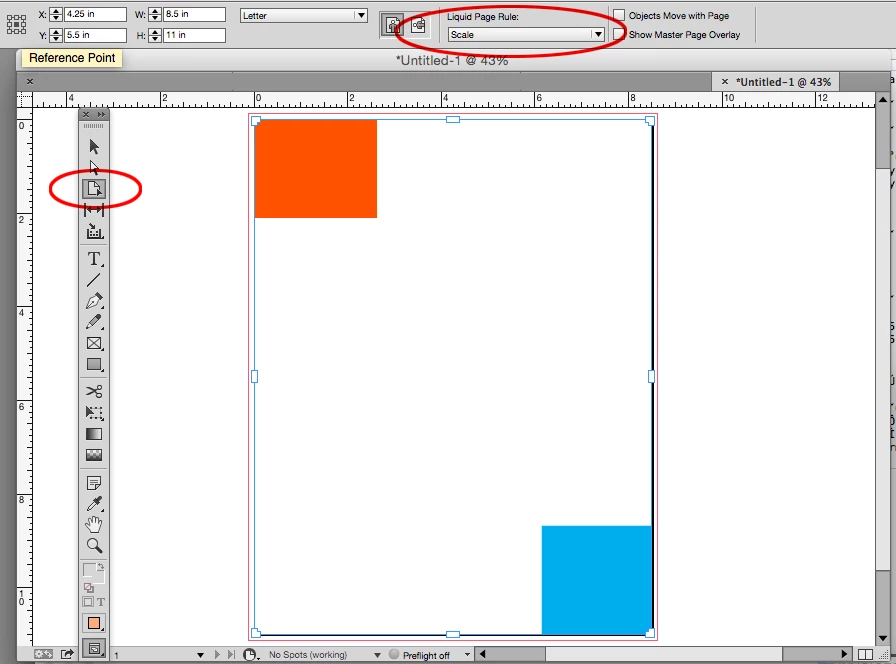
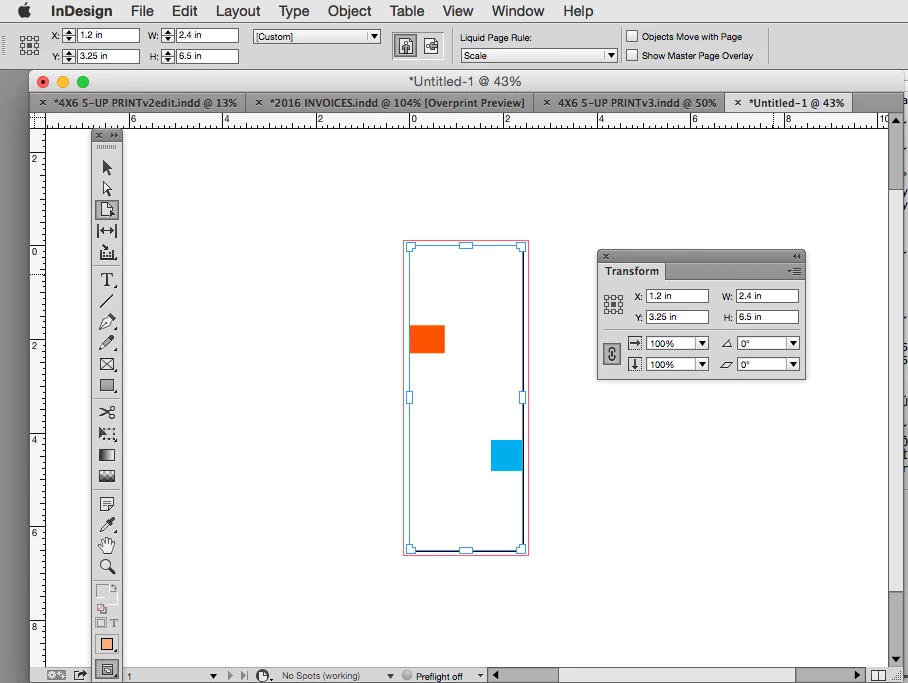
    You can scale the actual page rather than the objects, but 2.4x6.5 has a very different aspect ratio so when you scale the page the Liquid Page rule will have an effect on the distribution of the object when the aspect ratio changes.

    Here I'm scaling the page with the Transform panel while the Page Tool icon is selected with the rule set to Scale.
    2 replies

    rob day
    Community Expert
    rob dayCommunity ExpertCorrect answer
    Community Expert
    January 9, 2017

    You can scale the actual page rather than the objects, but 2.4x6.5 has a very different aspect ratio so when you scale the page the Liquid Page rule will have an effect on the distribution of the object when the aspect ratio changes.

    Here I'm scaling the page with the Transform panel while the Page Tool icon is selected with the rule set to Scale.

    TᴀW
    Legend
    January 9, 2017

    Select everything on the page, and then Ctrl-Shift-drag a corner of the selection to reduce everything to the size you want.

    id-extras.com | InDesign tools & scripts for typesetters, form designers, and translators
    Participant
    January 9, 2017

    This document has text and images. This suggestion didn't seem to work,

    however I may need to practice. If anyone else has a suggestion...maybe

    change the size while exporting? I need to export it to a PDF.

    TᴀW
    Legend
    January 9, 2017

    It should work:

    1. Select everything on your page (Ctrl-A)

    2. Press Ctrl+Shift (on a Mac that's Cmd+Shift) and keep them down

    3. With the mouse, click and drag a corner of the selection. As you drag the mouse, you should see everything resize proportionally...

    id-extras.com | InDesign tools & scripts for typesetters, form designers, and translators