
Question
Resolve problems importing Special characters via Data merge
Are you getting weird character string while importing special characters? Does the error message look familiar to you?
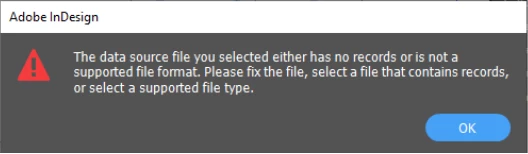
Reason: It might be because of the encoding errors.
Try these helpful tricks to resolve these errors.
In most of the case the file is saved with UTF-8 encoding.
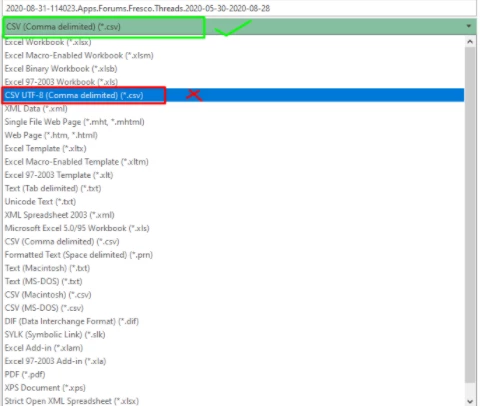
- For .CSV files, open the files in Microsoft Excel and resave it as CSV (Comma Delimited) (*.csv)
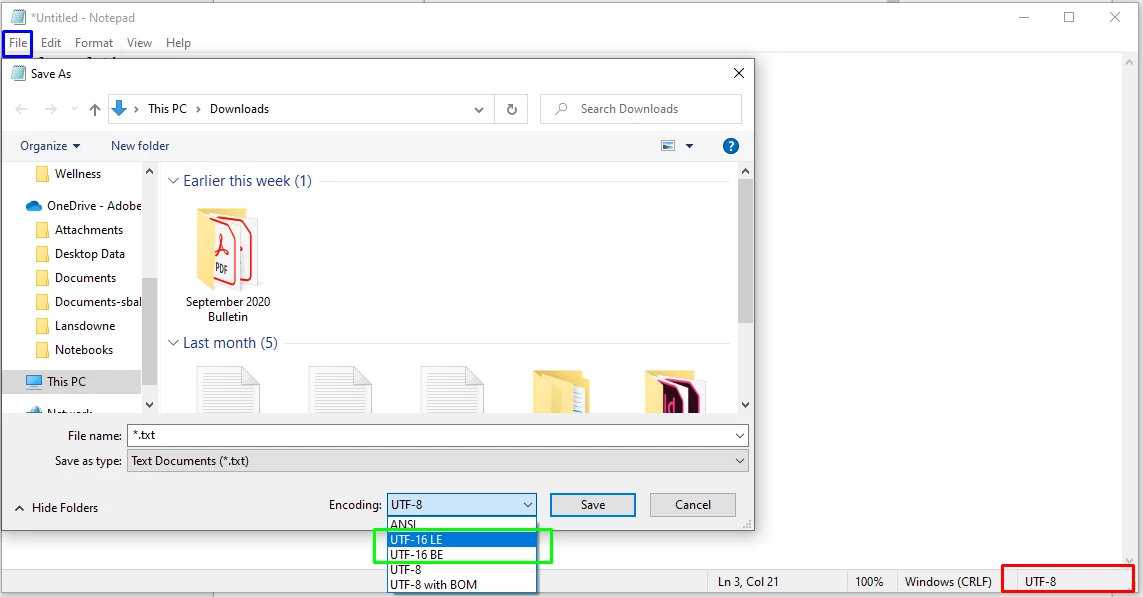
- For .txt files, open the files in Notepad or any text editor, save it as UTF-16
We hope that these steps would help you in resolving the data merge errors. In case you still have issues, please feel free to post in the community.
 AdChoices