
Retaining Index Markers When Replacing Citations in InDesign with FindChangeByList.jsx
I have a long list of cases (some 1200) cited incorrectly across multiple volumes. I've set up a text file for the FindChangeByList.jsx to find the incorrect citations and replace them with the correct ones.
But I want to retain the index markers in cases where the marker is inside the citation.
My solution was to demarcate each case with « and » at the beginning and end of the citation, and then to find index markes between « and » and place them before «.
For this I searched for the citations and replaced them with the found text with « and » around it: «$0»
In the Find/Change dialog this worked, and the index markers were retained.
However, when I did it via FindChangeByList.jsx, the marker itself disappeared, but a remnant remained, something like a blue colon. See below.
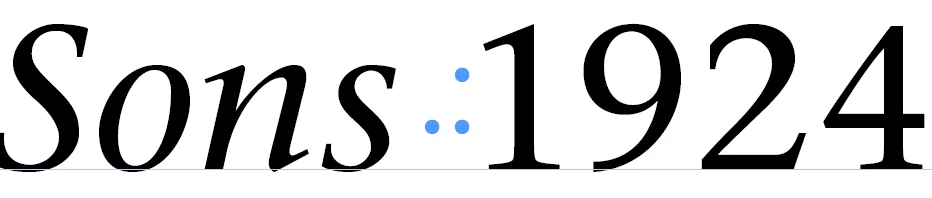
If I copy and paste the blue colon into a find/change dialog box, it is pasted as ~I, i.e. index marker. But if I search for it, it's not found.
Any ideas on how I can go about moving the index markers outside the citation, i.e. at its beginning or end?
<Title renamed by MOD>


 AdChoices